Alienware 15 review: Perfect timing for a budget gaming laptop
While its display could be nicer, Alienware's first budget gaming laptop feels like a welcome reprieve when practically all tech is more expensive.
Alienware 15 review: Perfect timing for a budget gaming laptop
While its display could be nicer, Alienware’s first budget gaming laptop feels like a welcome reprieve.
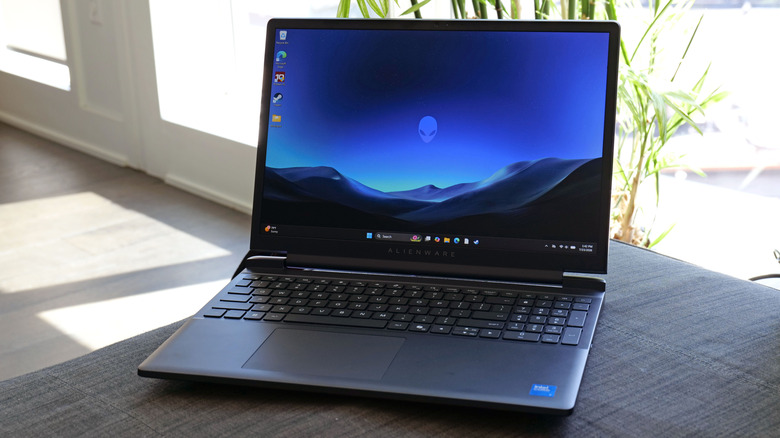
RATING : 8.7 / 10
- Very affordable
- Respectable performance
- Stripped down design
- Good port selection
- Firm keyboard with numpad
- Fans can get loud
- Display could be brighter and more colorful
- Mediocre webcam
Alienware has been around for 30 years. But what may surprise you is that in all of that time, the company has never made a true budget gaming laptop. Even some of its smaller systems from previous generations, like the Alienware 13, were meant to be highly portable but still premium PCs. However, everything changed this summer with the release of the Alienware 15. With computer manufacturers across the globe struggling to combat the rising price of RAM, the company's first affordable gaming couldn't have arrived at a better time.
Design
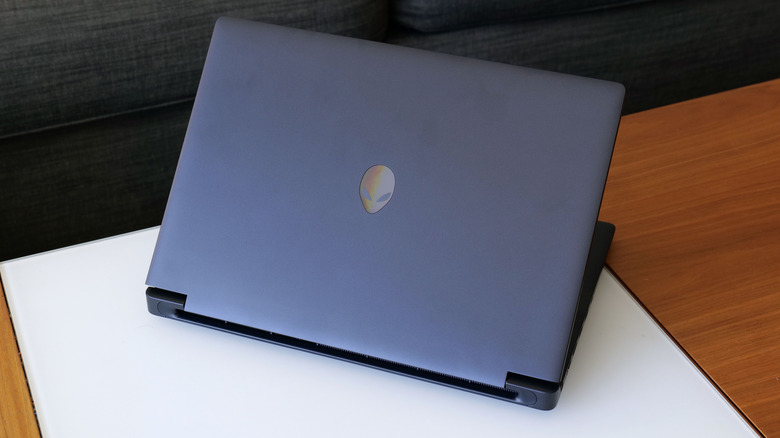
Alienware makes PCs with some of the most striking designs in the industry. However, when tasked with making a more budget-friendly machine, the company toned down its styling and I don't mind. After all, not everyone wants their laptop to light up like a disco ball every time they turn it on. Plus, if we're really focused on getting the best value for money, I think a lot of people would be happy to trade style for performance.
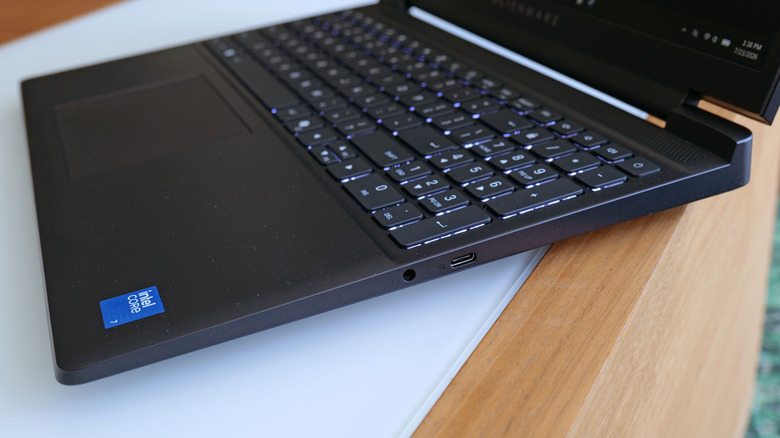
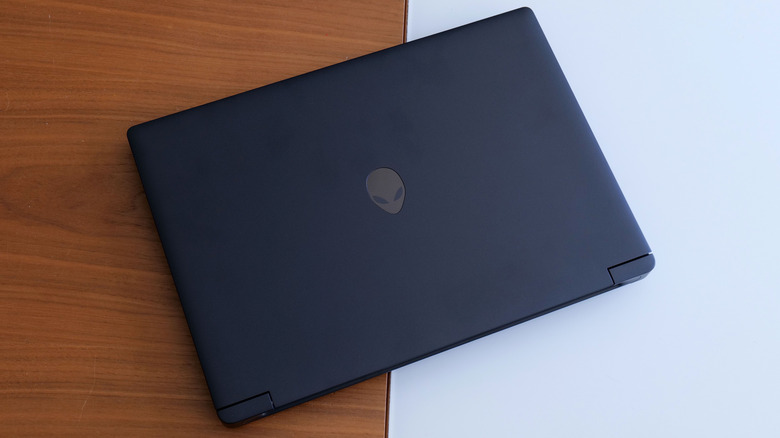
Don't get me wrong, the Alienware 15 doesn't look bad, it's just a bit plain, but in a somewhat stealthy way. Instead of a metal chassis like you get on some of its pricier siblings, this system is made almost entirely out of black plastic. There also isn't any RGB lighting, even in places like the alien logo on its lid, which is merely an opalescent badge, or its keyboard, which only has a white backlight.
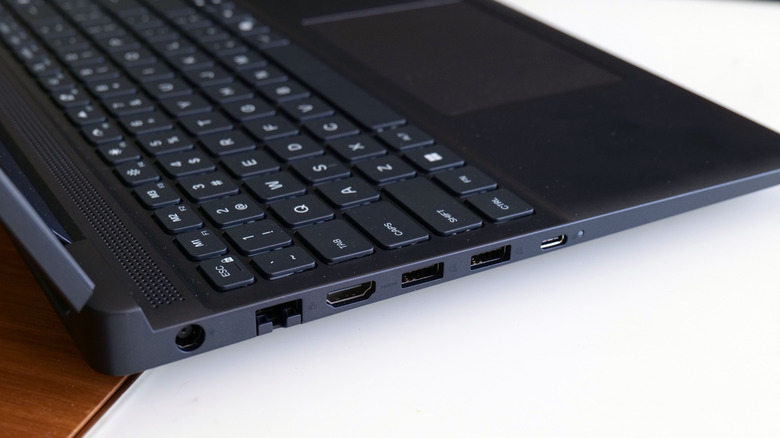
Thankfully, the Alienware 15 features a solid build without excess flex on its deck and I actually like the extra firmness of its keyboard. You also get a decently-sized though slightly mushy touchpad along with a numpad crammed in on the right, which is nice for anyone who plans on using this as both a gaming machine and a productivity device. Despite a starting price of just $1,000, Alienware didn't skimp on ports as the 15 comes with two USB-A 3.2 slots, two USB-C connections (one of which supports power delivery and DisplayPort 1.4), HDMI 2.1, a 3.5mm audio jack and even dedicated 1Gb Ethernet. Granted, with a max weight of just under five pounds, it's certainly not the lightest gaming laptop I've tested in recent times, but it's manageable.
Display and webcam
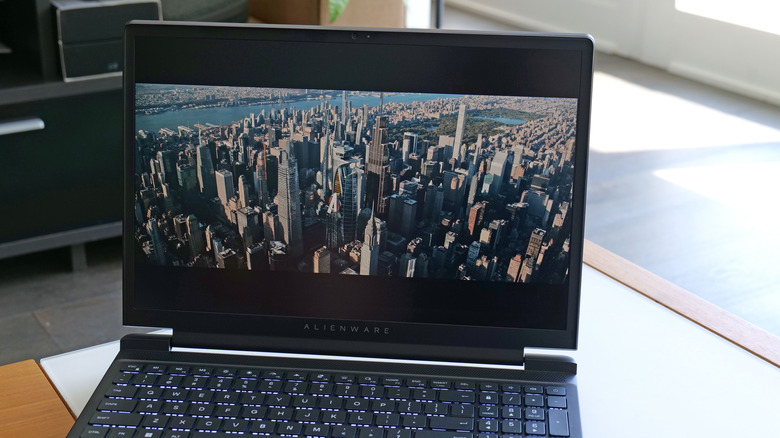
While I applaud Alienware for trying to make something truly affordable, the company may have skimped a bit too much on the Alienware 15's display. The 15.3-inch 1,920 x 1,200 LCD screen might be the weakest component on the system. And sadly, there aren't any other panel options, so you can't even pay extra to upgrade it.
On the bright side, the screen's 165Hz refresh rate is a good match for the rest of its specs, as it gives you a bit of headroom to take advantage of things like NVIDIA's multi-frame generation tech (assuming you choose a spec with a 50-series GPU). Meanwhile, its 300-nit max brightness is generally fine, as long as you mostly use this thing indoors. I really would like a bit more luminance for times when I sit near a sunny window though.
The biggest issue is that Alienware's display only covers 62.5 percent of the sRGB spectrum, which makes images look a bit washed out and lifeless. Things just aren't as colorful as they should be. If you're going to hook the laptop up to an external monitor, this might not be a big deal. But it's definitely not ideal, especially for anyone thinking about using their laptop to edit photos or videos when they aren't gaming. I really wish Alienware offered a screen upgrade alongside the 15's default panel, as that would be a big help for anyone who can afford a slightly pricier mid-range spec. Of course, there are more upscale alternatives like the Aurora 16 with better displays.
As for its webcam, Alienware went with a 720p sensor that maxes out at just 30 fps. For things like video calls and meetings, it's generally fine. But it doesn't look super sharp and its dynamic range is rather mediocre too. If you're planning to be a Twitch streamer, you're definitely going to want to upgrade to an external camera.
Performance
The Alienware 15 starts as low as $1,000 for a system with an Intel Core 5 chip and an RTX 4050 GPU. However, if you have room in your budget, I would suggest spending an extra $200 on a slightly beefier configuration with a speedier Intel Core 7 240H CPU, 16GB of RAM, 512GB of storage and RTX 5050 graphics. This is the spec I reviewed.
For those on a budget, this loadout provides ample performance while still offering a significant savings compared to more premium systems like Alienware's Aurora 16, which costs $1,500 for a nearly identical configuration. It had no trouble with standard productivity apps while also outputting respectable framerates in games. In Cyberpunk 2077 at 1080p with Ultra RT graphics, the Alienware 15 topped out at 45 fps. However, when I lowered settings a bit to plain Ultra graphics without ray tracing, performance jumped up to 78 fps. This is a good example of how you can achieve solid, stable performance just as long as you don't mind fiddling around with a game's video options. Meanwhile, in Control, the Alienware 15 fared even better at 1080p and Epic graphics by hitting 96 fps. Sure, this level of performance isn't going to blow anyone away, but for general 1080p gaming, there's plenty of horsepower here for most modern titles. And unlike its display, there are several GPU options to choose from, including up to an RTX 5060 card.
The one thing you need to watch out for is that the Alienware 15's fans can get rather loud under load, to the point where you may want to switch to headphones. Furthermore, because the laptop's vents are on its bottom, it's not a great choice for gaming on your lap either.
Battery life
Another benefit to stepping up from the base model is that you also get a larger 70WHr battery instead of the default 54Whr cell. That's a 30 percent increase in capacity, which is pretty significant, especially if you envision using this thing untethered for any length of time. On PCMark 10's Modern Office battery test, the Alienware 15 lasted eight hours and four minutes. That isn't quite as good as some of Dell's more premium ultraportables, like the XPS 16 (11:53), but it's more than OK for a budget gaming notebook with a discrete GPU. I was able to get through three rounds of Teamfight Tactics on a single charge in around two hours, but obviously if you're playing something more demanding, you're going to want to keep the power adapter handy.
Wrap-up
With AI investment sucking up the world's RAM supply, it's rough out there right now for anyone hoping to get a good deal on gaming gear. The PS5 has already gotten multiple price hikes. Same goes for the Xbox Series S and X, and the cost of the Switch 2 is set to go up on September 1. Meanwhile, MSI just released a gaming handheld that starts at $1,800 that offers similar levels of performance.
Even though I wish the Alienware 15 had a better screen and webcam, its flaws aren't nearly as offensive as they might be on a more expensive system. And if you can afford a slightly upgraded model like the one I reviewed here, there's a lot to like about the Alienware 15. That's especially true in a time when trying to buy budget-friendly tech feels like your wallet is being nuked from outer space.
Originally published on Engadget