Alienware 39 5K review: The ultrawide gaming monitor sweet spot
Finally, a large ultrawide monitor with tons of vertical screen space.
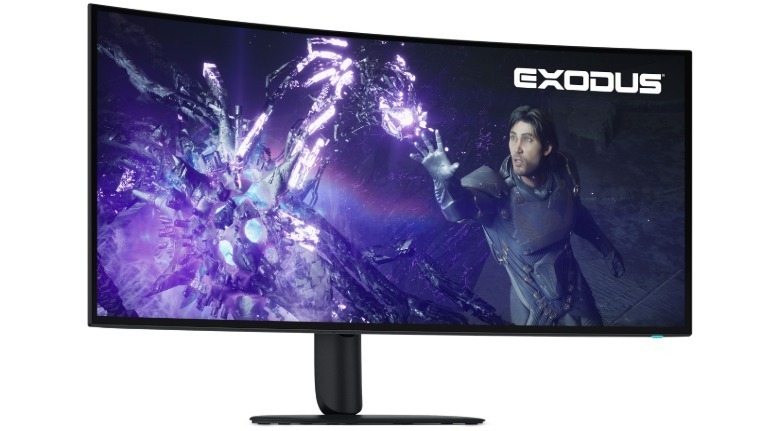
I've begun to feel a bit like Goldilocks when it comes to gaming monitors. I love the Alienware 32, a standard 16:9 widescreen, but I wish it were a bit wider. The Alienware 34 ultrawide impressed me, but I wish it were as tall as the 32's 4K screen. And while larger ultrawide screens like the LG UltraGear 49 looked absolutely insane on my desk, they were typically unwieldy. I couldn't comfortably see the sides of those screens, and they also felt a bit too short. The Alienware 39 5K gets everything just right.
I knew I was going to love this monitor the minute I placed it on my desk and I realized it perfectly eclipsed the Alienware 32 OLED that was sitting right behind it. The inner portion of the Alienware 39 5K was an exact match for the 32's entire display, while the ultrawide sides filled out my peripheral vision. Finally, this is a monitor I can immerse myself in completely without rearranging my desk, or fretting about not having enough vertical screen space.
While the Alienware 39 5K isn't a QD-OLED screen like the 34-inch ultrawide I just reviewed (which uses a Samsung panel), it still felt like a next-generation OLED, with none of the dimness I've encountered on older screens. Its 300 nits of SDR brightness was more than enough for browsing the web and general computer work, while its 500 nits of HDR performance made games like Control, 007: First Light and Overwatch 2 practically leap off the screen. And in those peak moments of 1,300-nit HDR brightness, like sunlight bouncing off the windshield of an impeccably polished British Racing Green Jaguar, my eyes almost always teared up. PC gaming has never looked this good.
Control felt like an entirely new game when I replayed it on the Alienware 39 5K. I originally experienced it on an older 32-inch Dell ultrawide screen without HDR, but that was nothing like playing it on an ultrawide display that covered my entire desk. Outside of playing Control on a virtual reality headset, where I could scale up a virtual display to the size of a theater, I've never been so immersed in the game. Having the extra horizontal display area made it easier to keep track of enemies trying to flank me, and the Alienware 39 5K's excellent HDR performance made the gleaming floors and office clutter of the FBC seem far more realistic.
 Alienware
I also spent several hours playing Overwatch in the screen's native 5K2K resolution and 165Hz refresh rate, as well as its 2,560 by 1,080 and 330Hz mode. They're both impressive for different reasons. Overwatch 2 looked ludicrously sharp and detailed in the higher resolution, naturally. It's such a low-impact game that many modern video cards should have no trouble reaching 120 fps at that resolution. (I was playing on an RTX 5090, and as you'd imagine, it was just fine.)
Not surprisingly, Overwatch was far less detailed in the lower resolution — with a 39-inch screen, it's hard to ignore blurry textures and text. But it was noticeably smoother as I hopped around the map, hoping to score a headshot with Hanzo and learning how to handle D.Mon's sick mech-suit. There wasn't any noticeable tearing as I rushed around the map and frantically tried to prove my worth, thanks to the monitor's G-SYNC and Freesync support.
The one downside of the Alienware 39 5K's high resolution is that you'll need a decent amount of power to see the screen's full potential. I was testing it on a desktop powered by a Ryzen 9 9950X3D and an NVIDIA RTX 5090, which is far beyond what regular gamers have access to. You'll need a video card that offers decent 4K performance, at the very least, and you'll likely have to lean on frame generation and upscaling to play games in 5K. Lower-resolution ultrawide screens, meanwhile, are far more forgiving when it comes to GPU power.
When I was able to peel myself away from games, I also loved using the Alienware 39 5K to browse the web, take notes and write a large chunk of this review. Text looks absolutely crisp, though I'll admit I was never truly bothered by the purple text fringing on older OLEDs. The screen's ultrawide resolution also makes it perfect for watching anamorphic widescreen movies and videos, which fill the entirety of the display. Just be aware that standard 16:9 widescreen content will have black bars along the sides of the screen (at which point, this is effectively just a 32-inch 4K monitor).
The Alienware 39 5K features the same basic on-screen controls as Alienware's other monitors, except now its control joystick is along the bottom rear of the monitor, instead of right on the bottom edge. I found it easy to navigate, though it's certainly a bit more archaic than the smart display controls I've seen on Samsung's monitors. You'll also need to deal with its menus every time you want to switch display modes.
Originally published on Engadget