Today at Apple’s Worldwide Developers Conference, the company announced new features coming to the iPad with iPadOS 27 including optimizations such as apps launching up to 30 percent faster by intelligently preloading needed info, and more responsive switching between multiple apps.
Apple announces iPadOS 27
Today at Apple's Worldwide Developers Conference, the company announced new features coming to the iPad with iPadOS 27 including optimizations such as apps launching up to 30 percent faster by intelligently preloading needed info, and more responsive switching between multiple apps. As with the new versions of Apple's other operating systems launching this year including […]
t
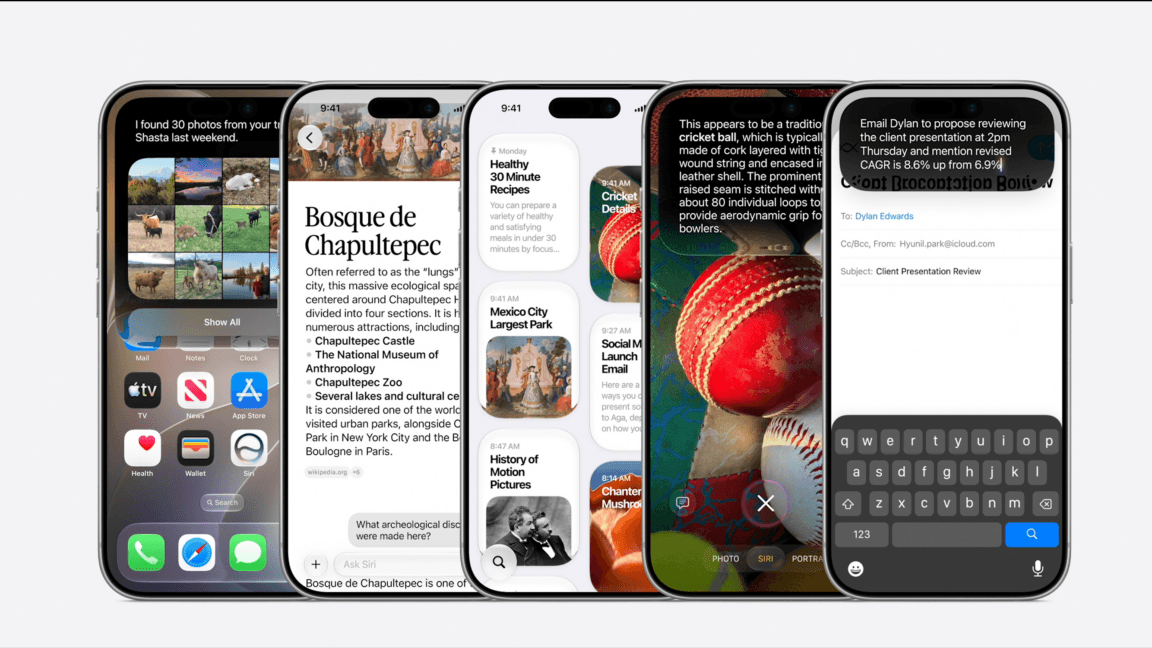
tech4you AIAs with the new versions of Apple’s other operating systems launching this year including iOS 27 and macOS Golden Gate 27, iPadOS 27’s biggest updates will come courtesy of the new Siri AI. Siri will be accessible through iPadOS’ Spotlight search, which will automatically know when you’re prompting the assistant or just searching for apps and documents. Siri AI will also be available through a new dedicated Siri app that can be used like ChatGPT’s app to have conversations with the smart assistant and access and revisit past chats. Apple Intelligence and Siri AI will be available on iPad models with an M1 chip or later as well as the iPad mini with Apple’s A17 Pro chip.
Screen Time is getting a major overhaul under iPadOS 27, giving parents and caregivers the ability to schedule when and for how long kids have access to specific apps and services. Apple will also introduce new APIs for parental controls and a new Declared Age Range API so individual apps can offer a customized or limited experience based on who is actually using them. Updates to child accounts will allow caregivers to limit access to specific apps, as well as who kids can talk to in iMessage. Kids can also be made to ask for approval to view websites, with that safety feature automatically being turned on for kids under 13.
Apple is improving the iPad’s speed and performance with its next OS. Transferring files to an external drive connected over USB-C or just browsing its contents will be up to five times faster. Launching apps will be faster, too, as will AirDrop transfers.
Keeping your browsing organized will get a little easier in Safari. iPadOS 27 will introduce an Organize Tabs feature that automatically sorts open tabs into multiple groups based on each site’s content. Safari Notify Me can be used to monitor web pages on your behalf, notifying you with an alert of a price drop or restock in an online store, for example.
Siri AI will also power improvements to Apple’s Shortcuts app to make it more user-friendly. Apple’s not taking away the ability to manually build shortcuts and automations, but with iPadOS 27 you’ll be able to ask the Shortcuts app to build one automatically using natural language prompts describing what you want it to do.
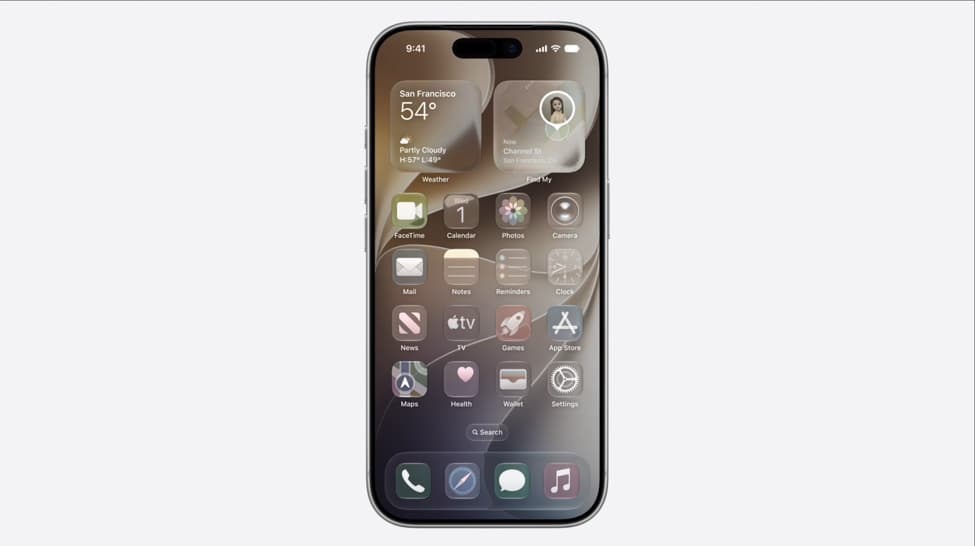
When it launched last September, iPadOS 26 debuted with more than just a new name based on its annual major updates. Along with iOS 26, the iPad received a major facelift with Apple’s Liquid Glass design language that introduced a mix of glossy and translucent UI elements the company later refined to improve legibility. With iPadOS 27, Apple is further refining Liquid Glass to “ensure exceptional readability with more uniform refraction and improved contrast,” according to Apple’s website. App icons will be sharper and more detailed, while a new slider will let you further customize the appearance of Liquid Glass, from ultraclear to fully tinted.
Accessibility improvements include VoiceOver upgrades making it better at understanding what’s on-screen with more detailed image descriptions. iPadOS 27 will automatically generate captions for any video you watch, including videos you shot yourself, and will be able to translate existing captions into other languages.
Photos on iPad is getting more functionality in addition to editing capabilities powered by Apple Intelligence you can use to fill in empty areas exposed when you straighten an image, or reframe a shot when you can’t snap it again. It will be easier for others to join and contribute to iCloud Shared Albums using iCloud.com, while full resolution photo showing is being introduced. New features for slideshows are enroute, including the ability to save slideshows to a video so it can be easily accessed again.
With iPadOS 26, Apple also pushed its tablets closer to being more capable laptop alternatives with a new resizable windowing system that mirrored how multiple apps are managed on macOS, including a menu bar accessible from the top of the screen tailored to the current app. Last year’s iPad update introduced a mobile version of Apple’s Preview app for viewing, annotating, and editing PDFs, plus an improved version of the Files app with a Mac-like list view.
iPadOS 27 will be available to developers starting today ahead of a public beta expected to debut next month and an official release this fall. The specific iPad models compatible with the update, according to Apple, including the following:
- iPad Pro (M4 and later), iPad Pro 12.9‑inch (4th generation and later), iPad Pro 11‑inch (2nd generation and later)
- iPad Air 13-inch (M2 and later), iPad Air 11-inch (M2, M3, and M4), iPad Air 11-inch (4th generation and later)
- iPad (A16), iPad (9th generation and later)
- iPad mini (A17 Pro), iPad mini (6th generation and later)
Follow topics and authors from this story to see more like this in your personalized homepage feed and to receive email updates.
Originally published on The Verge