Apple Wallet in iOS 27 just got a glow-up. The app now splits restaurant bills, tracks Apple Card subscriptions and even builds custom passes. The best part? All of it happens without needing to leave the Apple Wallet app.
The update landed as part of Apple’s iOS 27 rollout. It pushes Wallet closer to becoming a true everyday hub, instead of it being just another simple card holder.
Apple Wallet in iOS 27 can now split the bill for you
The app’s biggest new trick lives in the Camera app. When you point your iPhone at a receipt using the new Siri mode, Wallet steps in to help you divide the check.
Once the camera reads the receipt, a yellow “Split Bill with Apple Cash” button will appear. From there, you can “Request” payment from friends or use the “Pay Your Share” option to cover your own portion.
To do this, you will need Apple Cash set up first. The feature also requires a compatible iPhone, an itemized receipt, and contacts who can send or receive Apple Cash.
“Users can simply scan a receipt with their iPhone camera, or use a photo of a bill to split it with friends,” is how Apple describes it.
It’s a small change, but a welcome one. Nobody enjoys doing mental math over a shared appetizer plate. That said, Apple Cash remains a U.S.-only service, so this functionality won’t be available in many countries.

AI image: ChatGPT/Cult of Mac
Create a Pass brings scan-and-go convenience
Wallet’s new Plus button now offers a Create a Pass option too. You can scan a physical pass with your camera, or even build one manually from scratch.
“With Siri mode in the Camera app, users simply point their iPhone at any physical card with a barcode or even screenshot a digital one, and they’ll be prompted to save it to Apple Wallet,” notes Apple. “Users can also create and add a pass directly from Apple Wallet.”
Manual creation comes with three templates: Standard, Membership and Event. The scanning option leans on Apple Intelligence tools to actually read the pass.
Visual Intelligence can now be added to Control Center for quick access. It can recognize most passes that carry a QR code or an Apple Wallet logo.
Still, not every pass will cooperate. Some airlines, venues and retailers will still push you toward their own apps for now.
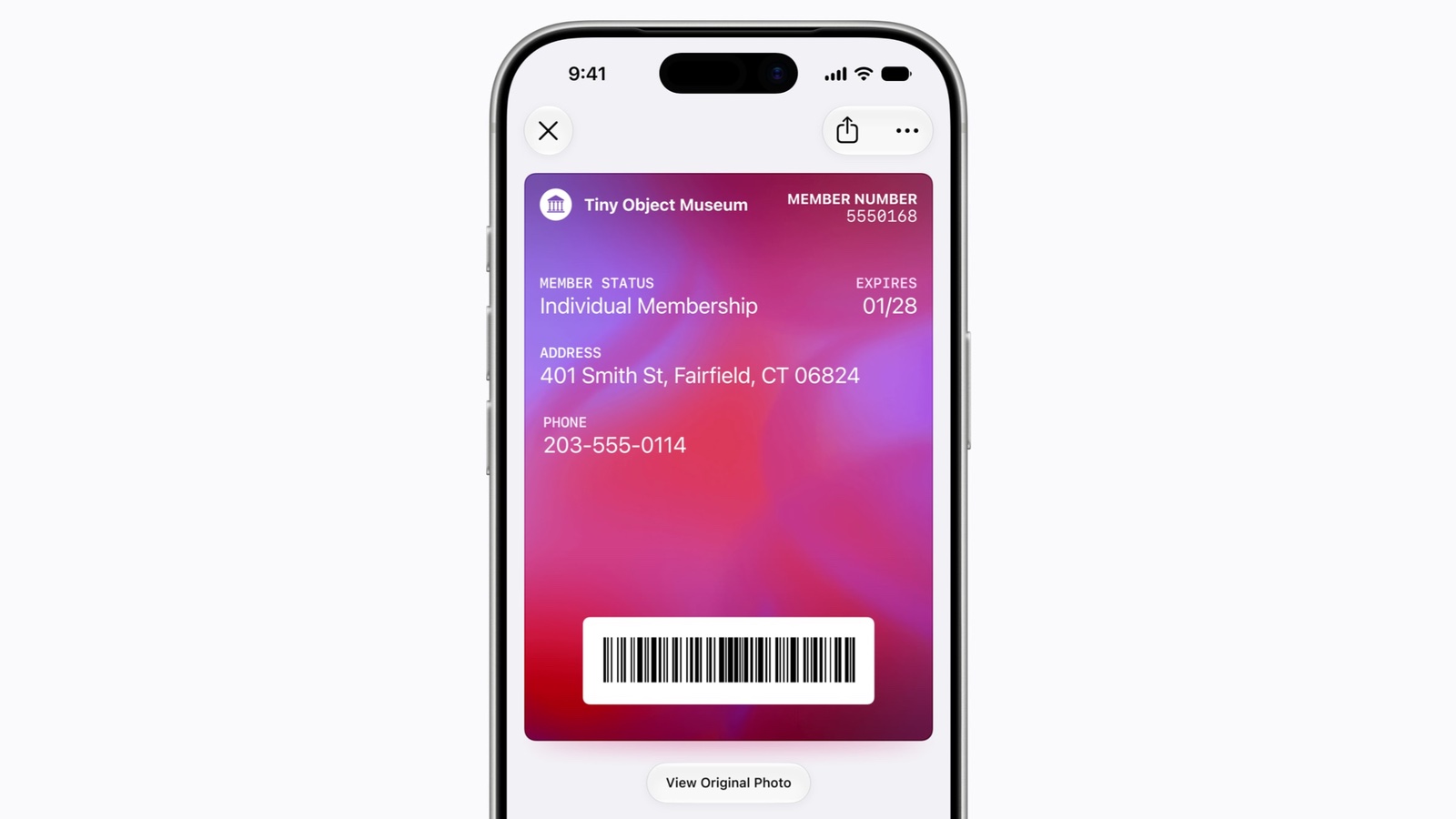
Image: Apple
Recurring transactions land on Apple Card
Apple Card holders also get a new organizational tool. A new Recurring option now sits behind the three-dot menu icon on the Apple Card screen.
Tapping it will surface every upcoming recurring charge, and you can also view them as a calendar or a simple list.
That’s a really handy way to catch a forgotten subscription before it renews. If you’ve been blindsided by a yearly charge, you’ll appreciate the heads-up.
Hotel keys and spending insights round things out
Apple Wallet’s Hotel Key experience is also getting smarter. Apple promises participating hotels will let guests view trip details and get timely updates. Guests will also be able to access on-property services from within Wallet.
Then there’s the new Insights feature for tracking spending across multiple cards. It reportedly works in select territories right now and is currently unavailable in the US.
Taken together, these updates make a strong case for Wallet as more than just a place to store boarding passes. It’s quietly becoming one of the more useful apps on the iPhone’s home screen.