iOS 27 includes new features for Apple Calendar, Wallet, Messages, Maps, and also the Weather app. Here are two new features coming to Apple Weather in iOS 27.
#1: ‘Highlights’ is a new summary of expected conditions
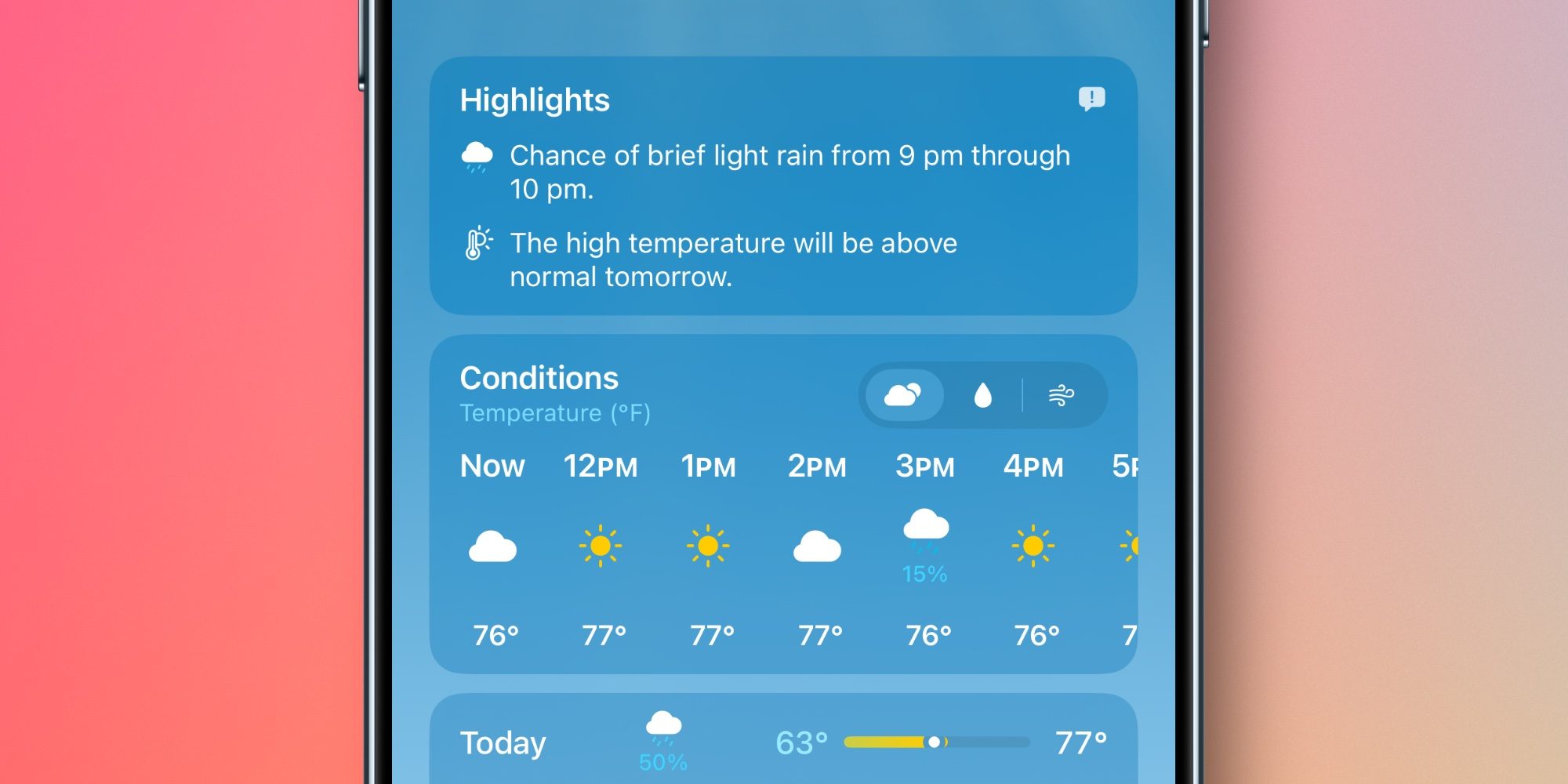
The Weather app has always offered a brief written overview of conditions near the top of the home page. But in iOS 27, Apple has upgraded and expanded this feature into a new ‘Highlights’ section.
’Highlights’ informs you of any noteworthy weather updates happening in the next day or so. It might inform you of rising temperatures, chances of rain or high winds, and the like.
Though Apple hasn’t said this, I suspect the feature might be powered by AI in some way. The iOS 27 beta placement of the ‘Feedback’ icon in the top-right corner of Highlights makes this seem likely.
So far in early testing, I’ve definitely found Highlights more helpful than the condition summaries available in iOS 26 and earlier. The updates seem more descriptive and relevant than what was offered before.
#2: New rain and wind forecast views
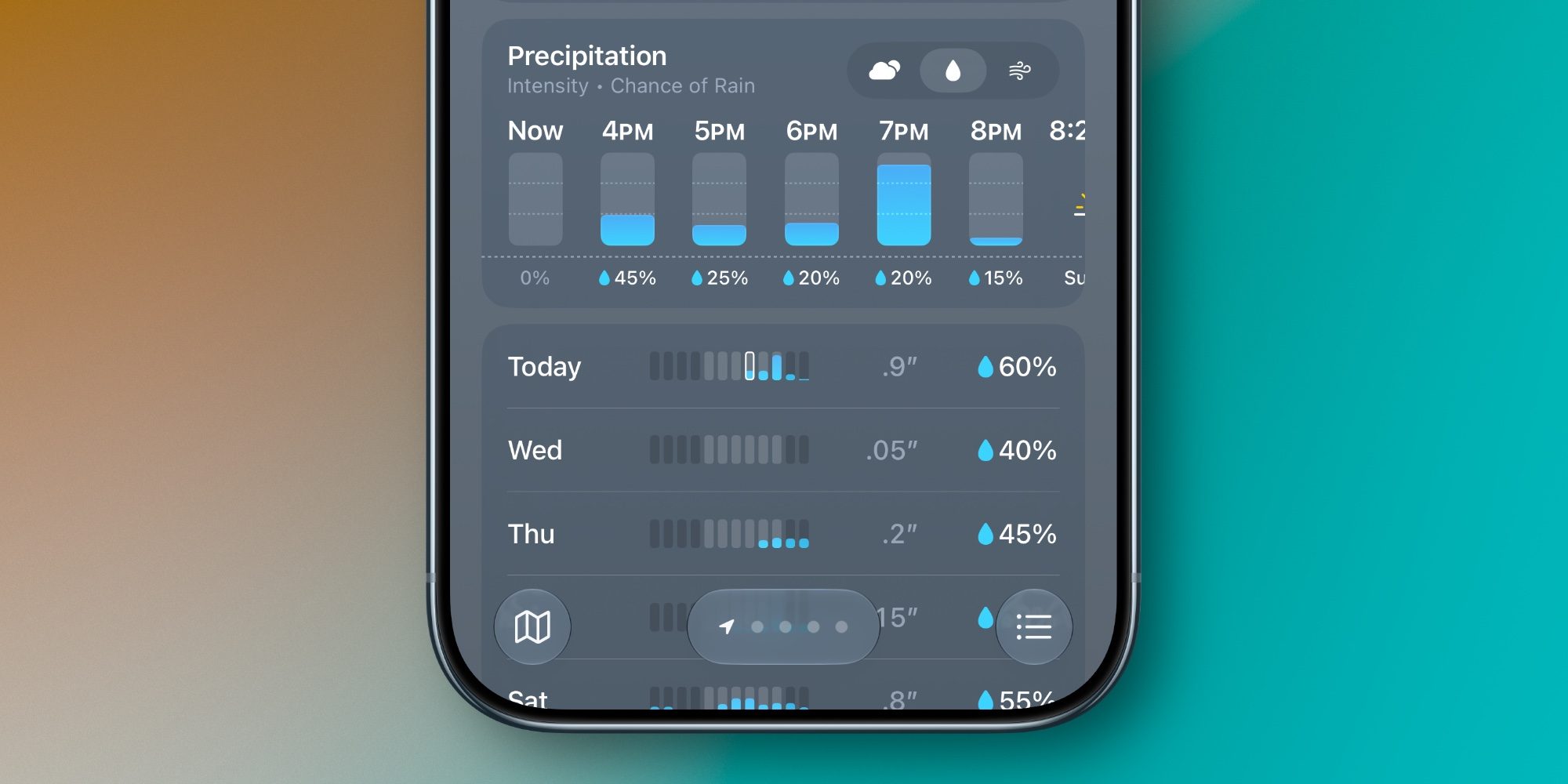
Another big change in iOS 27’s Weather app involves convenient new forecast views for Precipitation and Wind that live right on the home page.
You’ll notice in the images above and below that the Weather app now lets you switch between the default forecast view (signified by the cloud icon with sun behind it) and new rain and wind-focused views.
When you tap on the rain or wind icons, the hourly and daily summaries on the home page change from their default to focus solely on your chosen condition.
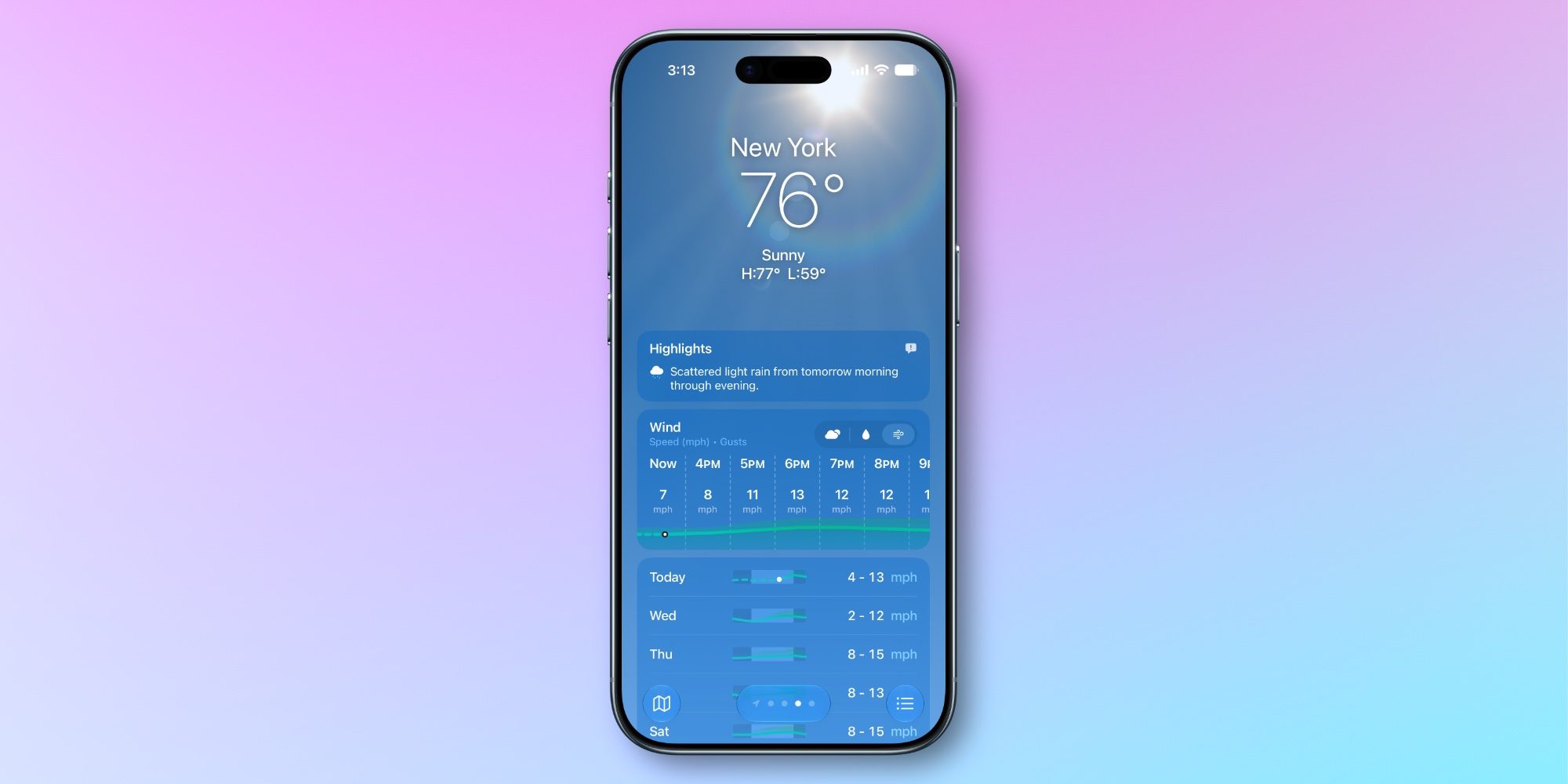
I’ve found the new forecast views a great addition to the Weather app. They let you stay in a familiar interface while providing in-depth data on precipitation and wind that you would previously need to dig to find.
What do you think of iOS 27’s new Weather app features? Let us know in the comments.
Best iPhone accessories
FTC: We use income earning auto affiliate links. More.