Can All Android Phones Use Android Auto?
Unless you've put some custom software on your phone, Android Auto will work on nearly all modern phones.
Can All Android Phones Use Android Auto?
Unless you've put some custom software on your phone, you should be good to go.
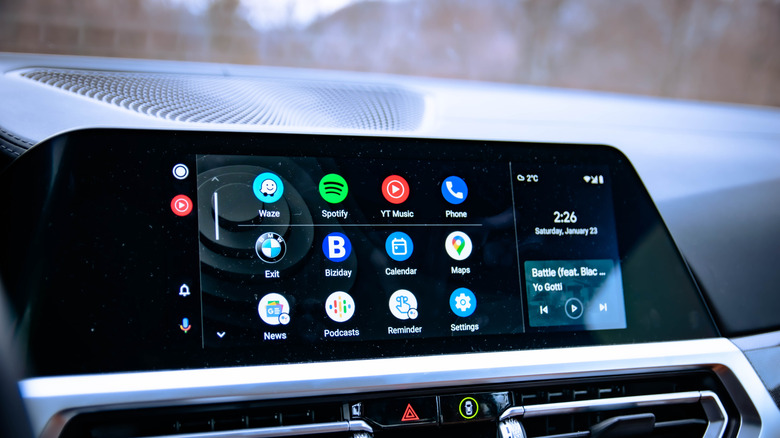
Android Auto lets you use the essential apps on your phone via your car's dashboard. Much like Apple's CarPlay, you're able to use Android Auto to send messages, take calls, play music, and help navigate you from A to B. It's quickly replaced the patchwork quilt approach taken by car manufacturers in the past, supplanting in-built car infotainment systems that often quickly become outdated and unsupported.
Android Auto is essentially a mirroring app for your phone, and most modern Android smartphones built over the last decade include support for it. A group of 28 different car manufacturers pledged to support it in their cars, too.a Compatibility isn't guaranteed, however, and there are a few exceptions that you'll need to be aware of, along with some common issues that can stop it from working.
Which Android phones work with Android Auto?
Almost all Android smartphones sold since 2018 running a stock or manufacturer-released version of Android will support Android Auto, as long as it's running Android 9 or later. Google says "most wired connections" will work with version 9 or higher. Version 10 is the first version of Android to come with Auto pre-installed, meaning you don't need to install it from the Play Store to start using it.
If your phone is running Android 9, you won't have it pre-installed, but you can install it from the Google Play Store. This will allow you to use Android Auto with your car over a wired USB connection. According to Google, over 500 vehicles now come with Android Auto support, but this can be dependent on the age of the car, so you'll need to double-check your car's specs to make sure your phone is compatible.
Those specs should allow you to use Android Auto by connecting your phone to your car using a USB cable, but support for using Android Auto wirelessly means you'll need a slightly newer phone. Wireless Android Auto is only available for phones running Android 11 or later, so models released in the last five to six years are most likely to support it. You'll also need a phone that includes support for Wi-Fi connections using the 5 GHz band, meaning support for Wi-Fi 5 or later. That's quite likely for any modern phone from this era, but make sure to double-check.
Older phones, phones without Google services, and third-party installations are the exception
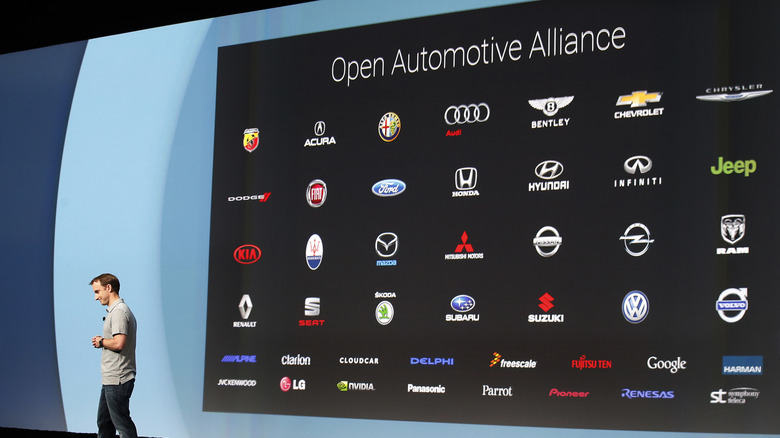
Both Google and the Open Automotive Alliance, the industry alliance of car manufacturers and tech companies that work to promote Android's use in cars, have tried to make Android Auto as universal as possible.
In reality, the picture is more complex. Unlike iPhones, which only receive software updates from Apple, the Android ecosystem is more fractured. The freedom to install your own version of Android means that instant plug-and-play support for Android Auto isn't guaranteed. The phones that work best with Android Auto will be those with native Android releases installed, meaning you've not installed a custom ROM on the device.
How supported Android Auto is otherwise will depend on the device you're using and the flavor of Android that's installed. For instance, GrapheneOS, the privacy-focused alternative based on Android's Open Source Project code, doesn't include Android Auto by default, according to its extensive user guide. If you want to install it yourself, you'll need to grant it a series of permissions before it'll work, including allowing it access to sandboxed Google Play services.
CalyxOS, another third-party operating system based on Android, also supports Android Auto with release 6.4.2 and later, but requires it to be enabled first. Other de-Googled phones running custom ROMs or lacking Google Play services are similarly likely to lack Android Auto support by default.
Your car, cable or connection can also cause issues
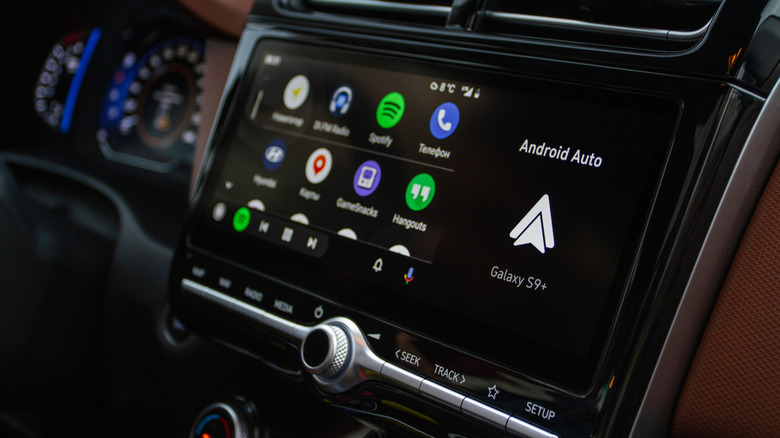
Android Auto isn't a perfect system in a perfect world. If you're using Android Auto often enough, pressure points or issues that force it to stop working will occur from time to time, even if your car or phone does fully support it.
A stable connection, or lack of, is the most common problem that Android Auto users face. Wired connections between your smartphone and your car, for instance, won't work properly without the right cable. In a Google help guide on the subject, tips for good wired Android Auto connectivity included using a cable shorter than six feet; if the cable doesn't work, just replace it. That's sound advice if you're using a cheap USB cable designed for charging only, too, as you'll need a cable that can support data connections over USB for wired Android Auto to work.
Wireless users can't simply replace a cable to fix their connection issues, however. Instead, you can remove the car from your phone's connected devices list and connect it as a fresh device. This isn't a guaranteed fix, but it will reset the connection from scratch.
Virtual private network connections will also prevent Android Auto from connecting properly. To fix this, you can either switch the VPN off while you're using it in the car, or configure it to use split tunneling (if your VPN provider supports it). Split tunneling means that your Android phone will route some app data through the VPN while excluding Android Auto to allow it to successfully connect with your car's systems.
How can I make my phone Android Auto compatible?
Modern Android smartphones released since 2018 should support Android Auto natively, and even phones running third-party alternatives like GrapheneOS can use it with the right permissions. If your phone isn't compatible, the only way to get around this is to update your phone. That could mean a software update, including to Android 11 or later for wireless Auto support if your device supports it. If that isn't possible, you'll need to upgrade to a newer handset to ensure compatibility.
You may find that your phone isn't the issue, however. A more likely source of trouble may be with the car itself, so double-check that it supports Android Auto by checking online or via your car's manual. If it doesn't support wireless Android Auto, you'll need to purchase a wireless adapter for Android Auto to cut the cord. These plug into the same USB port and connect to your phone wirelessly, typically using Bluetooth, to give you the same wireless experience as a quick in-car upgrade.
Originally published on Engadget