Don't use your car's USB ports to charge your laptop — Do this instead
The USB port in your car is likely not powerful enough to charge your laptop, but there are other options.
Don't use your car's USB ports to charge your laptop — Do this instead
It's tempting to plug into that handy USB port in your console. Don't do it.
Your laptop charges via USB-C, and your car has a USB port. Sounds like a good match, right? Nope. Chances are, the one in your dash or center console is designed for phone charging or media playback, not powering a laptop. Plug your computer into it, and you'll probably see, at best, a slow trickle of charge. Here's what to do instead.
Why your car's USB port falls short
Most vehicles' USB ports won't cut it when it comes to charging a laptop. For example, standard phone charging often starts at around 5W to 7.5W. But the current M5 MacBook Air comes with a 40W (60W max) dynamic charger and needs a 70W or higher USB PD power source for fast charging. Meanwhile, the latest 14-inch MacBook Pro comes with a 70W charger and needs 96W or more for fast charging. Many Windows laptops are in the same ballpark.
You can usually find your laptop charger's required wattage printed on the power brick or adapter. Make a note of it, because you'll need to match it to whichever charging solution you use.
It's worth noting that some newer vehicles, including many EVs, have more powerful USB-C ports that can charge a laptop. But don't assume yours does. Instead, look for a label by the port or a note in the owner's manual that mentions USB-C Power Delivery (PD) or high-wattage charging. If you see that, your car may be one of the exceptions. Otherwise, a standard USB port probably won't do the trick.
What to use instead
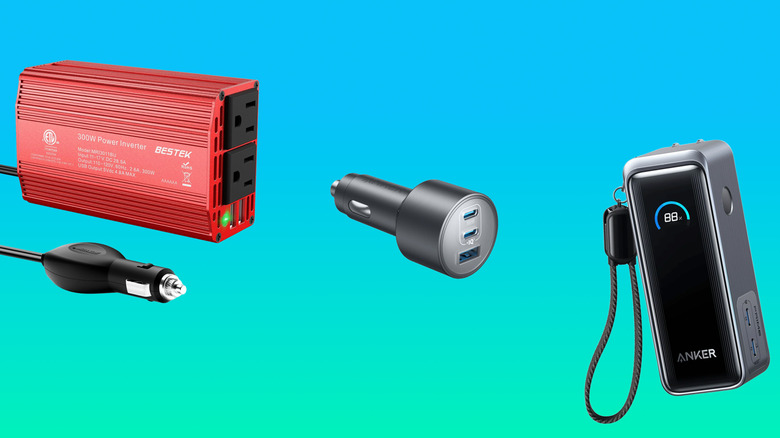
For most people, a 12V USB-C PD charger is the best option. It plugs into your car's accessory outlet (often still called the cigarette lighter) and usually delivers much more power than the car's built-in USB ports. Just look at the wattage rating on the charger, and make sure it matches your laptop's power brick. So, if your laptop normally uses a 45W or 65W charger, look for a 12V USB-C PD charger that supports at least that range.
A power inverter is another option. These accessories also plug into the accessory port but give you a full-on AC outlet. That means you can skip USB-C and simply plug in your laptop's wall charger. Just make sure your car's outlet can handle the load, especially if you're using a larger charger or inverter. (You can do so by checking the owner's manual or the label near the port.)
Or, you can skip the car's charging setup altogether and use a laptop-friendly power bank. Models marketed for laptop charging are usually a good place to start. But you'll still want to check the wattage rating to make sure it meets your laptop's needs.
Originally published on Engadget