iOS 27 adds new features to Apple Notes, Messages, Wallet, and more, and it has a few improvements for the Reminders app too. Here’s everything new for Reminders in iOS 27.
#1: Describe your reminder
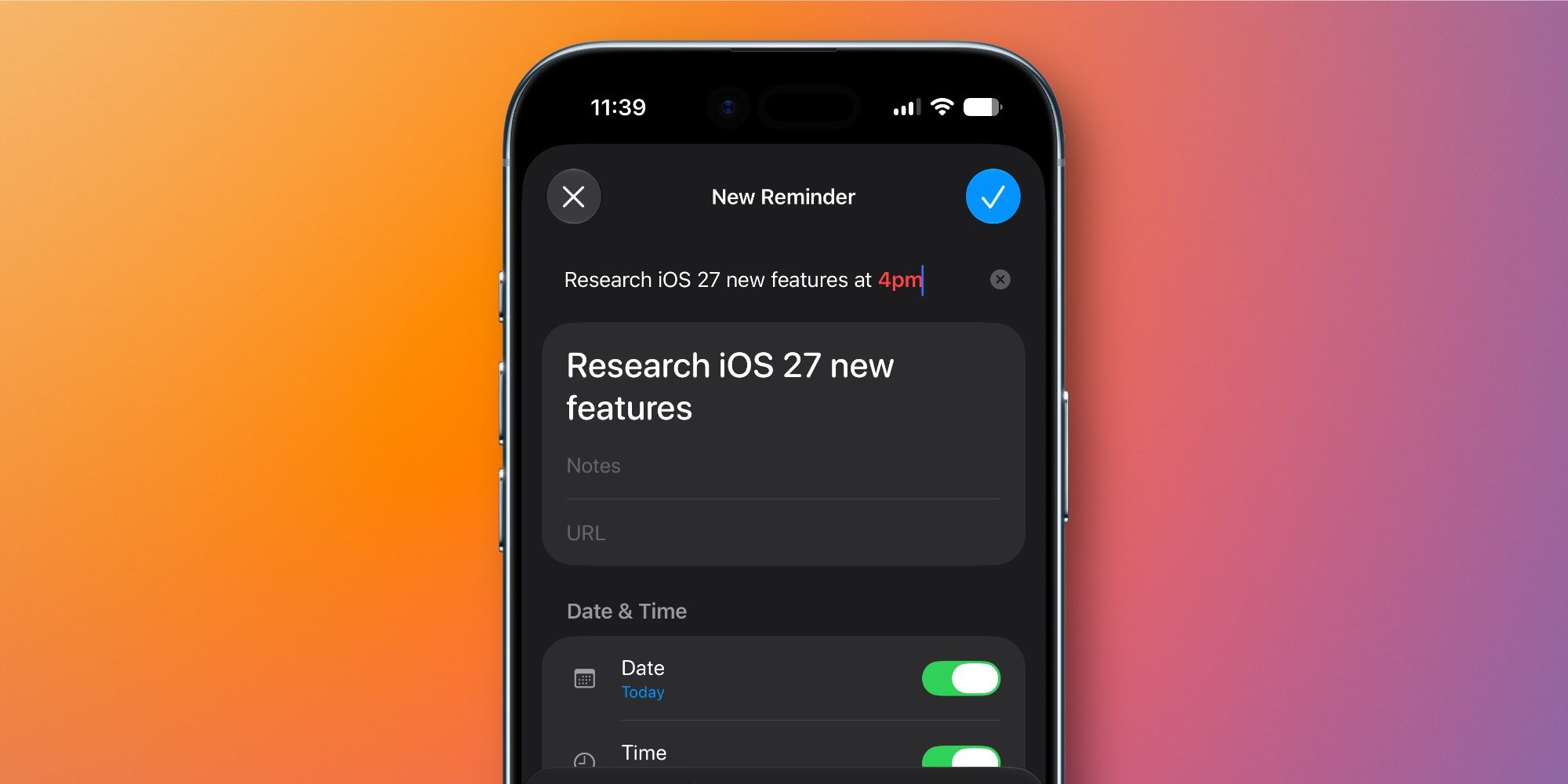
Reminders has offered some level of natural language support for new reminders for a while. But in iOS 27, Apple Intelligence brings a new take on the feature.
When creating a new reminder, you can still use the same old system where you type certain reminder info, like a due date, and the keyboard row will suggest adding that date to the reminder.
But Apple Intelligence now goes a step further, letting you describe a reminder and have it automatically adopt all of the relevant metadata you mention. Per an iOS 27 splash screen:
Describe a New Reminder: Use your own words to describe a reminder and Apple Intelligence will help create it for you.
It’s unclear if both the old and new systems will continue to exist throughout the beta cycle, since both carry a lot of overlap in functionality. But in theory, the new AI-powered ‘describe’ feature should make reminder creation quicker and more seamless than before.
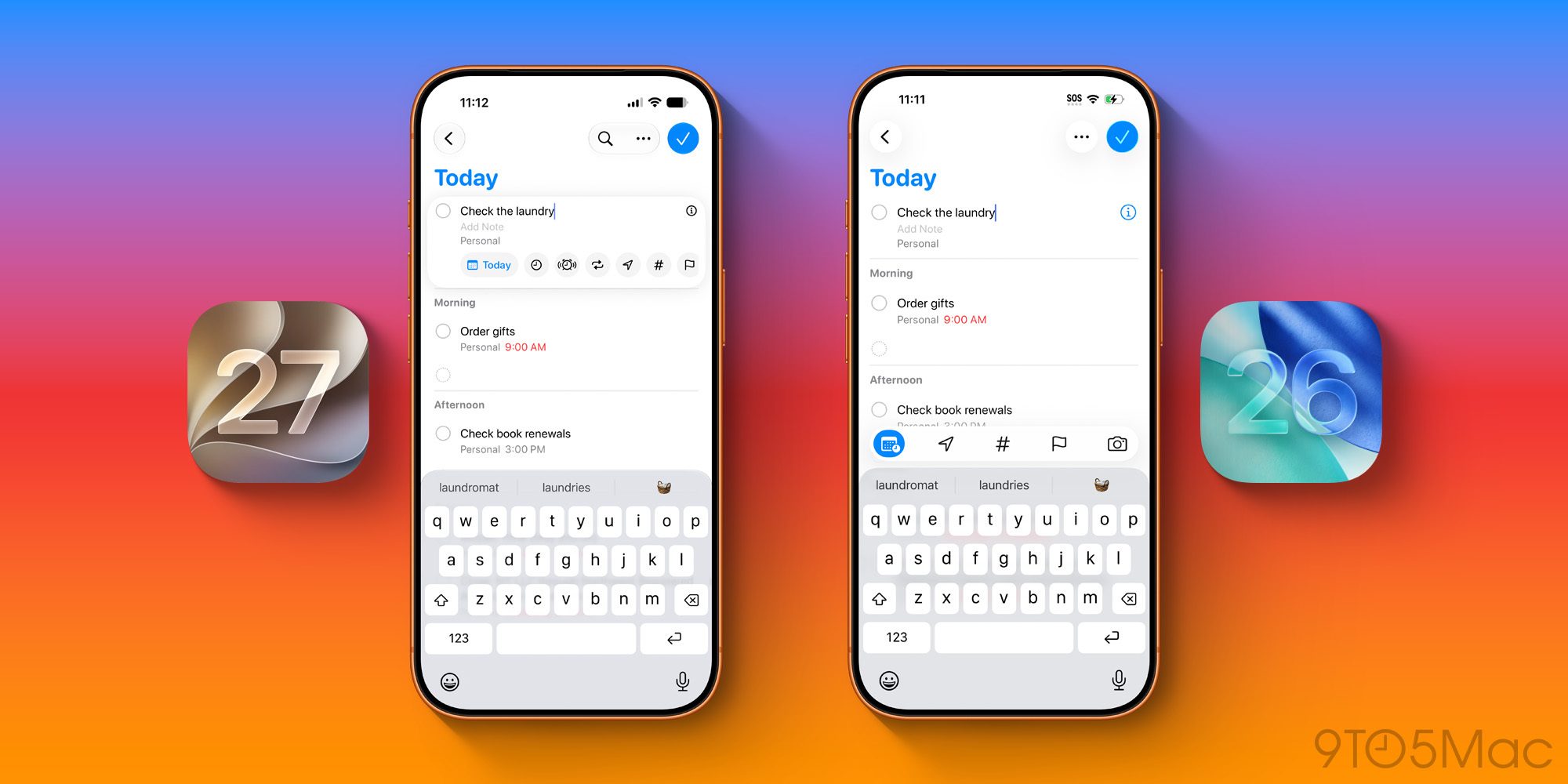
The new ‘describe’ feature is part of Reminders’ full task metadata panel. But if you’re just quickly adding or editing reminders inside a list, iOS 27 has an upgrade there too with more tools than ever.
In iOS 26, when creating or editing a task you would see five options above the keyboard row: Date, Location, Tag, Flag, and Camera.
In iOS 27, Reminders moves all metadata options into a new box that surrounds your active reminder. And it’s far more robust than before. The new UI lets you modify the following:
- Date
- Time
- Urgent
- Repeat
- Location
- Tag
- Flag
- Camera
You can still tap the ‘i’ icon to view the full set of metadata options, but with iOS 27 you shouldn’t have to do that nearly as often.
#3: Grocery list improvements
Apple says that Reminders’ grocery list auto-sorting feature has been made better in two ways:
- it now “sorts grocery list items more accurately”
- and grocery list sorting expands to multiple languages
Essentially, due to the more powerful Foundation Models in iOS 27, this feature that’s been around a while is going to work better than ever.
More info on Reminders’ grocery list feature is available here.
Which Reminders features in iOS 27 do you expect to use most? Let us know in the comments.
Best iPhone accessories
FTC: We use income earning auto affiliate links. More.