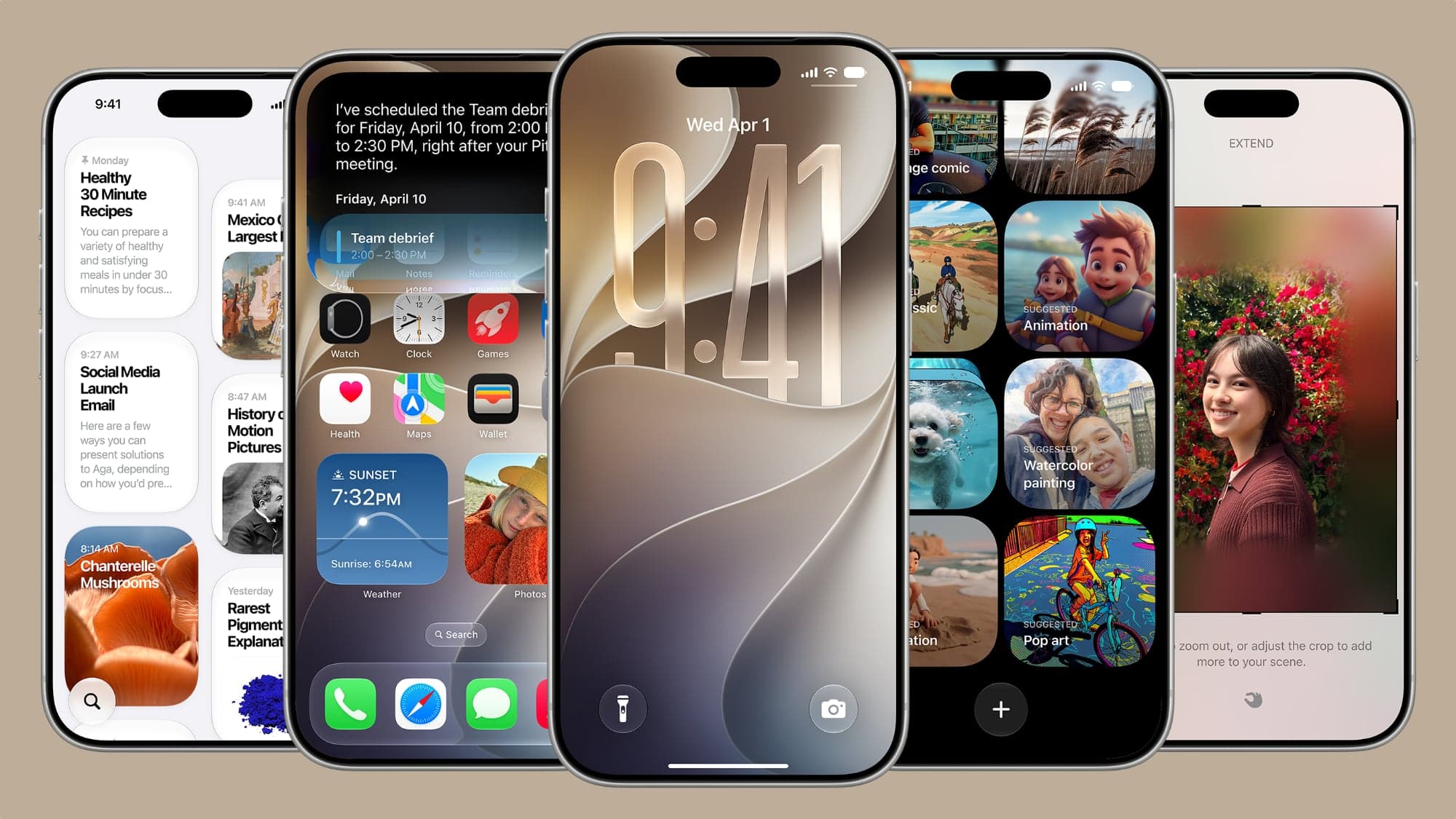
As expected from the WWDC keynote, Apple has launched iOS 27, with Liquid Glass and responsive improvements coming to your iPhone this fall.
The annual keynote address of Apple's WWDC week has, as usual, introduced developers to the next major release of iOS. Using the new year-based naming convention, iOS 27 will be installable on user iPhones this fall.
As tradition dictates, it will also be testable by developers months in advance, usually starting from a short time after the keynote concludes.
Before the event, Apple was believed to be using iOS 27 as a shoring-up release, fixing bugs and performance issues after last year's massive iOS 26 overhaul. There are also big expectations for AI changes this time around, too.
iOS 27 will be available on all models compatible with iOS 26, meaning all currently-supported iPhones can upgrade to it.
Keeping up appearances
WWDC 2025 saw the introduction of Liquid Glass, an update that was somewhat divisive among users. One year later, and Apple is taking steps to improve what it introduced.
While Apple has already allowed users to control the level of frosting for the glass effect in the lock screen clock under iOS 26, it will be expanded in iOS 27. You now have more granular control over how intense the glass effect is, and how frosted it appears.
Apple also says there's more separation between glass layers. App icons are gaining more glass layers, including more refraction elements to make them more refined.
As part of a performance drive, Apple has also made iOS 27 more responsive. This work has helped in various ways, such as swiping between Home Screen pages faster, making imported images in Photos appear 70% faster, and updates to the CPU scheduler to better manage resources.
Parental Controls
A current hot topic is child safety, and Apple has discussed it during the keynote.
For 2026, iOS 27 now has a revamped set of parental controls, including making it easier for parents to set up a new child Apple Account. Parents will be shown how to modify their child's access to apps on a device.

Screen Time in iOS 27
A previous feature where children can ask for access to an app has been expanded to include requests to access websites. Screen Time's Time Allowances updates the existing system to make it eaiser to manage app usage.
There are also APIs, so developers can hook into the same system.
Communication Safety previously blocked children from seeing nudity. Now, it can hide gore from view too.
Apple Intelligence
Apple's expected AI push in WWDC includes a name-checking of Google Gemini, which is being used to train Apple's Foundation Models. As usual, it is being made to work with onboard processing as well as Private Cloud Compute, in Apple's typical privacy-first way of working.
There's a new System Orchestrator that combines all of the elements and makes it work together as a cohesive whole. Regardless of whether it's text, image generation, or anything else.
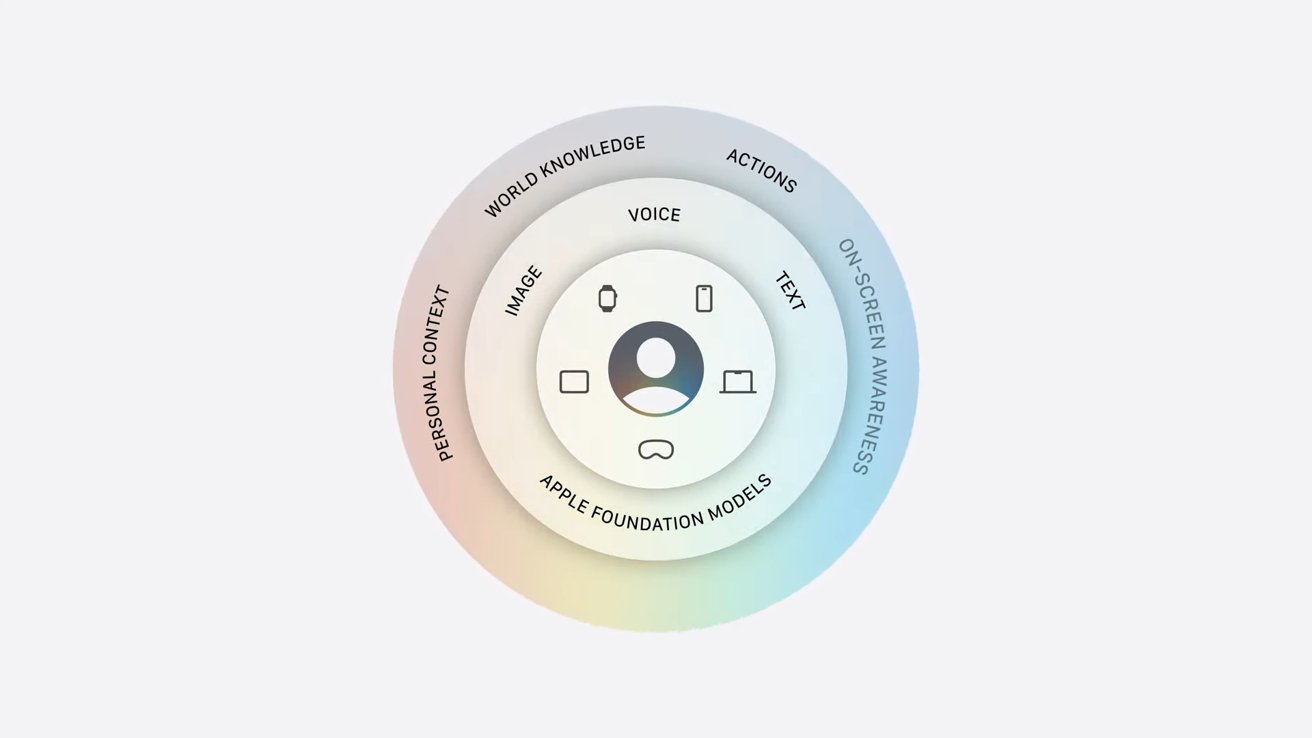
Apple's graphic showing the elements of Apple Intelligence
Behind the scenes, Spotlight's semantic index is probed to perform personal context understanding. This was previously teased two WWDCs ago, but failed to arrive at all, so hopefully it arrives this time.
When performing a query, Apple Intelligence can use the semantic index and then use "Broad World Knowledge," namely, getting new information from the Internet. Private Cloud Compute is then used to come up with an answer.
Apple Intelligence also works with App Intents. Also, on-screen awareness will tailor Apple Intelligence based on what you're doing with your iPhone, depending on the apps you're using at that moment.
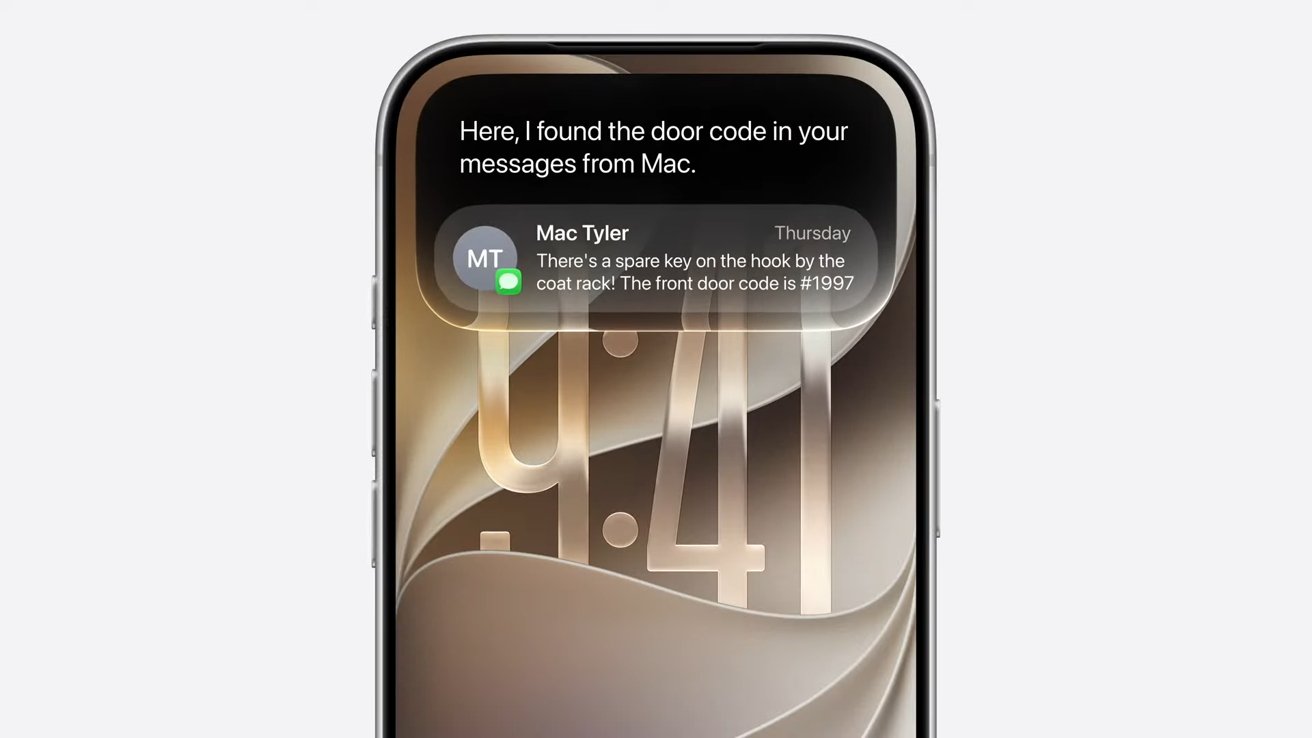
iOS 27 with new Siri
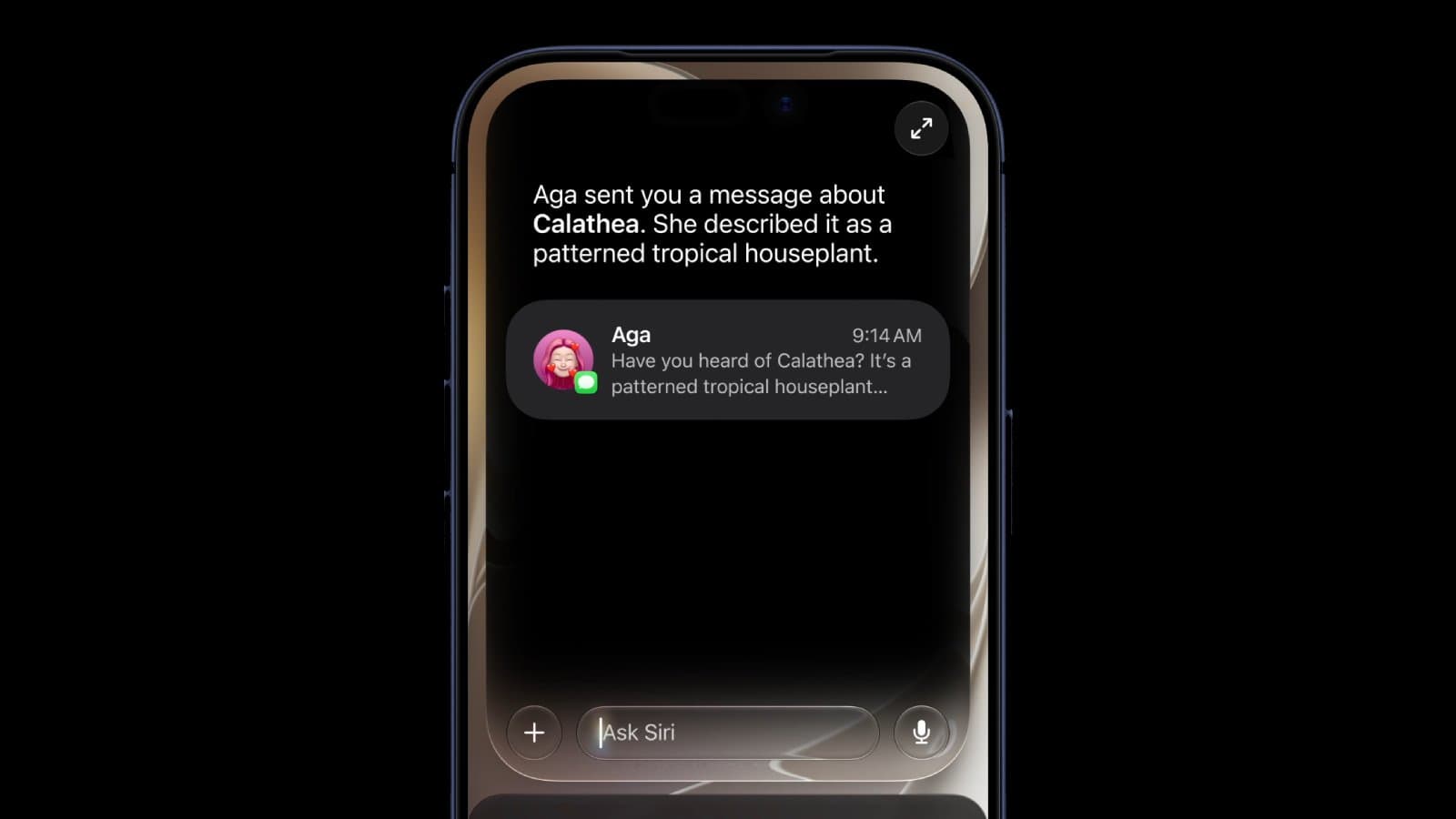
Then there's the new Siri. Using a large bubble in the Dynamic Island, Siri is now using an upgrade referred to as Siri AI.
There's the usual verbal commands, but Siri also works with data from multiple apps to find answers for prompts. There's also a dedicated Siri AI app that can maintain a conversation, complete with follow-up questions and prompts.
It's chatbot-style, sure, but it's also kinda expected by now. Much like the two-year-late contextual functionality.
When it comes to Apple Intelligence, there's a bigger push for users to adopt Visual Intelligence. While previously accessible from Camera Control, there's now a new Siri Mode in the Camera app.
The idea here is that users can use the same features of Visual Intelligence, but with the option presented more openly and more easily accessible from the outset.
Using Siri Mode, users can ask questions about what they see with the camera, as well as read information. This can include dates on a poster or an address on a label, for example.
Even so, to benefit from every new feature, you will have to make sure you're on new-enough hardware, too.
However, while you can expect to eventually use the new Siri, you will have a much longer wait if you're in Europe. The Digital Markets Act is preventing Apple from rolling out Siri AI or the new Apple Intelligence in the EU, citing a need to preserve privacy and security.
Image Playground and Photos
The AI push has led to some changes that are decidedly image-related.
Image Playground, Apple's Gen-AI feature, is being updated with a native photorealistic option, so you can make less-cartoony images.
When it comes to working with your actual photographs, there are changes included as part of the Photos app. For example, the existing Clean Up tool has been updated with a better quality infill.

Spatially reframing a shot in Photos
There's a new Extend tool that will expand the edges of an image with elements generated by the AI. Think adding more to a hedge and skyline that's on the edge of an image, enabling you to reframe by adding more to the picture.
You can also reframe the angle you take of a shot, too. Spatial Reframing can use spatial models so you can shift the angle the shot was taken from.
This is similar in concept to the Spatial Photos in iOS 26, but you can apply the chosen angle to the final still image.
Photos also gains a change to iCloud Shared Albums, making it easier for Android and Windows users to contribute their own images. It also supports full-resolution sharing and have new filtering options for shared album images.
Smaller changes
While these are the key updates to iOS 27, there are still many other changes on the way this fall, too.
Safari benefits from automatic tab grouping to help you organize your tabs by topic. Safari Notify Me will monitor pages for changes and alert you, such as price changes or product restocks in a store.
In a phone call, Call Context can surface relevant details when calling a business. For example, it could display a confirmation code from Mail when you're calling a company.
If you've wanted to try out Shortcuts but were turned off by setting one up, you will be able to create them by simply describing it.
You're also going to benefit from smoother network transitions. The iPhone will be more seamless in choosing the best Wi-Fi or your cellular connection, maximizing your connectivity.
In Maps, there's an enhanced Flyover that uses aerial imagery and Visual Intelligence models. This will render architectural fixtures and trees, giving more detail to the feature.
The Health app's cycle tracking will now provide notifications if a user's patterns indicate perimenopause.
Apple Intelligence has also improved HomeKit, with the Home App now combining related activity notifications, describing HomeKit Secure Video footage, and adding clip-based searches. HomeKit Secure Video cameras can also stream and record in 4K.
AirPods gain further personalization with a custom EQ.
Lastly, GymKit finally comes to iPhone and AirPods Pro 3 from the Apple Watch. Now you can sync with exercise equipment using your iPhone directly.