Apple Wallet is better than ever in iOS 27 thanks to a handful of new features, including a clever solution for splitting bills with friends and family via Apple Cash. Here’s how it works.
iOS 27 uses your iPhone’s camera and Apple Intelligence to make bill splitting seamless
Apple Cash has been part of iOS for years now, and I use it occasionally with a select few people in my life. But third-party services like Venmo and Zelle still tend to be preferred by most people I know for sending money.
In iOS 27 though, a new Apple Wallet bill splitting feature could make Apple Cash far more popular.
Here’s how the new bill splitting option works, per Apple:
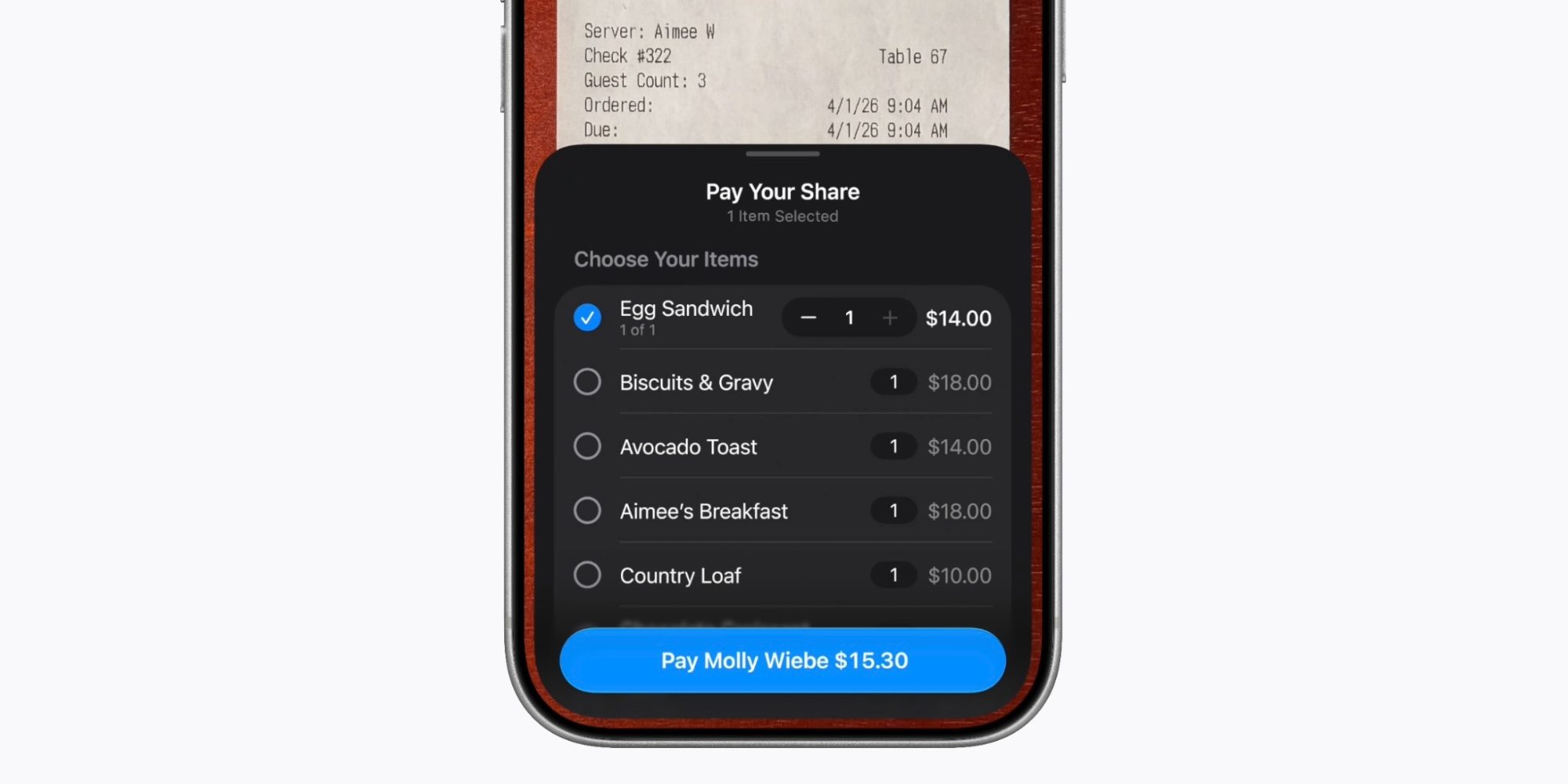
With iOS 27, users can split bills using Apple Cash and Apple Intelligence, making it easy to settle up after meals with friends. Users can simply scan a receipt with their iPhone camera, or use a photo of a bill to split it with friends. This capability is available in Messages, in Apple Wallet, or by using Visual Intelligence onscreen and with the iPhone camera. For example, the new Siri mode in the Camera app lets users get information and take action on what’s in front of them. When users point their iPhone at a receipt using Siri mode, it can surface the relevant action to split a bill with Apple Cash and identify the items on the receipt. As users select their items, their total payment is calculated, including their share of tax and tip, so they can pay back exactly what they owe with Apple Cash.
The whole process is extremely simple and seamless. Just point your iPhone camera at a receipt, or choose an existing receipt photo, and Apple Intelligence does the work of identifying each item so you can mark what’s yours. It’s easy to add a tip too, with no math required as iOS 27 calculates common amounts like 18% and 20% automatically.
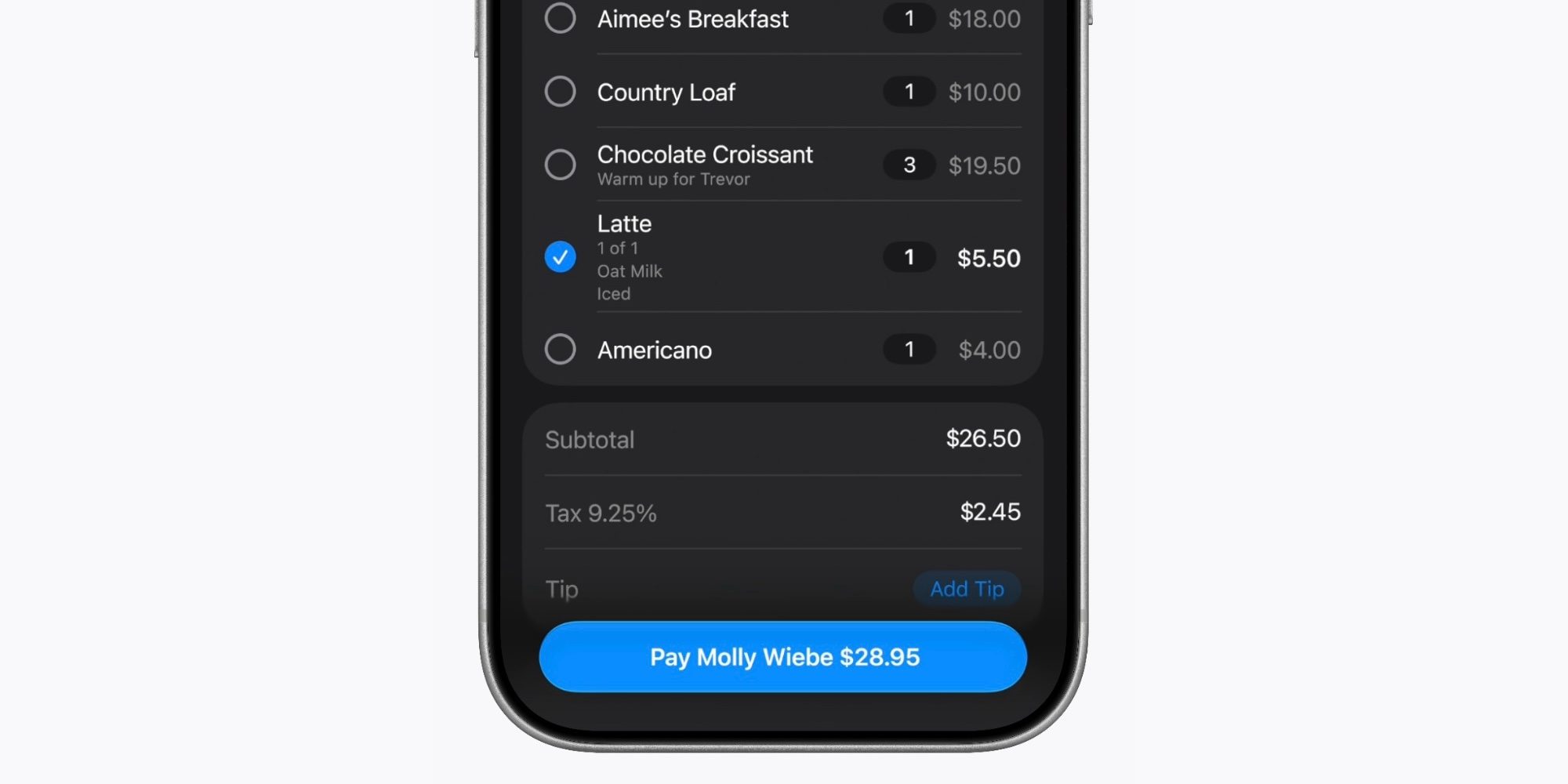
In my testing, bill splitting has proven an excellent addition to iOS 27 that delivers a very user-friendly experience. I love that it works from the standard Camera app in Siri mode, via the Messages app, and of course in Wallet directly.
The only real downside is that if you or your friends haven’t set up Apple Cash yet, that will be an extra step that slows you down.
But once Apple Cash is set up, bill splitting is a great addition that I hope gains a lot of popularity over time because the experience is so seamless.
Have you tried bill splitting in iOS 27? How did it go? Let us know in the comments.
*Buy iPhone with 15% discount from Apple refurbished
Best iPhone accessories
FTC: We use income earning auto affiliate links. More.