Is 4K just marketing? Here's where the name really came from
4K is a catchier marketing term than 2160p, but the resolution also has this name for a reason.
Is 4K just marketing? Here's where the name really came from
4K is a catchier marketing term than 2160p, but the resolution also has this name for a reason.

Screen resolutions are one of the many tech terms that go by various names, making it difficult to distinguish them. You might hear 720p, Full HD, and 4K all in the same conversation, for instance. These are three legitimate ways of describing displays, but all use different language that makes them difficult to compare. Vague marketing and many terms having different meanings across industries don't help, either.
Since 4K doesn't follow the pattern set by 480p, 720p, and 1080p, it might seem like it's just a marketing term. Even though it's technically not 100 percent accurate, 4K is an applicable way of describing these displays. The name has roots outside of consumer displays while still mapping to the video formats and screens we're familiar with. And with 8K used to refer to the next (likely far-off) leap forward in display tech, it seems this naming convention is here to stay.
Where the 4K name originated

4K was first used not to refer to TVs, but instead to digital film used in movie theaters. In the early 2000s, several big movie studios like MGM, Paramount, Universal, and Sony formed a group called Digital Cinema Initiatives (DCI) to define standards for digital movies. The first edition, published in 2005, included two resolutions: 2K (2,048 x 1,080 pixels) and 4K (4,096 x 2,160 pixels). You might notice that these widths are both powers of 2 (2,048 is 2^11 and 4,096 is 2^12), since computers work in binary numbers.
The DCI's 4K name came from the horizontal length being roughly 4,000 pixels, which is an explanation loosely applied to many uses of the term. However, the 4K resolution we use for home entertainment isn't the same pixel count; it's instead 3,840 x 2,160 pixels. Movie resolutions are slightly wider to match the displays in theaters and allow for easier cropping.
The "4K" name used for consumer tech has a different connection: It's exactly four times the size of 1080p's 1,920 x 1,080 pixels. Its horizontal and vertical pixel counts are each twice that of 1080p.
Understanding other display naming jargon

4K is just one of the several families of terms used for display terminology. The next most common is Ultra HD (UHD), where "ultra" is a general adjective used to describe the advances in these displays compared to older ones. You might see "4K UHD" for home displays to distinguish it from "DCI 4K" or "Cinema 4K" in contexts where a distinction is needed.
We've been using "HD" for a while, which is unclear since "high definition" essentially means "it's better than what came before." "HD" was used to refer to 720p as we started to move away from standard definition in the 2000s, with the confusing "Full HD" referring to 1080p.
Another term for 4K is 2160p, which continues the tradition of using a resolution's vertical pixel count for its name (following 480p, 720p, and 1080p). While accurate, this isn't used as often since "4K" is a lot catchier and easier to use in marketing. Speaking of which, the "p" in these resolutions refers to "progressive," which contrasts with older "i" (interlaced) standards. Interlacing saves on bandwidth by alternating the drawing of odd and even pixel rows, while progressive video provides better quality by drawing the entire image at once.
There's another resolution between 1080p and 4K: QHD (quad HD). Coming in at 2,560 x 1,440 pixels, this is also called 2K or 1440p. While "quad" seems to imply the same as "4K," this name instead references the resolution being four times the size of 720p (1,280 x 720), while 4K is four times the size of 1080p. 1440p isn't as broadly familiar; since it's not a video source standard, it's not available on Netflix or other streaming services (aside from YouTube). It's most common in monitors, where it serves as a good balance between 1080p and 4K for gaming.
How much 4K media is readily available?
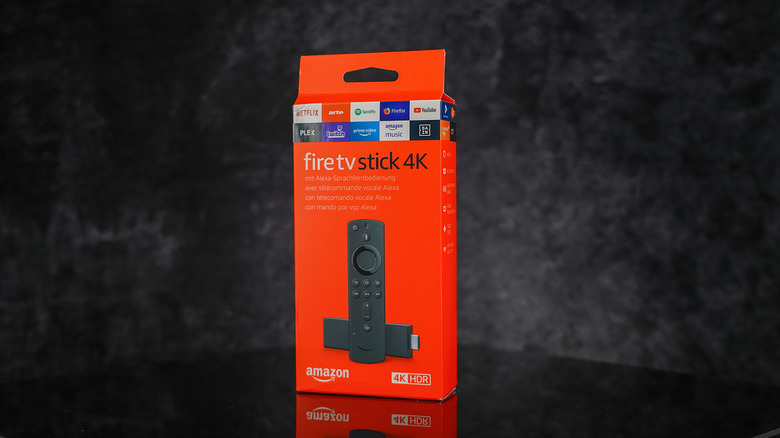
Even though 4K TVs are common and affordable, not everything on them is shown at that higher resolution. Most broadcast TV is still either 720p or 1080i. Many streaming services (including Netflix, HBO Max, and Prime Video) charge extra for 4K, so your plan might not even have it.
Other devices connected to your TV must be 4K-capable for you to enjoy UHD content. The PS5, Xbox Series X, and Nintendo Switch 2 can all output at 4K, though the actual resolution might be lower if you choose performance mode in a game (which prioritizes frame rate over resolution). 4K movies and TV require a 4K Blu-ray player and 4K Blu-ray discs. For each of these, you also need at least an HDMI 2.0 cable that supports 4K output, with HDMI 2.1 enabling higher frame rates in games.
Some content claiming to be 4K is actually upscaled, which is where your TV adds "missing" pixels to lower-resolution media so it fits your 4K screen. In contrast, true 4K output was recorded or natively output at that resolution, so it looks better.
And finally, don't worry about 8K anytime soon. There are no real 8K (7,680 x 4,320) movies, games, or videos, and the few wildly expensive TVs on the market haven't caught on. Aside from the data overhead involved in streaming or storing 8K video, this is also due to diminishing returns in image quality. With 8K, displays show more pixels per degree of your vision than the human eye can process. You'll see more clarity if you walk up to the TV, but that's not how we engage with media.
Originally published on Engadget