Apple's new M6 Mac mini is shipping soon, and a giant leap over Apple's first Apple Silicon Mac mini. Here's how much has changed.
After the introduction of the M5 MacBook Pro and MacBook Air, it was inevitable for Apple to bring the upgrade over to the desktop versions. That means the Mac mini has been given the spec-bump treatment once again.
However, it's not just bringing the Mac mini to the M5 level. Apple instead took the opportunity to bring it to the M6 level.
As it's now almost six years since the November 2020 introduction of the first Mac mini with M1, there's more than just a chip change at play. While someone may want to upgrade based solely on the chip, other specification changes will also tempt those who are keen to stick to the old hardware.
Here's what Apple can do to its smallest Mac over five years.
M6 Mac mini vs M1 Mac mini: Specifications
| Specifications | M6 Mac mini (2026) | M1 Mac mini (2020) |
|---|---|---|
| Launch starting price | $899 | $699 |
| Dimensions (inches) | 5.0 x 5.0 x 2.0 | 7.7 x 7.7 x 1.4 |
| Weight (pounds) | 1.5 | 2.6 |
| Processor | Apple M6 12-core CPU | Apple M1 8-core CPU |
| Graphics | 12-core GPU | 8-core GPU |
| AI Processing | Dual 16-core Neural Engine, GPU Neural Accelerators | 16-core Neural Engine |
| RAM | 16GB, 24GB, 32GB | 8GB, 16GB |
| Networking | Wi-Fi 7, Bluetooth 6, 2.5 Gigabit Ethernet, 10Gig upgradable | Wi-Fi 6, Bluetooth 5.0, Gigabit Ethernet, 10Gig upgradable |
| Storage | 256GB, 512GB, 1TB, 2TB | 256GB, 512GB, 1TB, 2TB |
| Display Support | Maximum of 3. Two 6K 60Hz over Thunderbolt and one 5K 60Hz over HDMI, or one 8K 50Hz or 4K 240Hz over Thunderbolt and one 5K60Hz over HDMI | Maximum of 2: One 6K 60Hz over Thunderbolt and one 4K 60Hz over HDMI |
| Ports | HDMI, Three Thunderbolt 4, Two USB 3 Type-C (front) 2.5 Gigabit Ethernet, 3.5mm headphone (front) | HDMI, Two Thunderbolt 4, Two USB-A, Gigabit Ethernet, 3.5mm headphone |
M6 Mac mini vs M1 Mac mini: Design, weight, size
The M1 Mac mini followed Apple's usual formula of reusing the same design as the previous model, but changing the internals and ports around. It's something that the Mac mini has done many times in its lifespan, with few opportunities taken to shake things up.
At the time, that meant a Mac mini that was all business in the back, with no ports around the front at all. As the smallest Mac, it was a flat squircle at 7.7 inches square and a mere 1.4 inches thick.

M6 Mac mini vs M1 Mac mini: New style above, old style below
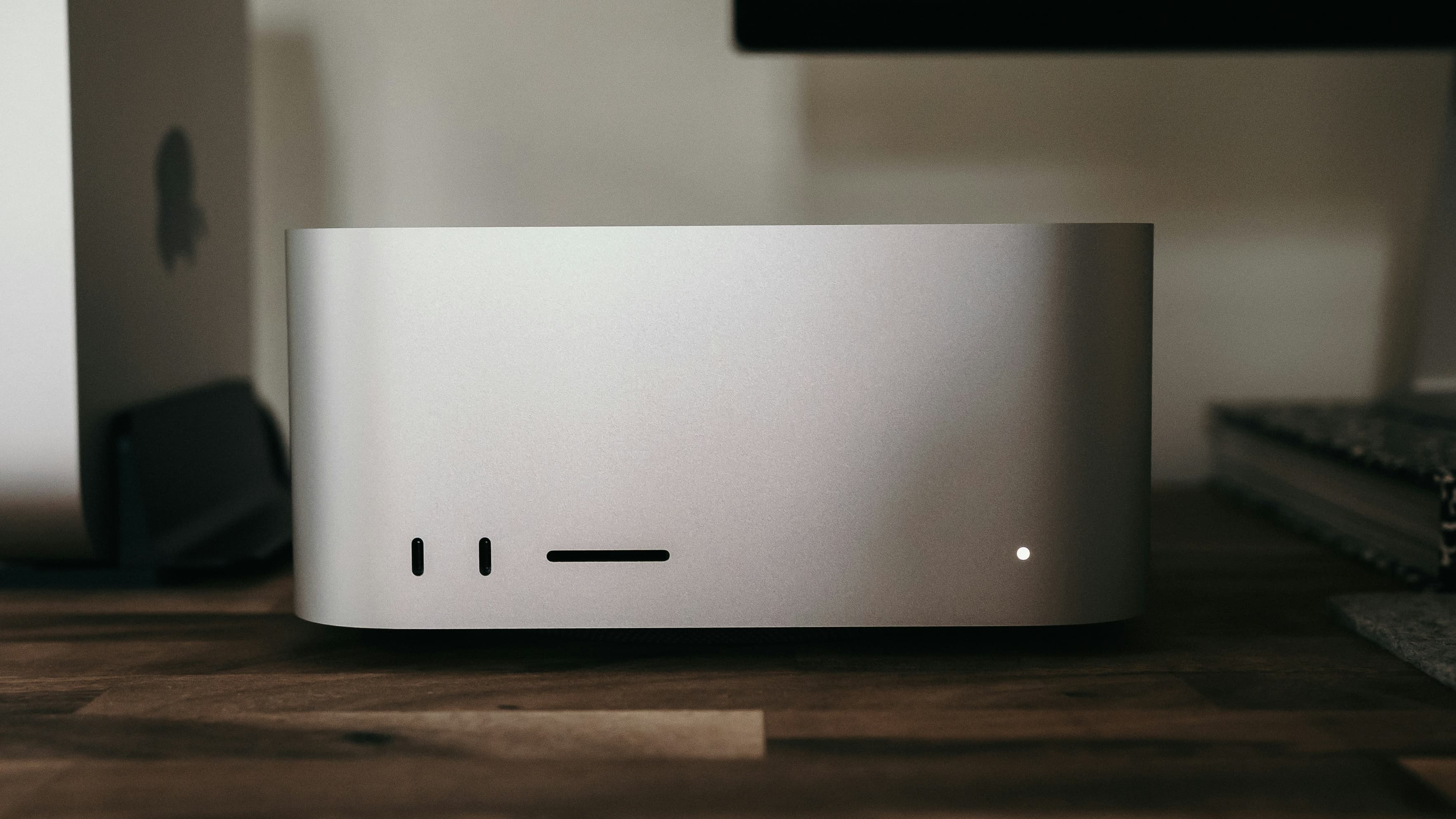
The M6 Mac mini follows the same reused-design route, but with a difference. Apple shook up the Mac mini form with the M4, which the M6 release copies.
That means a much smaller footprint of 5 inches by 5 inches, though a slightly taller design at 2 inches. It also happens to look like a shrunk-down Mac Studio, which is a nice touch.
The physical size difference also makes an impact when it comes to weight. While the 2.6-pound M1 Mac mini was light at the time, the 1.5-pound M6 is feather-light in comparison.
M6 Mac mini vs M1 Mac mini: Performance
The M1 was a groundbreaking chip, as the first in the Apple Silicon range. As a system-on-chip, it has an 8-core CPU using four high-performance cores and four efficiency cores.
There was also an Apple-designed GPU with eight cores, as well as a 16-core Neural Engine. Memory consisted of 8GB or 16GB allocations of Unified Memory, with a modest memory bandwidth of 68.25 GB/s.
Five years of progress later, the M6 includes a 12-core CPU, with two "Super Cores," four performance cores, and six efficiency cores.
This is accompanied by a 12-core GPU, which is better not just because of the core count. It has features like hardware-accelerated ray tracing and Neural Accelerators in each GPU core.
This last point makes the chip much better for machine learning and AI tasks in general, supporting the Neural Engine.
The Neural Engine also benefits from a performance increase. The M1 could do 11 trillion operations per second (TOPS), which wasn't too shabby back in the day.
The M6 goes hard on AI, starting with the dual 16-core Neural Engine. However, it's also benefiting considerably from the GPU Neural Accelerators, which supercharge its relative AI performance.
As for how much faster, Apple claims the M6 Mac mini has up to 13.5 times faster LLM prompt processing in LM Studio for the M6 Mac mini versus the M1.
It's a considerable advancement in AI processing over the much older model.
While the M1 could do some hardware-accelerated video encoding and decoding of H.264 and HEVC content, this was codified in every other chip release as a Media Engine. By the M6 generation, this included ProRes and ProRes RAW encoding, separate engines for ProRes encoding and decoding, and AV1 decode support.
For memory, the M6 chip includes options for 16GB, 24GB, and 32GB. That memory bandwidth is also much higher, at 170GB/s.
We know full well that the M1 Mac mini will be slower than the M5 in multiple ways, but really, we need to know how much by.
For the purposes of this article, we will compare the Geekbench 7 figures for the M4 Mac mini combined with Apple's marketing claims. Until Apple actually ships M6 Mac mini units and testing can be performed on them, this is the best we can do.

M5 Mac mini vs M1 Mac mini: Geekbench Single-Core
When it comes to single-core performance, the M1 Mac mini scores 2,187.
Apple doesn't explicitly say how fast the Super Core is in the M6, other than that it's the fastest. A direct approximation isn't really possible, but we can have an educated guess.
It wouldn't be unreasonable to expect a 10% to 20% single-core performance improvement between generations. We know the M4 Mac mini can hit 3,276, so a 20% improvement for the M6 would put it at about 3,900.
This is a fairly conservative estimate, erring to the 10%-per-generation side of things. A higher overall percentage would put it past 4,000.

M5 Mac mini vs M1 Mac mini: Geekbench Multi-core
The multi-core scores are more straightforward, but also more brutal for the M1, scoring 8,588. Based on Apple's claim of the M6 having 2.4 times the multithreaded performance of the M1, that would put the M6 at about 20,600.
Obviously, there is a considerable advantage when it comes to having more cores. But there are also five years of chip enhancements here, too.
Rounding out the benchmarks is Metal, and the M1 Mac mini managed 28,528, which is respectable for its age. For the M6, Apple says it is double the performance of the M4 when it comes to graphics.

M5 Mac mini vs M1 Mac mini: Geekbench Metal
With the M4 managing 54,167, that would mean the M6 would get to about 108,300. That's a 270% improvement over the M1, if proven to be accurate.
There's not really much to say here, except that anyone upgrading from the M1 will see massive performance improvements. Not just from core increases, but also because of the development over time.
M6 Mac mini vs M1 Mac mini: Storage, connectivity, audio
The storage of the M1 Mac mini was relatively constrained. Starting with 256GB of SSD storage, you could pay for an upgrade, bringing it to 512GB, 1TB, or 2TB.
The M6 Mac mini keeps to the same capacities, maxing out at 2TB.

M6 Mac mini vs M1 Mac mini: The M1's rear port selection
When it comes to physical connectivity, the M1 model handled things quite well. It had a pair of Thunderbolt ports, as well as two USB-A ports, an HDMI connection, a headphone jack, and Gigabit Ethernet.
This case design was also one where everything was placed around the back, meaning you had to reach around to get to everything.
The M6 Mac mini does a little better, with two USB 3 Type-C and three Thunderbolt 4 ports. However, those USB 3 ports are at the front, making them much easier for users to access.
The front was also the location for the headphone jack, again making it easier to access. The rear ports are concluded by HDMI and an upgrade to 2.5Gb Ethernet.

M6 Mac mini vs M1 Mac mini: The rear of the current-gen Mac mini
One somewhat underappreciated change the new-style Mac mini introduced was a shift in power button positioning. While it was on the back in the old-style model, the newer case hides it in the base, on the back-left corner.
Continuing with connectivity, the M1 Mac mini has Wi-Fi 6 support, while the M6 can go to Wi-Fi 7. There's a difference again when it comes to Bluetooth, with the older model using Bluetooth 5.0 versus Bluetooth 6 on the newer model.
For physical networking, there's Gigabit Ethernet in the M1 and a better 2.5Gb Ethernet in the M6. As usual, there's an upgrade option to 10Gb Ethernet.
For audio, both can pipe audio over the HDMI connection, as well as the included 3.5mm headphone jack. However, the newer model has a headphone jack with support for high-impedance headphones, which would be better for audiophiles.
There's a built-in speaker across the board, but as always, you're probably better off using another audio source.
M6 Mac mini vs M1 Mac mini: Pricing
The M1 Mac mini was originally sold for $699, including 8GB of memory, 256GB of storage, and Gigabit Ethernet.
Upgrading to 16GB of memory cost an extra $200, while 10 Gigabit Ethernet was another $100. For storage, the cost to go from 256GB to 512GB was $200, with 1TB another $200 again, and 2TB a further $400 on top.

M6 Mac mini vs M1 Mac mini: The new-style case hides the power button in the base
The base M6 Mac mini with the M6 chip, 16GB of memory, 256GB of storage, and 2.5Gb Ethernet costs $899. The memory upgrades to 24GB and 32GB cost $200 more for each tier.
Storage going from 256GB to 512GB was a $200 upgrade, with 1TB another $300 on top, and $500 more again to get to 2TB. The 10-Gig upgrade is also $100 again.
The SSD on the M1 Mac mini was not user-upgradeable. The M4 Mac mini had slotted RAM, and was, albeit not casually, upgradeable by the user.
We've asked Apple if the SSDs in the new Mac minis are slotted. Silence so far, but the teardowns that will arrive just hours after the unit is in buyers' hands will tell the tale.
M6 Mac mini vs M1 Mac mini: Which to buy?
Of course, in 2026, the M6 Mac mini will be more powerful and ultimately be the better buy.
The better thing to think about is whether M1 Mac users will make the jump to the M6. Really speaking, they should.
You're getting more than a doubling of computing power by going to the latest generation now. Even in the non-Pro form, it's still a massively computer in a tiny form factor, and great value too.

M6 Mac mini vs M1 Mac mini: The current design looks like a mini Mac Studio
The M1 Mac mini is still a viable computing platform. If the user is doing daily tasks like surfing, email, music playing, and the like, it's fine to stick with the M1. Or even, if you're making a home server.
For this class of user, there isn't really as much of an impetus to pay for the new version. The M1 will still chew away at tasks without too much effort, but the wait will be longer than on the M6.
The advantages here are not just raw performance, but also with AI. The increased processing, as well as the Neural Accelerators in each GPU core, make it a very viable platform for local AI processing.
If you want even more performance, though, the Mac Studio is calling your name.
Where to buy the M6 Mac mini vs M1 Mac mini
Apple's M6 Mac mini is already discounted on Amazon, with our M6 Mac mini Price Guide offering easy price comparison across popular Apple resellers.
Today's top M6 Mac mini deals
- M6 Mac mini, 12C CPU, 12C GPU, 16GB RAM, 256GB SSD: $879.99 ($20 off)
- M6 Mac mini, 12C CPU, 12C GPU, 16GB RAM, 512GB SSD: $1,069.99 ($30 off)
- M5 Pro Mac mini, 15C CPU, 16C GPU, 24GB RAM, 512GB SSD: $1,669.99 ($30 off)
Pre-owned M1 Mac mini units are available on eBay, with prices as low as $350 at press time.