Apple’s just-launched Mac mini looks exactly the same on the outside as the previous model. But an M6 Mac mini versus M4 Mac mini comparison reveals a very different machine inside.
The all-new M6 chip is one option for the tiny desktop, and it’s the one designed for students and casual users. The Mac can also be configured with an M5 Pro processor, but that is for professionals and was discussed in a separate article. This one focuses on the benefits the M6 brings to consumers.
M4 Mac mini vs. M6 model: What changed?
Apple did a major physical revamp of the Mac mini when it introduced the M4 model in 2024, shrinking the desktop to a compact 5-by-5-inch footprint. And while the latest model looks unchanged, Apple packed a surprisingly substantial upgrade into that familiar little aluminum box.
After skipping an M5 generation, the M6 model brings a new 2nm chip, faster CPU and GPU performance, dramatically improved AI capabilities, faster memory and storage, and modern connectivity including Wi-Fi 7.
The under-the-hood upgrades sound particularly appealing to users who want to run increasingly demanding AI workloads locally. The catch is that all those improvements come with a higher price, forcing potential Mac mini upgraders to decide whether the performance leap is worth paying more for a computer that looks exactly like the one they already have.
M6 processor is the highlight of the 2026 Mac mini
The headline change in the M6 Mac mini is the chip, of course. But before we dive into the details, let’s look at some of the performance improvements it brings.
Apple promises that spreadsheet calculations in Microsoft Excel will run up to 2.3x faster when compared to a Mac mini with an M1 chip, and up to 1.5x faster than M4.
Gaming on the new Mac mini also brings some performance improvements. Apple’s benchmarks show Cyberpunk 2077: Ultimate Edition running twice as fast on M6 compared to M4. This was with ray tracing switched on and visual settings maxed out at Ultra. However, Apple didn’t share the actual frame rate, and real-world numbers remain unconfirmed.
M6 improves on M4 in multiple ways
Why the speed boost? M6 is Apple’s first processor built on a 2-nanometer process, up from the 3nm processes used previously. The chip also comes with a 12-core CPU, up from 10 cores on M4, with two of the cores termed “super cores.” Apple says they deliver the fastest single-threaded performance yet on a Mac, with CPU performance climbing 40% over the M4 model.
The GPU also grows to 12 cores from 10. And for the first time on a base Mac mini chip, each GPU core gets a Neural Accelerator. Introduced with the M5, it’s built specifically to speed up AI and machine learning work.
“This design delivers a nearly 30 percent increase in peak GPU compute for AI compared to M5, and more than 8x compared to M1, enabling significantly faster prompt processing when interacting with on-device LLMs,” Apple said in a press release.
Then there’s the Neural Engine, Apple’s custom processor that accelerates AI and machine learning tasks. M4 shipped with a single 16-core one, while the M6 doubles that to a dual 16-core Neural Engine, which Apple claims is twice as fast as before.
Put it together, and Apple reports big gains across the board. The company cites up to 4x faster AI performance and 2x faster graphics compared to M4. Apple also says LLM prompt processing in LM Studio now runs up to 4.8x faster on M6.
Memory and bandwidth improvements
Memory bandwidth on the M6 climbs to 170GBps, up from 120GBps on M4. That matters most for anyone running large AI models locally. Faster bandwidth means data moves quicker between the CPU, GPU and Neural Engine.
The M6 Mac mini can also be configured with up to 32GB of unified memory. That’s notable because the M4 Mac mini configurations topped out at 24GB. (The M4 launched with a 32GB option, but Apple lowered the maximum to 24GB in May due to AI-fueled memory shortages.)
Connectivity upgrades across the board
The M6 Mac mini picks up Wi-Fi 7 and Bluetooth 6, replacing the Wi-Fi 6E and Bluetooth 5.3 found on M4. Ethernet improves, too, with 2.5Gb now being the standard (and a 10Gb option available). That’s up from the old Gigabit-or-10Gb choice.
Port layouts stay familiar. The M6 model keeps the three Thunderbolt 4 ports on the back along with HDMI. It also retains the two front USB-C ports and a headphone jack with high-impedance support.
Apple also added genlock support over USB-C. This lets the Mac mini sync precisely with a display and camera, including the iPhone 17 Pro. It’s a niche feature, but very useful for video setups.
Zero design changes
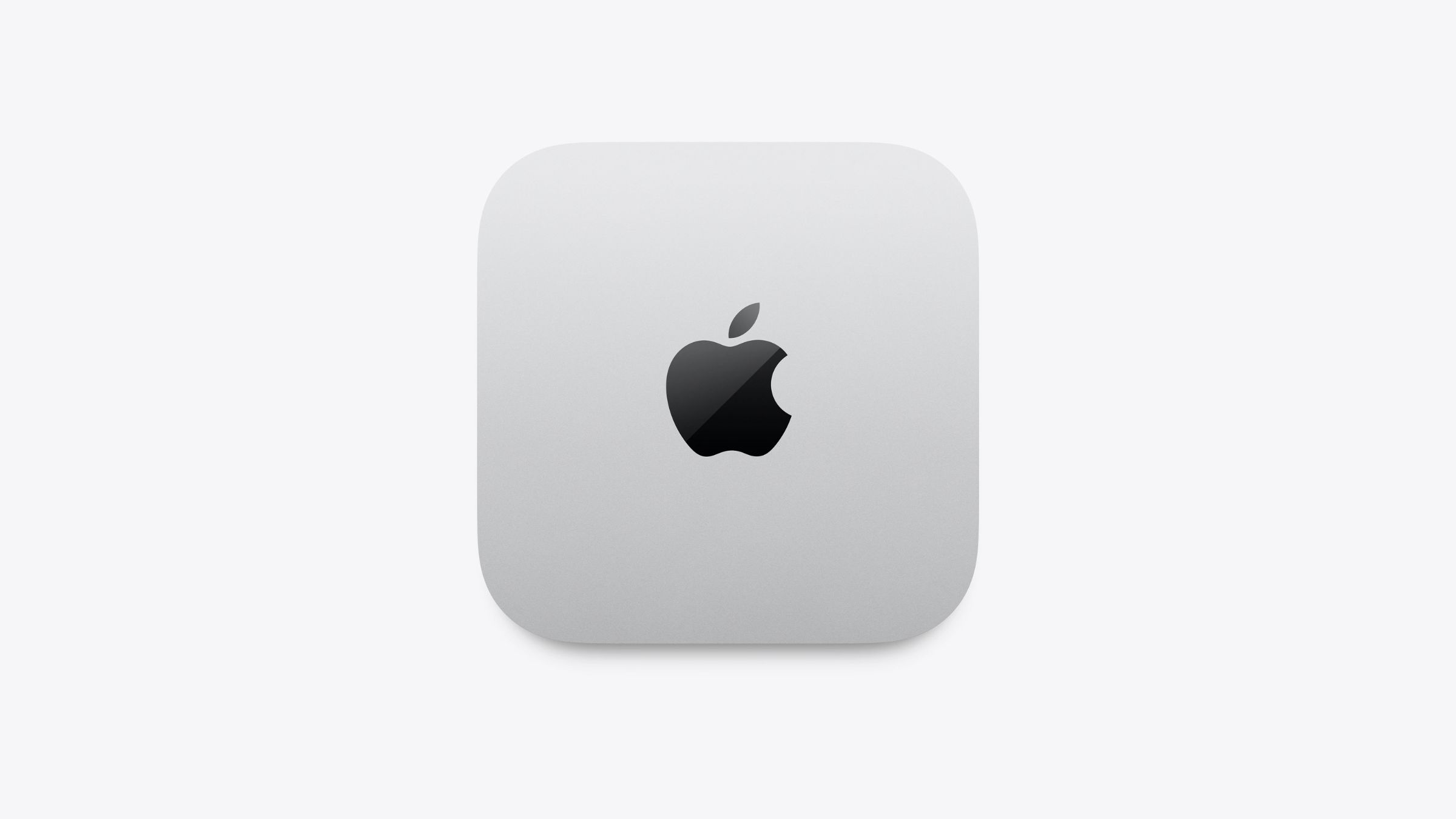
Photo: Apple
If you’re expecting a new look, there isn’t one. The M6 Mac mini keeps the same 5-by-5-inch footprint, with height staying at 2 inches and weight staying at 1.5 pounds. With no visible port changes, the layout is essentially the same as 2024’s M4 Mac mini redesign.
To distinguish between the two tiny desktop computers, you’ll need to flip them over to check the model number.
Pricing takes a jump
Here’s the part that will sting buyers. The M6 Mac mini starts at $899 for 16GB of memory and 256GB of storage. That’s up from the M4’s recent $799 starting price tag. It’s also $300 above the M4’s launch price in 2024.
And storage upgrades add up real fast. Jumping up to 32GB of RAM adds $400, while going all the way to 2TB adds a further $1,000 to the total.
These prices are undoubtedly affected by RAMageddon, a global shortage in memory chips that’s pushing up the cost of storage and RAM for all computer makers, not only Apple.
Should you upgrade from M4 Mac mini to M6?
If you purchased an M4 Mac mini within the past year, there’s little urgency to upgrade to M6 right away. The design is identical, and most everyday tasks won’t feel dramatically different. But that only applies if you don’t lean heavily on local AI work or use demanding creative apps.
For anyone still on an M1 or M2 Mac mini, the case for an upgrade is much stronger. A faster CPU, an upgraded GPU and a doubled Neural Engine bring significant performance improvements. It’s one of the bigger generational leaps the Mac mini has seen since the shift to Apple silicon.
The new M6 Mac mini is currently open for preorders, with deliveries and in-store availability starting September 22.