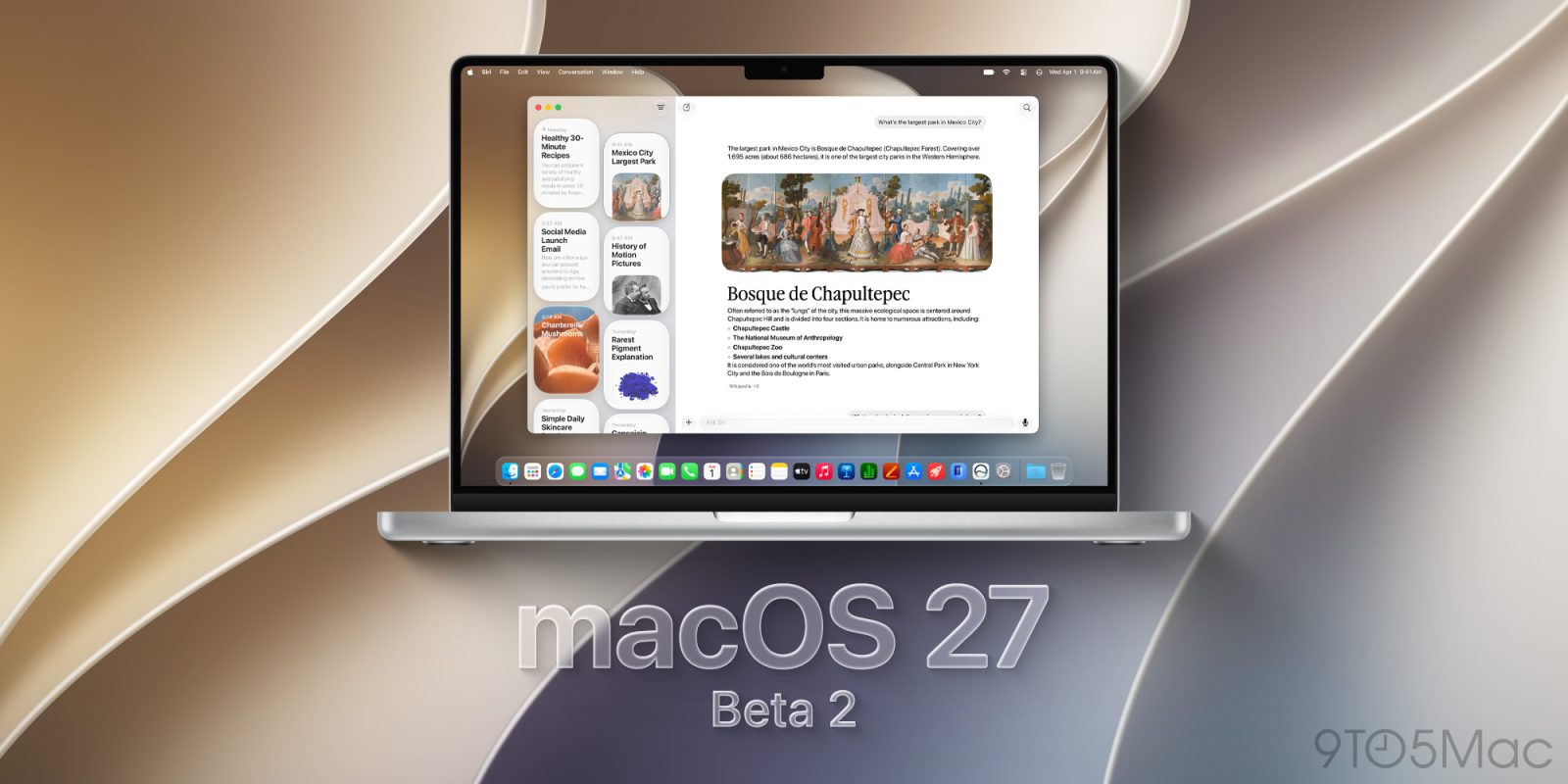
Following the first beta rolled out after WWDC, Apple is now rolling out the second developer beta of macOS 27 Golden Gate. Here are the details.
Apple rolls out macOS 27 Golden Gate beta 2
Two weeks after the WWDC26 keynote and the release of the first wave of developer betas, Apple has now released beta 2 for macOS 27 Golden Gate and its counterparts.
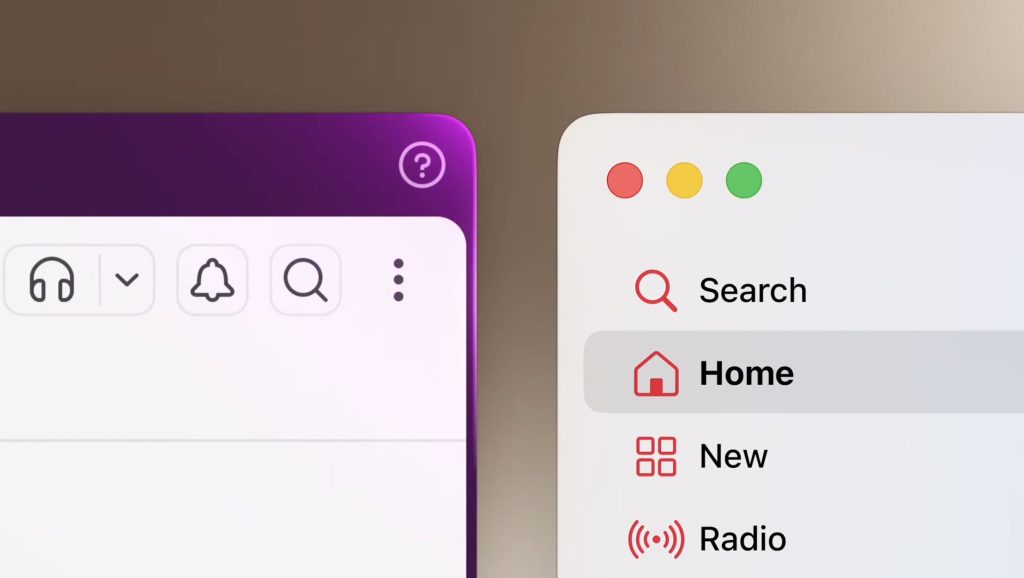
macOS 27 Golden Gate brings several improvements to Liquid Glass, including a slider that lets users precisely adjust how transparent or opaque UI elements appear. It also standardizes rounded corners across system windows, apps, and programs, addressing a frequent complaint in macOS 26.
Additionally, macOS 27 Golden Gate features the new Siri AI and its companion app, which leverages a new indexing system under the hood to more precisely include relevant information as the basis for Siri to generate answers. Siri AI and macOS 27 Golden Gate as a whole rely on the third-generation Apple Foundation Models, and you can read more about them here.
To learn more about what’s new with macOS 27 Golden Gate, follow this link.
We are already digging through the new beta, and will report back with what we find. The build version for macOS 27 Golden Gate beta 2 is 26A5368g.
macOS 27 Golden Gate beta 2 now available
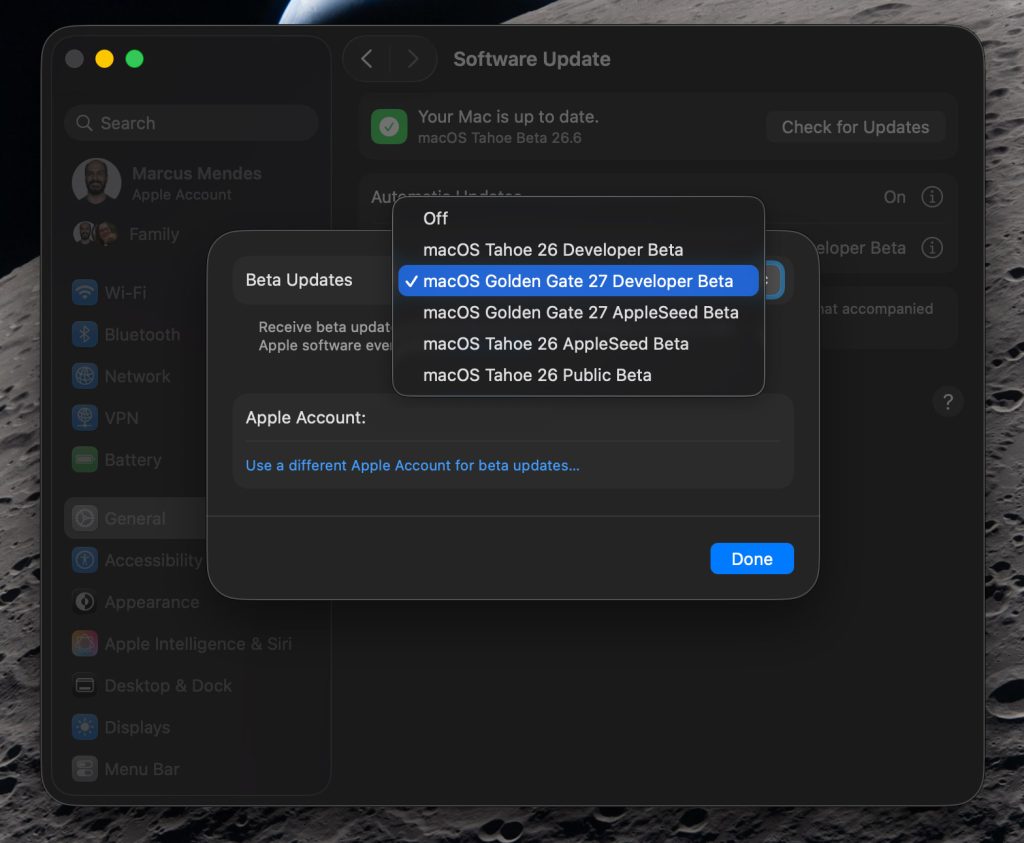
Here’s how to install the macOS 27 Golden Gate developer beta 2:
- Back up your Mac
- Open System Settings
- Go to General ⇾ Software Update
- Click the ‘i’ icon next to Beta Updates
- From the dropdown menu in the top-right, select the macOS Developer Golden Gate Beta
- Hit ‘Done’
Did you spot anything new in macOS 27 Golden Gate beta 2? Let us know in the comments.
Worth checking out on Amazon
FTC: We use income earning auto affiliate links. More.