The “free” clipboard manager you just downloaded could be doing more than just copying and pasting text. Researchers recently found a new malware called PamStealer disguised as Maccy, a popular clipboard tool, that does something most Mac malware doesn’t bother with — checking your Mac password before sending it off.
The malware hides itself in a lookalike download for Maccy. It doesn’t just grab your password and run — but it checks the password against the same system Apple uses to log you in.
How PamStealer disguises itself as a real Mac app
Many Mac users believe they are largely safe from malware because macOS includes built-in security features such as Gatekeeper, XProtect and app sandboxing, and historically it has been targeted by fewer cybercriminals than Windows. However, that doesn’t mean Macs are immune to malware. As Apple’s market share has grown, attackers have increasingly developed malicious software specifically for macOS. And that includes PamStealer.
To spread it, attackers built a lookalike website that mirrors Maccy’s real page, according to Jamf Threat Labs. The only difference is that it hands out a disk image containing a file named Maccy.scpt.
Double-click it, and instead of installing an app, macOS opens it in Script Editor. This is where the real malicious code sits. The file tells victims to use Command-R to “install” it — triggering a hidden script that slips right past macOS’s usual download warnings.
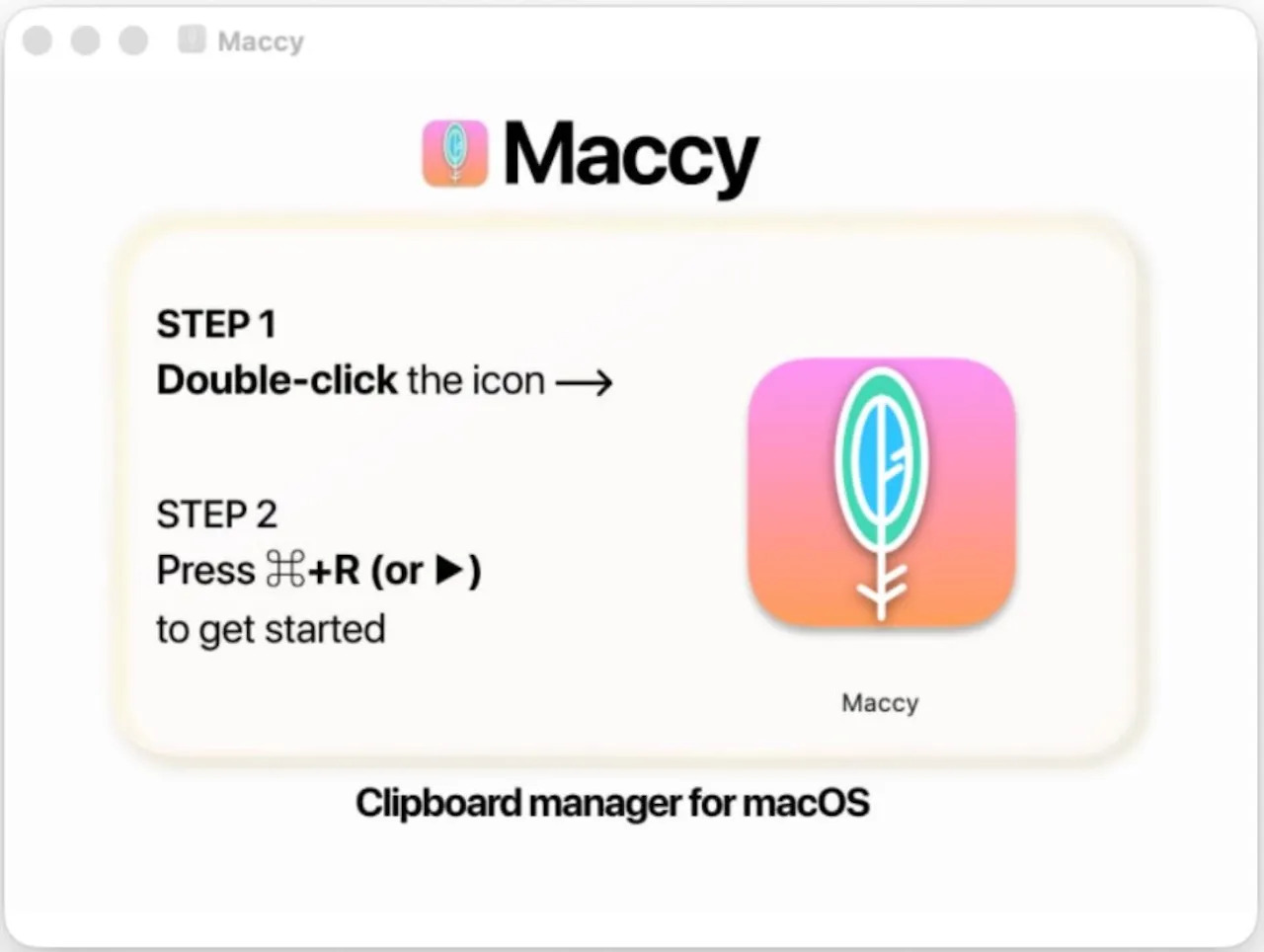
Photo: JAMF Threat Labs
Why is PamStealer hard to catch?
The first stage is deliberately designed to be low-key. The malware dosen’t rely on the obvious command-line tools security software keeps a keen eye on. Instead, it uses Apple’s scripting framework to download a second payload.
Written in Rust, the payload then hides itself as Finder or Software Update, cleverly blending into background processes. Rust is rarely used by Mac malware and is notoriously hard to reverse-engineer.
The password trick makes it different
Here’s the thing that sets PamStealer apart. The malware shows a dialog that looks exactly like a normal macOS permission request: “Maccy wants to make changes. Enter your password to allow this.”
Type in the wrong password, and it asks again — because it is checking the password you typed locally against Apple’s own Pluggable Authentication Modules system. Once the password is confirmed, it shows a fake “Maccy is damaged” error. Following this, your credentials get uploaded to a remote server.
It doesn’t stop at stealing your password
From there, PamStealer settles in to your system. The malware monitors your clipboard over time and even adds itself as a login item to survive restarts. Before requesting Full Disk Access, the malware waits as long as 40 minutes — long enough that most people won’t connect the prompt to the sketchy app that was installed earlier.
Jamf researchers also found out that it fingerprints your Mac, checking for Apple Silicon, keyboard layout and time zone before deciding to proceed further.
How to stay safe?
The developer behind the real Maccy app has already posted a warning about this, confirming maccy.app is the only legitimate source to download the app.
Ands remember how the fake app asks the user to hit Command-R to “install” it? Treat any installer that asks for a keyboard shortcut to “open” as a red flag — legitimate Mac software never does that.
Plus, as a general rule, only download Mac apps from the developer’s own site, GitHub or the Mac App Store.