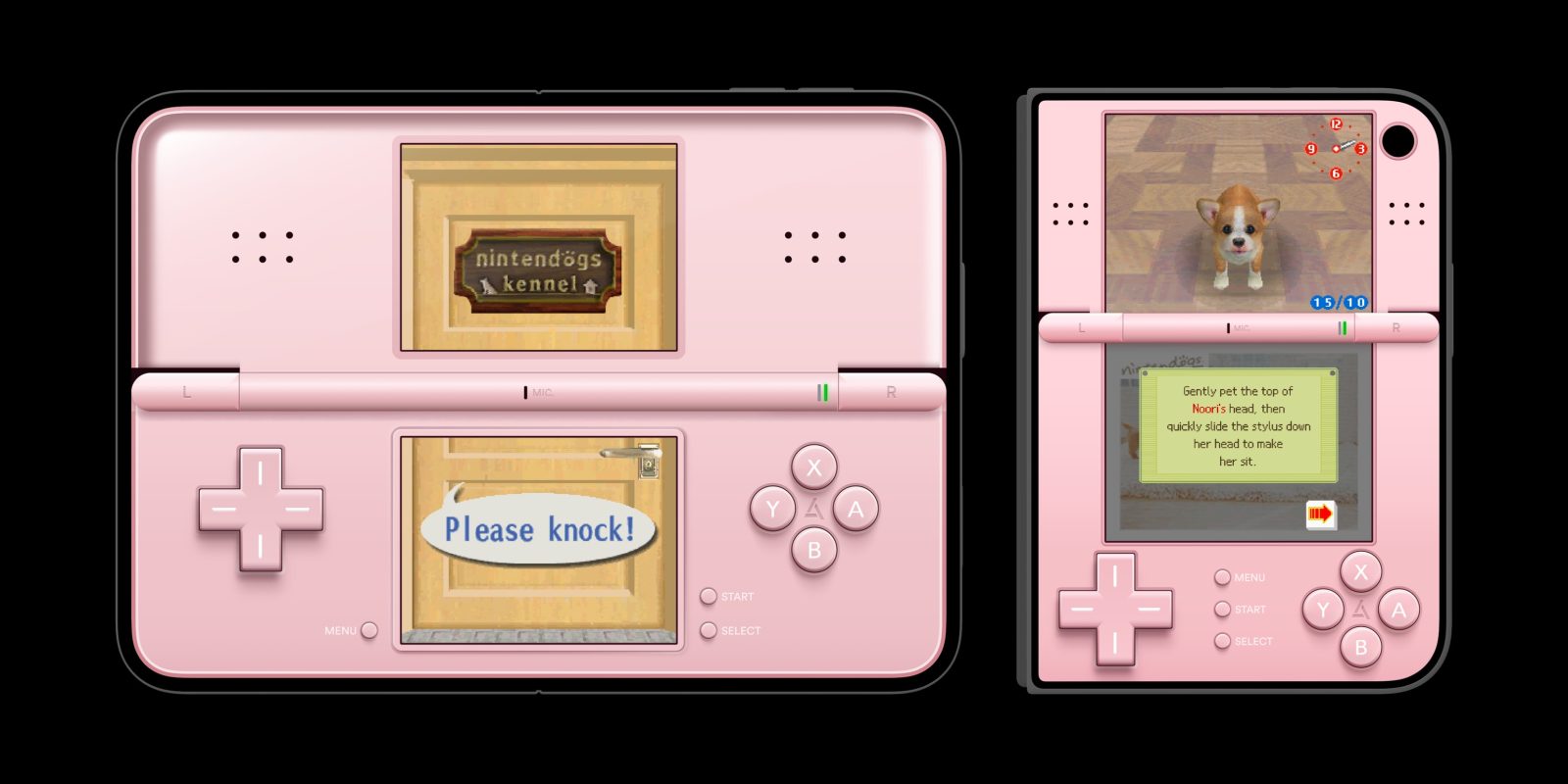
The popular retro game emulator Delta has today launched a big new 2.0 version, most notably featuring a refreshed Liquid Glass interface and support for the iPhone Duo.
The app now has specially-designed controller skins that are optimized for all the different iPhone Duo poses, including some beautiful Nintendo DS layouts that use the full size of the inner display, and cleverly spans the crease when partially folded in book mode in portrait.
The bigger screen of the iPhone Duo enables some immersive gaming experiences, but the Delta developers have also ensured that the app naturally reflows on the portrait closed outer screen too.
Another little easter egg is that you can fold the Duo closed to automatically put the DS to sleep, emulating the physical behavior of a real DS console.
Delta also has a special trick when using it in landscape split view alongside another app. You can see it in action in this screenshot, which depicts Delta running side by side with another iPhone Duo app that is playing a video.
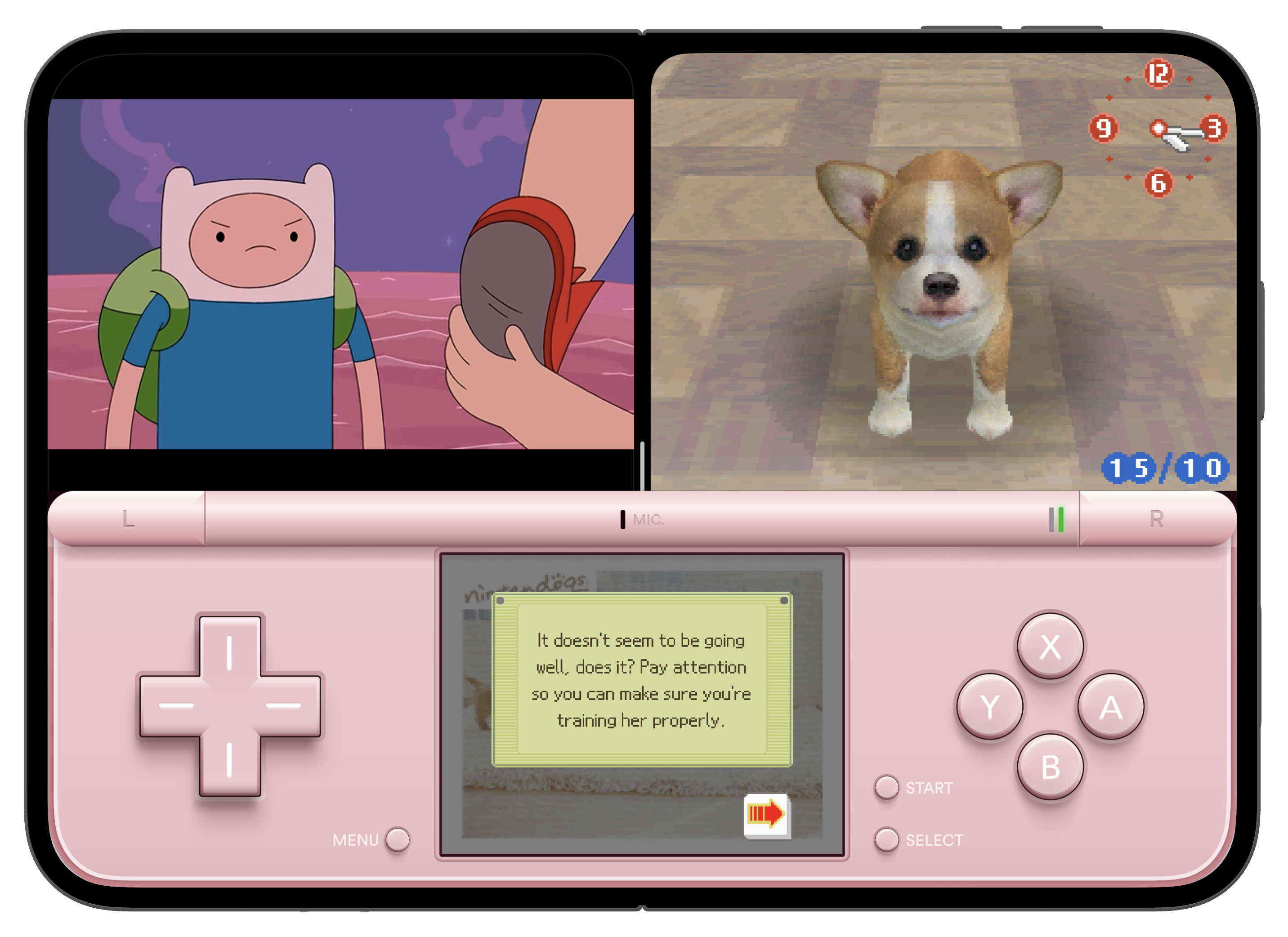
Typically, the iPhone Duo Split View means each app is constrained to 50% of the screen space. But, as shown in this example, because the app exposes the bottom half of the virtual DS as a custom keyboard view, the system allows this ‘keyboard’ to stretch across the full width of the screen, overlapping the unrelated video player app on the other side of the split.
Aside from iPhone Duo support, the new update also includes Sega Genesis ROM compatibility, improved library navigation, updated audio settings that allow game audio to mix alongside your currently playing music or podcast, and more.
The premium version of Delta can be unlocked using an In-App Purchase subscription directly through the App Store, now available worldwide. In the US, EU, Brazil, and Japan, you can also support the app directly through Patreon.
FTC: We use income earning auto affiliate links. More.

