Traveling is a lot easier if you can keep track of your stuff with AirTags in your luggage. Placing one in your bag lets you make sure it’s with you all the way along your journey. And if the worst happens, an AirTag can help you quickly find a lost item.
Read on for my tips on traveling with AirTags.
How to travel with AirTags in your luggage
Unfortunately, an AirTag won’t stop an airline from losing your suitcase. However, it can dramatically improve your odds of getting your belongings back in the event of a screwup. That makes Apple’s simple item tracker one of the most valuable travel tools an iPhone owner can buy.
Simply stashing an AirTag in a suitcase provides passengers unprecedented visibility into baggage that airlines themselves sometimes struggle to locate. And since new Find My features make it easier than ever to share a bag’s location with airline staff, the AirTag has evolved from a convenience into an essential piece of travel insurance for modern flyers.
Like Apple’s original tracking tags, second-generation AirTags cost just $29 for one or $99 for a pack of four (and can often be picked up at a discount). Grab one and slip it into your bag (or get a four-pack if the whole family is going) and take this advice to heart.
Don’t place your AirTag somewhere visible
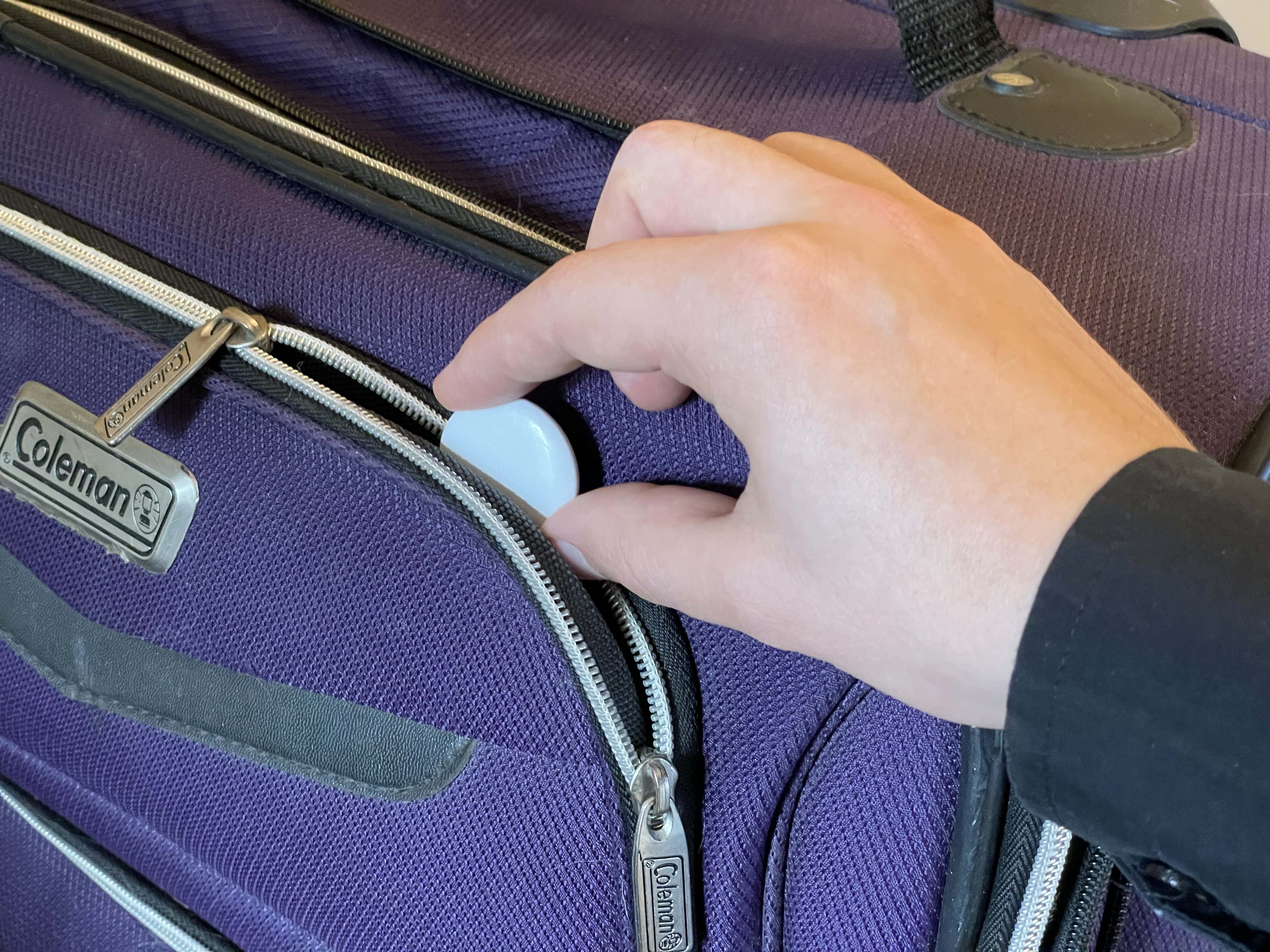
Photo: D. Griffin Jones/Cult of Mac
You might be tempted by some AirTag accessories that perfectly show off Apple’s shiny, silver-and-white medallion, but I don’t recommend it. If a disgruntled airline employee can see that your luggage has an AirTag, there’s a chance they’ll take it off. Same goes for thieves eyeing the baggage claim carousel.
In my opinion, luggage with an AirTag on the outside might as well not have an AirTag at all.
Instead, keep your AirTag hidden inside. Not so deep that it might have trouble finding a connection — preferably, if your luggage has an outside, surface-level pocket, stick it in there.
Locate your luggage at baggage claim with an AirTag
Screenshot: D. Griffin Jones/Cult of Mac
You don’t need to wait for some calamity, like luggage that’s stuck in Pittsburgh when you just landed in Puerto Vallarta, to get your money’s worth from an AirTag. You can track your checked bag along your voyage for peace of mind.
I once had a connecting flight wherein I had to run half a mile through Dulles International Airport in mere minutes. (I make my living writing about computers; I am not built for running.) Luckily, I made it — but I was worried my luggage hadn’t. When I landed in Germany, it calmed my nerves knowing my bags were still with me.
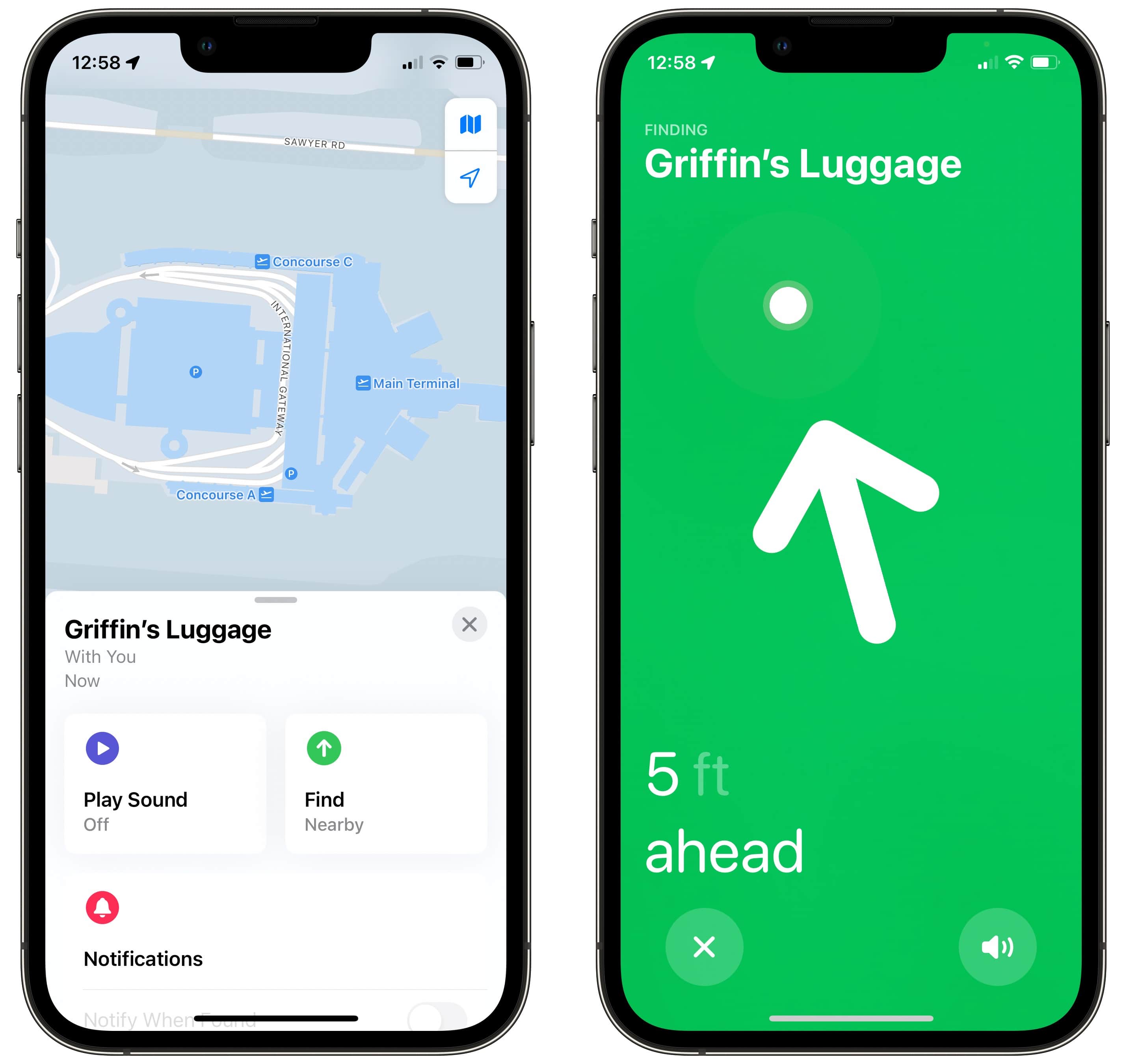
And when you get to the last leg of your journey, you might not need to wait forever to find your bag in baggage claim. Just open the Find My app, tap on your bag in the Items tab, and tap Find to see precisely where it is in the inevitable sea of similar-looking suitcases. You can take a step back from the crowd, knowing exactly when your bag is coming. (This can come in handy if the airline doesn’t provide clear instructions about which baggage claim carousel your luggage will arrive on, too.)
Get help finding your bag

Screenshot: D. Griffin Jones/Cult of Mac
In iOS 18.2 and later, you can temporarily get help from other people around you — employees at an airport or people you’re traveling with, for instance — when trying to locate a lost item. Unlike sharing an AirTag permanently, this “Lost mode” is temporary. So it’s not like Doug who works at Chicago O’Hare International Airport will be able to see where your suitcase or purse is forever.
To use this new feature in iOS 18.2, open the Find My app, tap Items, and then tap on the AirTag in question. You will see a new “Lost AirTag” section. Share Item Location gives someone else the ability to see where your AirTagged item is. Tap Show Contact Info to pick a username or email address that people can use to get in touch with you if they find your item. Maybe, if the item is in an employees-only area you don’t have access to, you can share it with someone who can get it for you.
Add a Home Screen widget
Screenshot: D. Griffin Jones/Cult of Mac
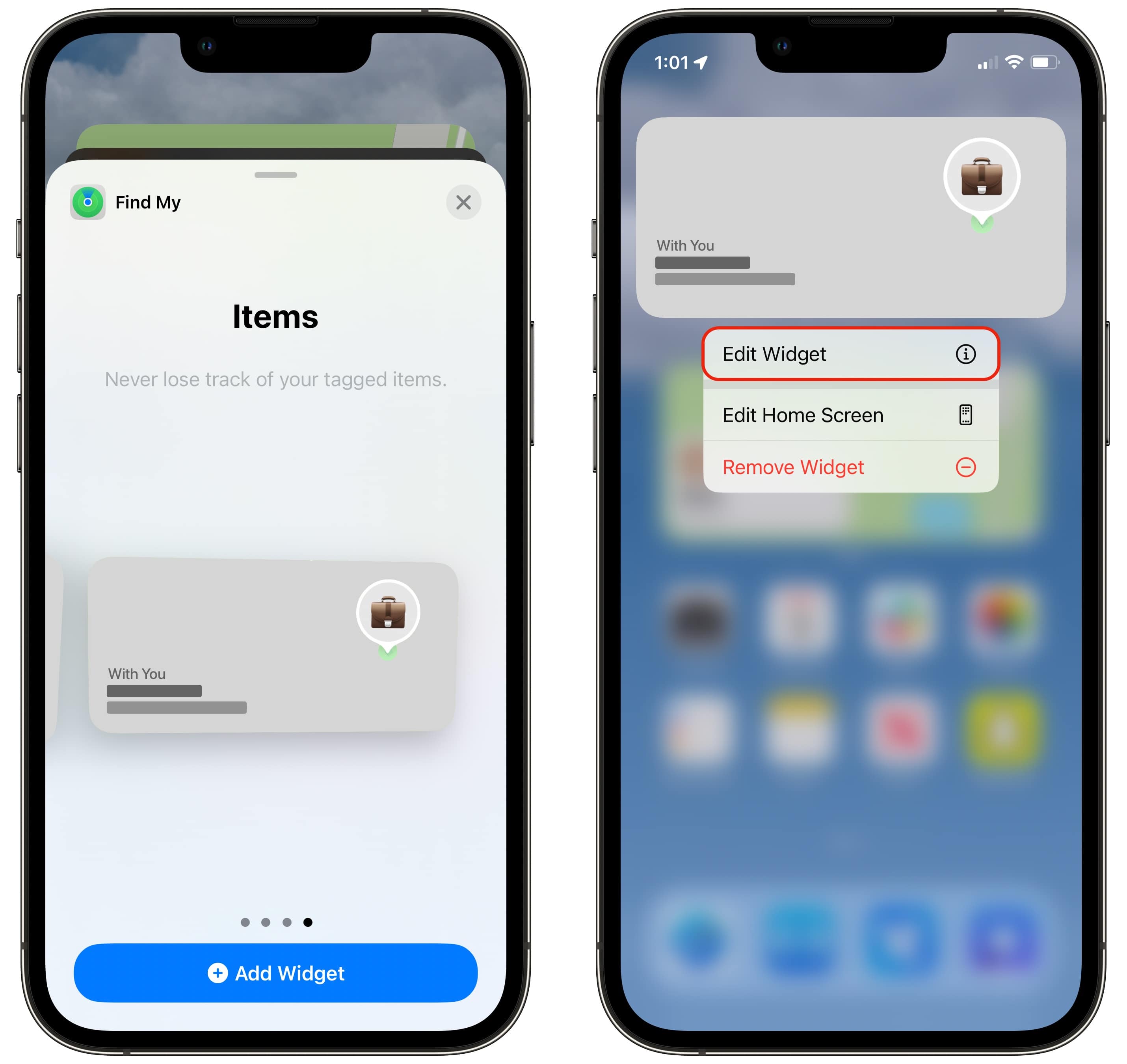
If you’re on a long, multi-leg journey (and you’re the nervous type), you might find yourself opening the Find My app a lot. There’s a faster way to access the info — add a Find My widget to your iPhone’s Home Screen.
To do so, first tap and hold to edit your Home Screen (or swipe over to the left if you don’t have any room). Tap the + icon in the top left and scroll down to add a Find My widget. Scroll over to add an Items widget and tap Add Widget.
If you own multiple AirTags, you want to make sure you’re tracking the right one. Tap on the widget while you’re still in editing mode (or tap and hold and select Edit Widget). Then select the item you want to track.
The next generation of AirTag is better than ever. This four pack lets you dive in and track all the important things in your life: your keys, bag, luggage or wallet.
- Louder speaker
- 50% better range for Precision Finding
- Precision Finding with Apple Watch
- No built-in keyring or attachment loop
- Improved Precision Finding requires a newer iPhone or Apple Watch
We earn a commission if you make a purchase, at no additional cost to you.
We originally published this article on how to travel with an AirTag in your luggage on January 10, 2023. We updated it with new information on July 31, 2026.