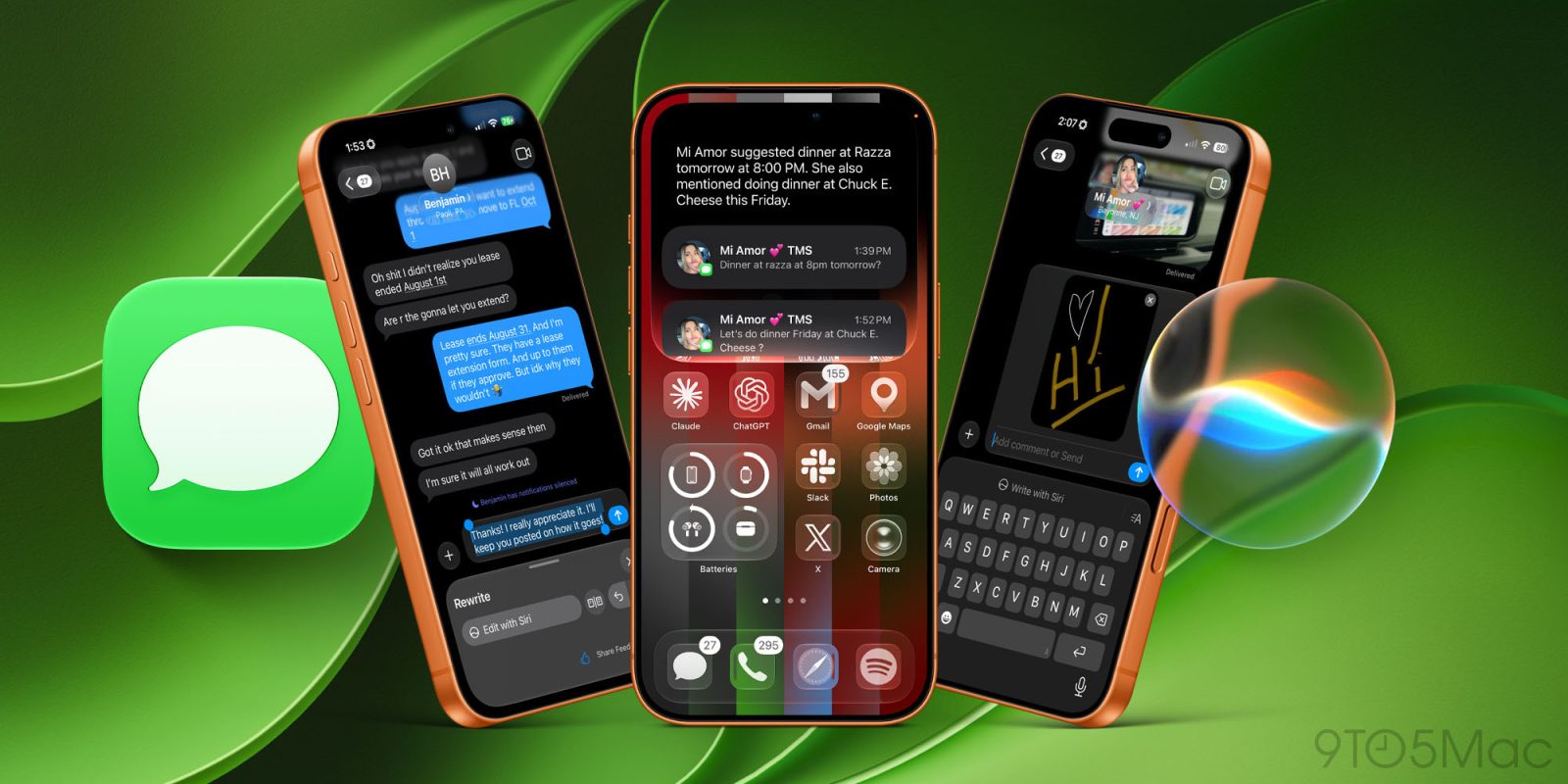
If you were to just look at the Messages app in iOS 27, you might not think much has changed, but that is far from the truth. Under the hood, Apple has completely revamped the Messages experience, making it faster, smarter, and much less frustrating. From simple little setting toggles for dictation or voice memos to the amazing Siri integrations, the Messages app has gotten much more capable in every way. I wanted to share some of my favorite features that are both quality-of-life features and features I am still wowed by. Here are four of the best features that iOS 27 brought to the Messages app.
Be sure to check out our hands-on video where we go through every single new change that came to the Messages app in iOS 27.
Disable the audio button (finally!)
I cannot tell you how many times I have accidentally started a voice message while trying to type because of that small button in the Messages app’s text field. It was also a confusing button because I would always forget whether it was for dictation or for voice memos. Apple has finally fixed that by allowing us to choose what we want that button to be. You can customize it to use dictation or voice memos, or remove it completely. Changing it is simple:
- Open Settings
- Go to Apps and select Messages
- Tap Show in Text Fields
- Choose the option that works best for you
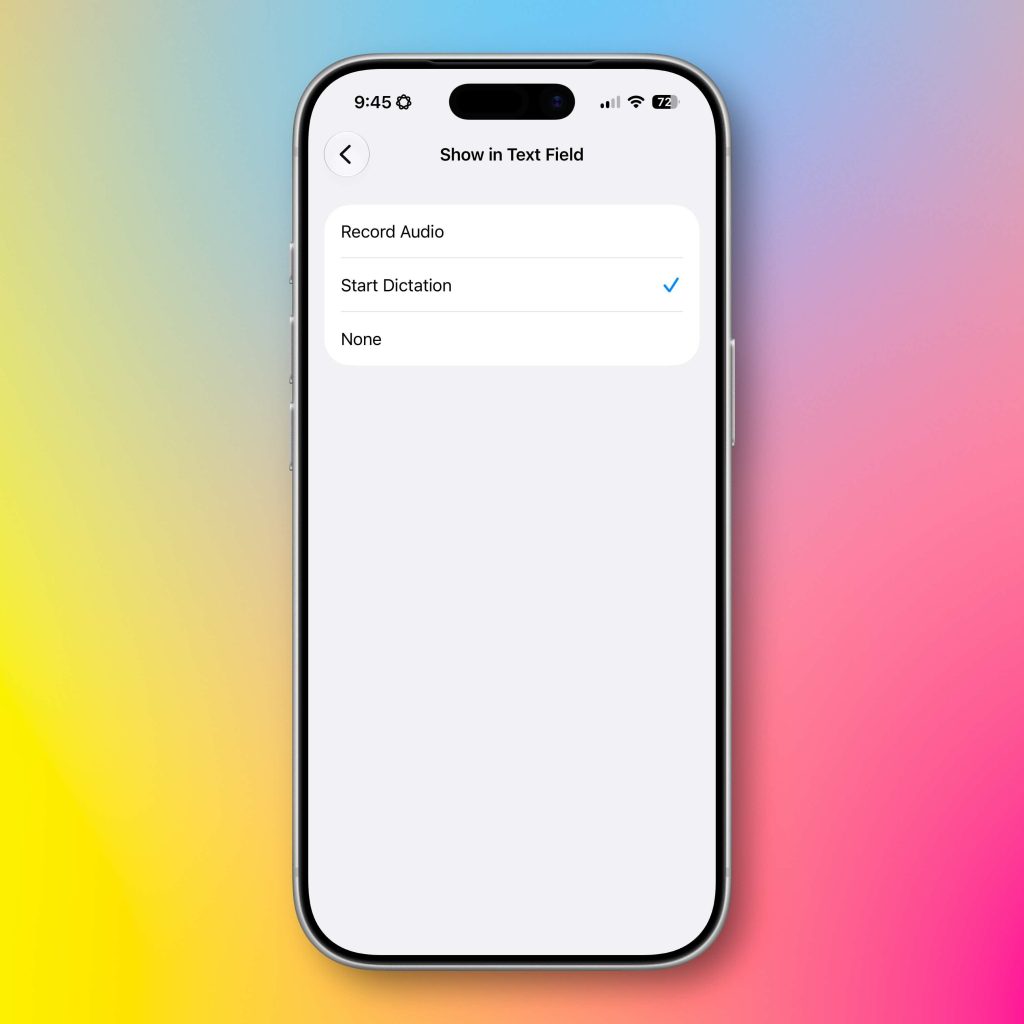
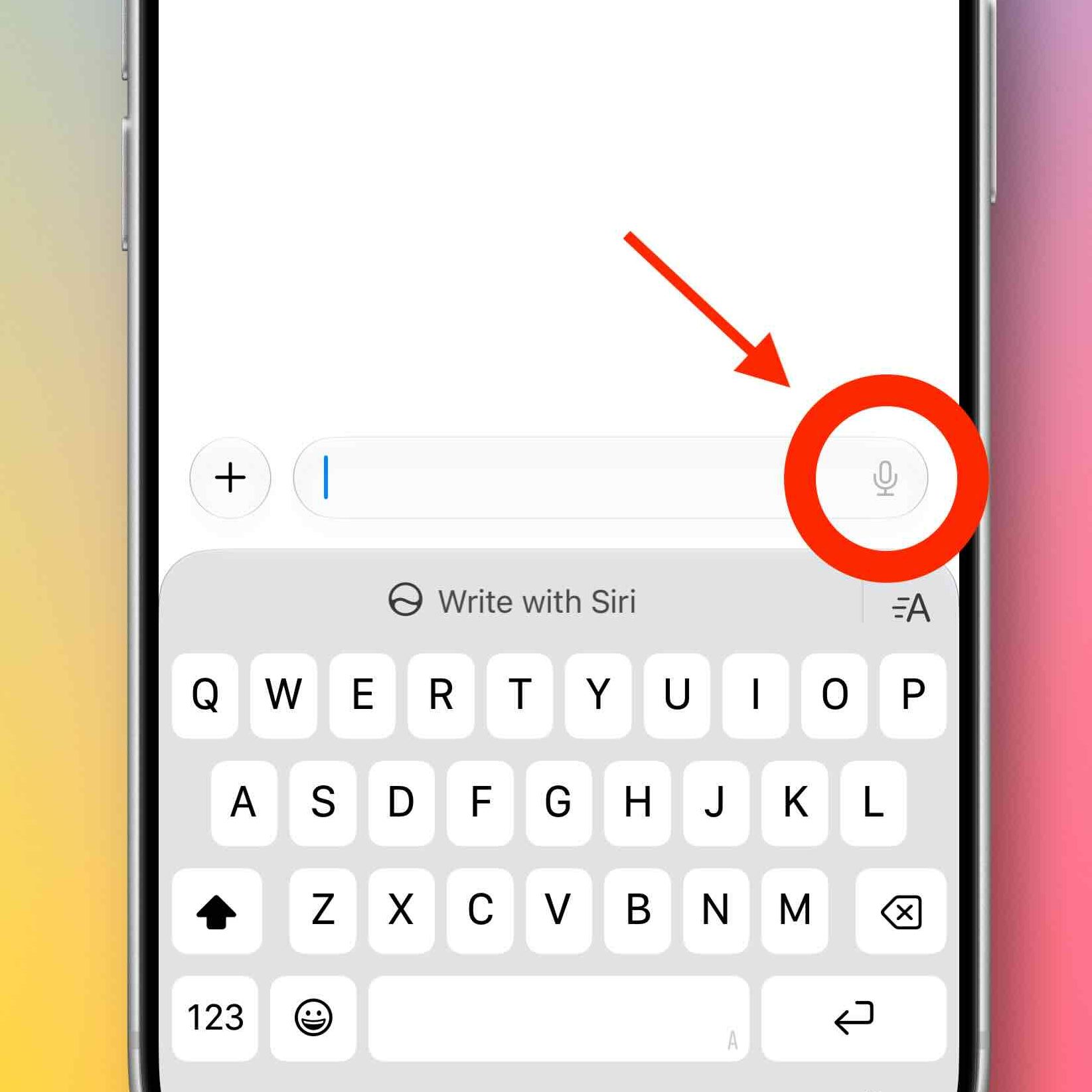
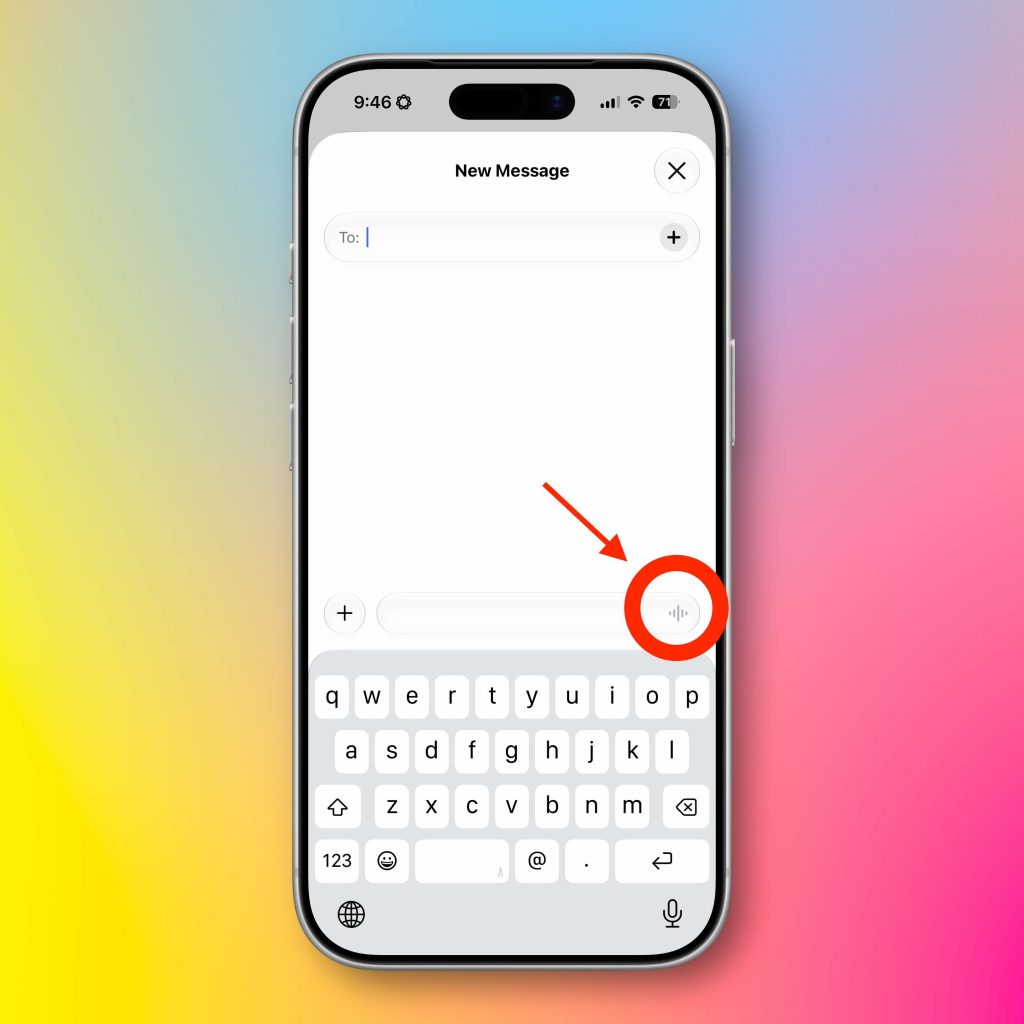
Personally, I have completely removed it, but I can see the appeal of also using it as a dedicated dictation or voice memo button. This is a small change, but it really helps with the user experience. How do you have it set up?
New Drawing feature
This is a fun one! Apple introduced iMessage apps directly in the Messages app a few years back. Apps ranging from games to utilities to Apple Pay. I actually use these apps a ton in my day-to-day. But with iOS 27, Apple added a new Drawing app to Messages. It is simple, you just:
- Tap the “+” button next to the text field
- Select Drawing
- Create your sketch
- Tap Done and send it like any other message
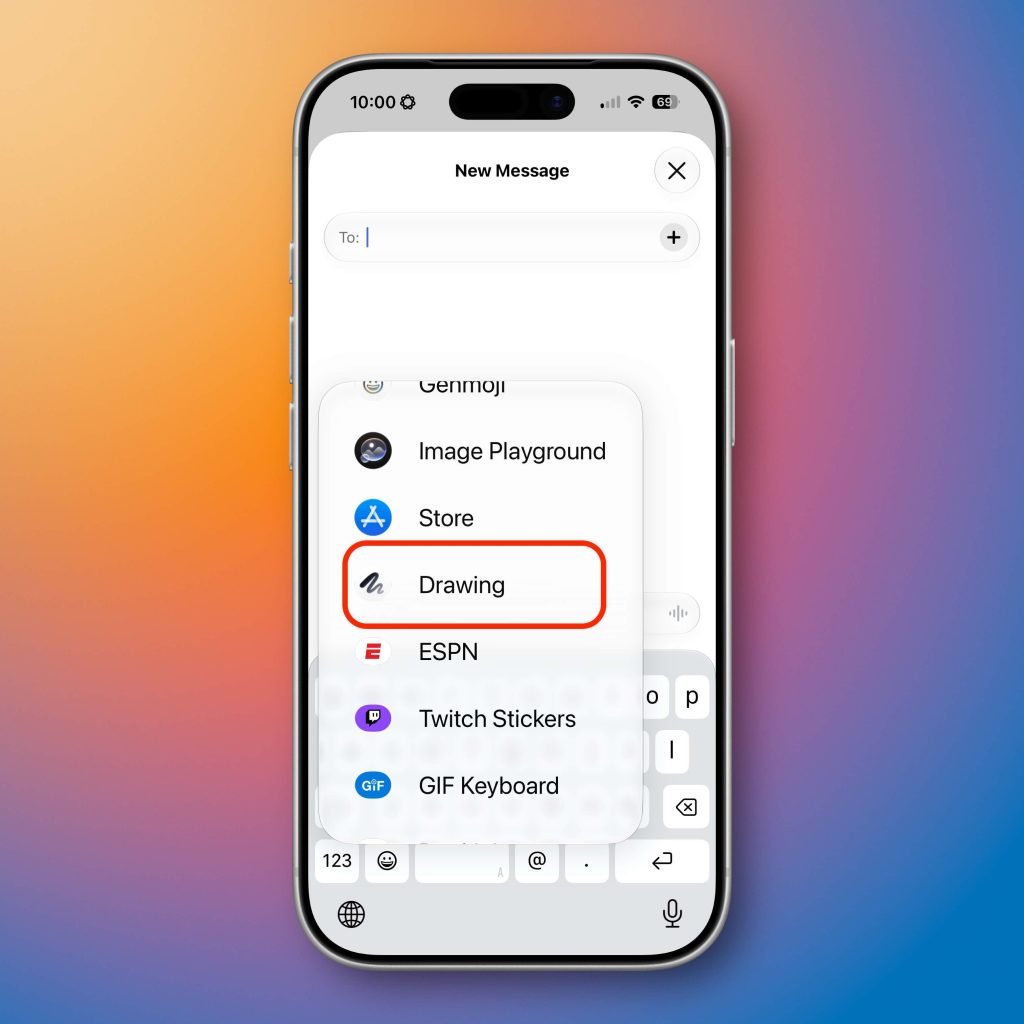
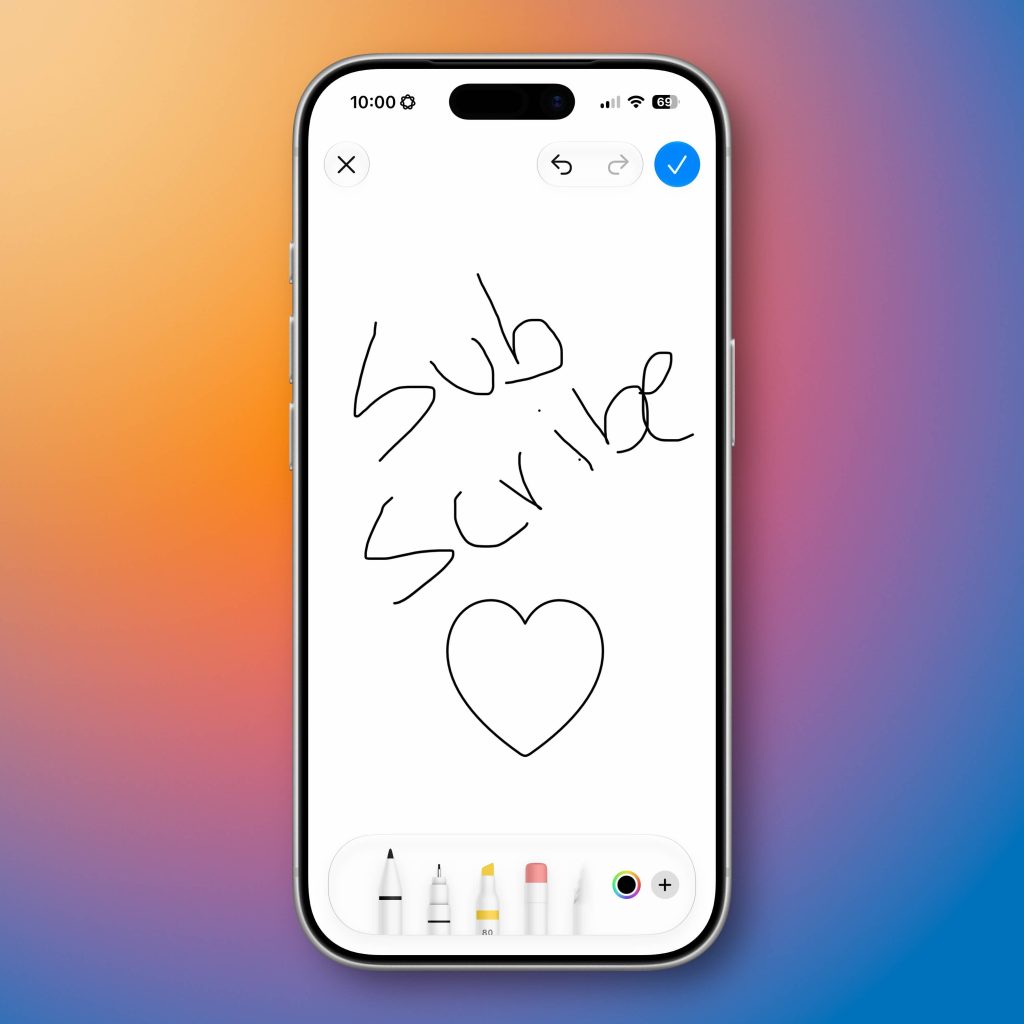
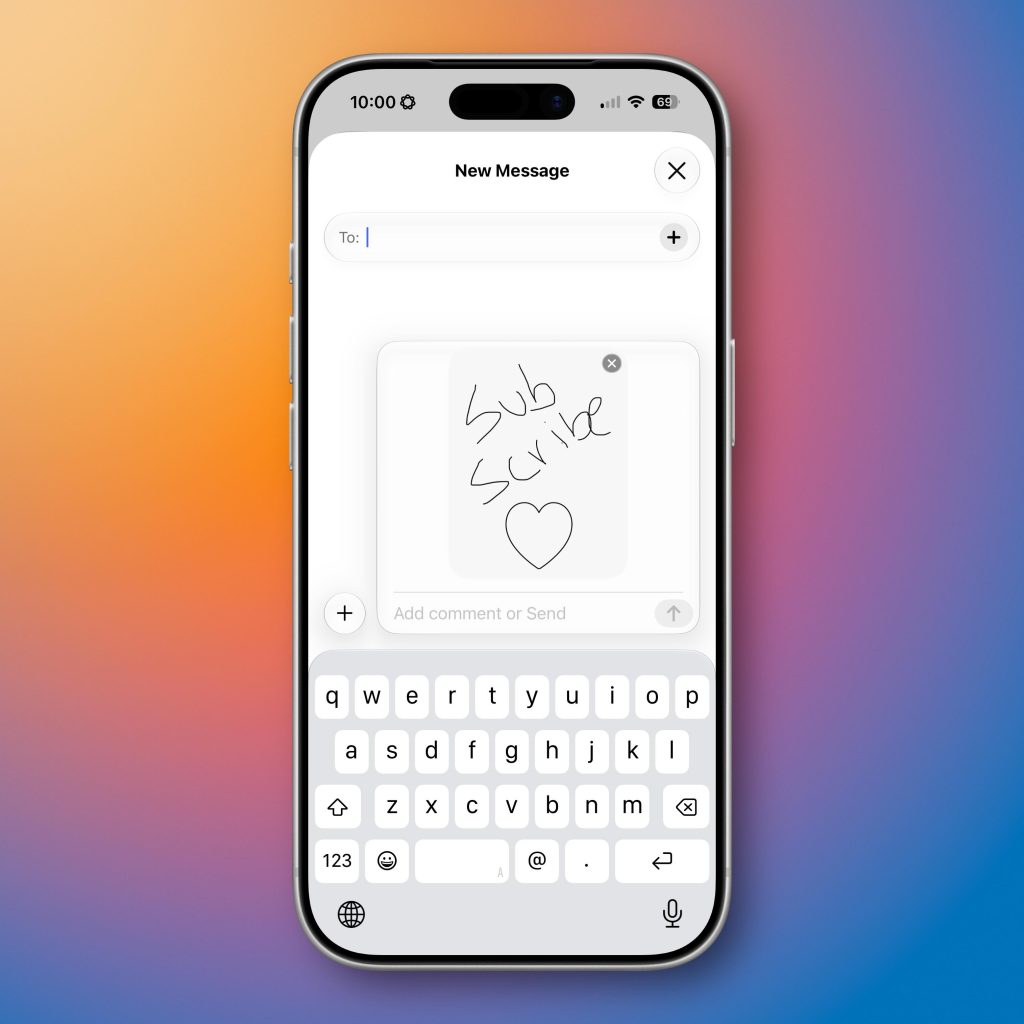
Apple basically put a blank notes interface directly into the Messages app. You get all the same markup tools like the Pen, Marker, Highlighter, Color picker, and everything you get from the Notes app. Even the gestures work there, like creating perfect shapes or pasting images. If you own an iPad, it works even better because it supports Apple Pencil!
Contextual Suggestions
The first two features are some nice quality-of-life improvements, but now let’s get into the good stuff. Contextual Suggestions in Messages have been amazing. It reduces so many unnecessary steps in multiple use cases and flows. The best way to show this is off is with some examples.
- Example 1: If someone asks for a photo of a certain vacation or place you visited, Messages will suggest the exact photos they might be referring to. So instead of searching through your photos app, Messages just brings them front and center.
- Example 2: If someone invites you to an event or dinner, you will get a one-tap suggestion to quickly add it to your calendar. That alone reduces the process by 4 or 5 steps.
- Example 3: If my wife asks me to stop by the grocery store to grab some milk on the way home, I get a button that appears to immediately add a reminder to the reminders app.

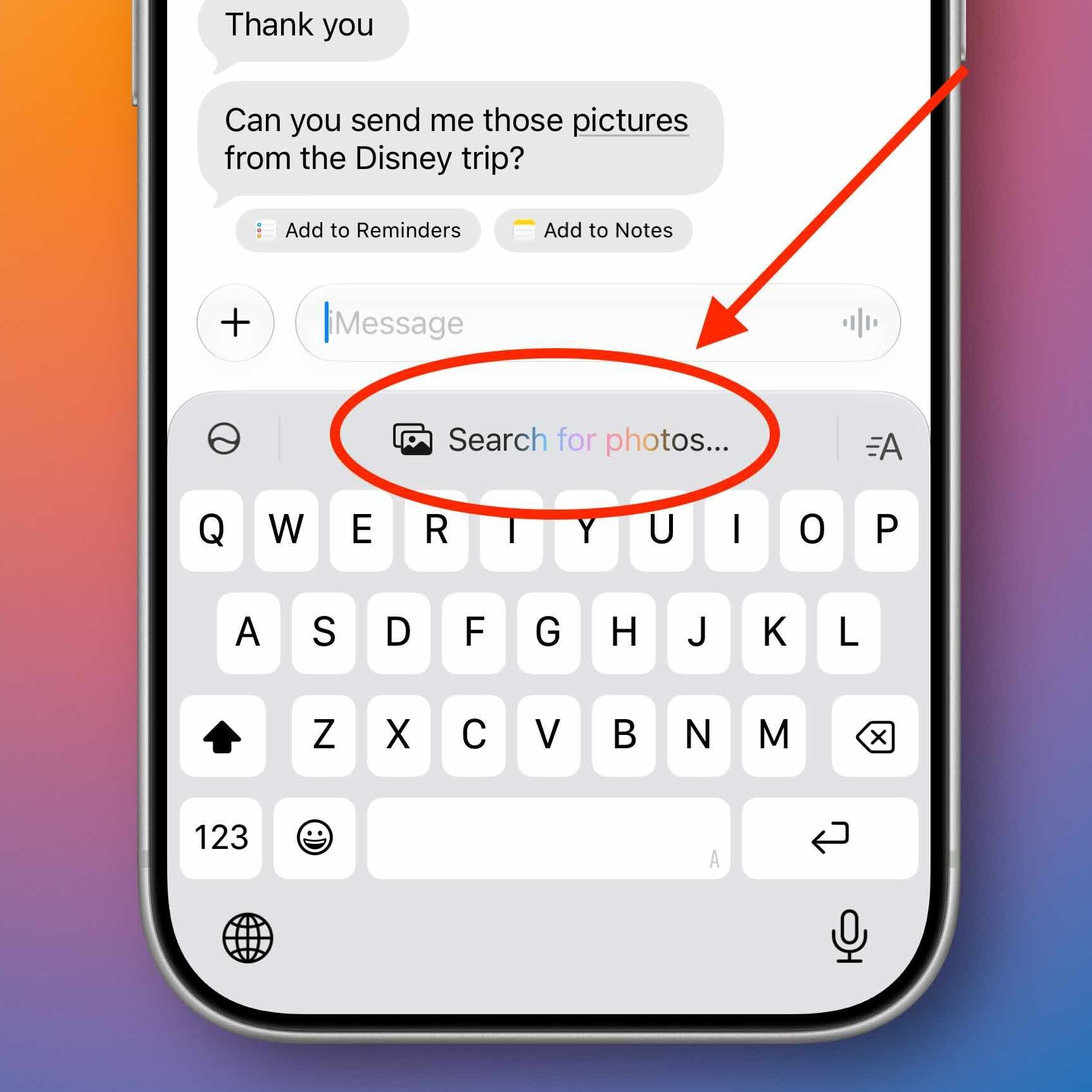
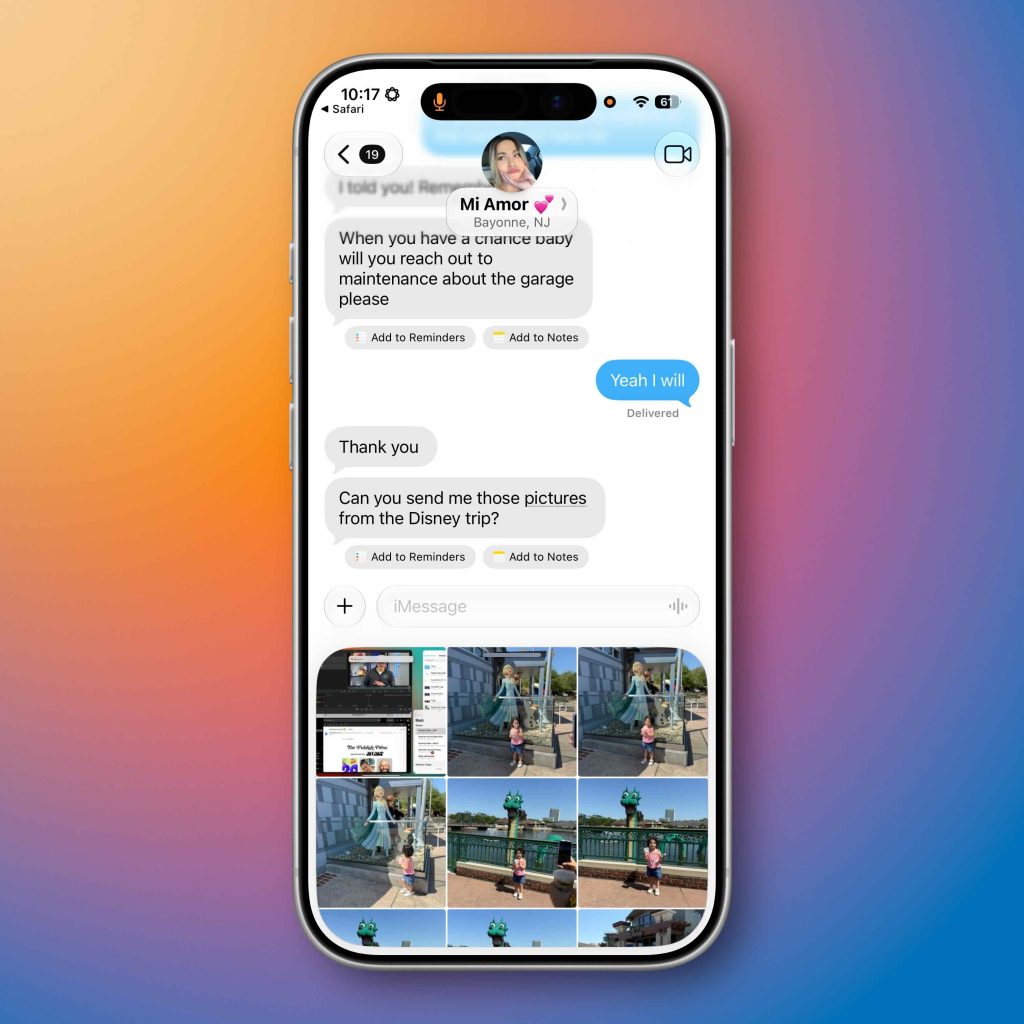
The idea here is to just get ahead of everything for you. Simple, one-tap contextual solutions that make things super frictionless. I have been using this nonstop, and it works so well. If there is information in the conversation worth saving or taking action on, iOS 27 will handle the tedious tasks to ensure it is addressed. This is what Siri and Messages were supposed to give us when it was first announced two years ago.
SiriAI & Messages
Now this feature is a bit more abstract because that is the nature of the new SiriAI. Everyone’s use cases for Siri will wildly differ depending on what you need it for. But the integrations and the indexing of the Messages app have made Siri much more helpful than it ever has been. Again, the best way to showcase this is just to show examples. I highly recommend watching our video to see this stuff in action because it is very impressive. But here are some examples:
- Prompt 1: Can you grab 4 or 5 photos from our trip to Tennessee and send it in the Bros group chat?
- Siri then searched for the images I was referencing, showed a carousel of the images it chose, and got it ready to send to the correct group chat
- Prompt 2: What was the info for that baby shower we have coming up?
- Siri went through the messages between my wife and I and found an image in our conversation of an invitation hanging on our fridge. Then it pulled the data from the image to get the information for the baby shower, such as the date, time, and location.
- Then I asked Siri, in the same conversation, to add it all to my calendar, and it did so flawlessly.
- Prompt 3: Can you take that Twitter link that I sent to my Bros and send it to my wife?
- Siri then found the most recent Twitter link I had sent and prepared it to send to my wife in a separate conversation.
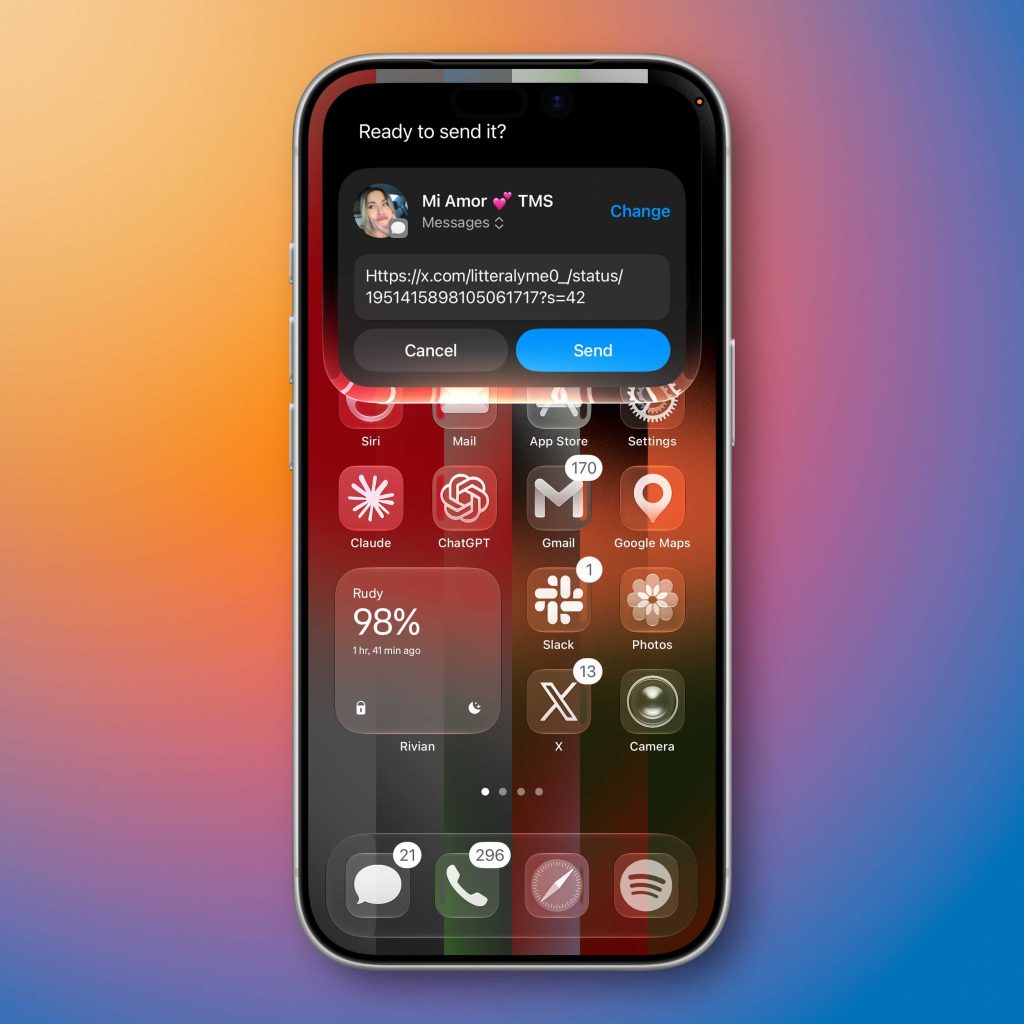
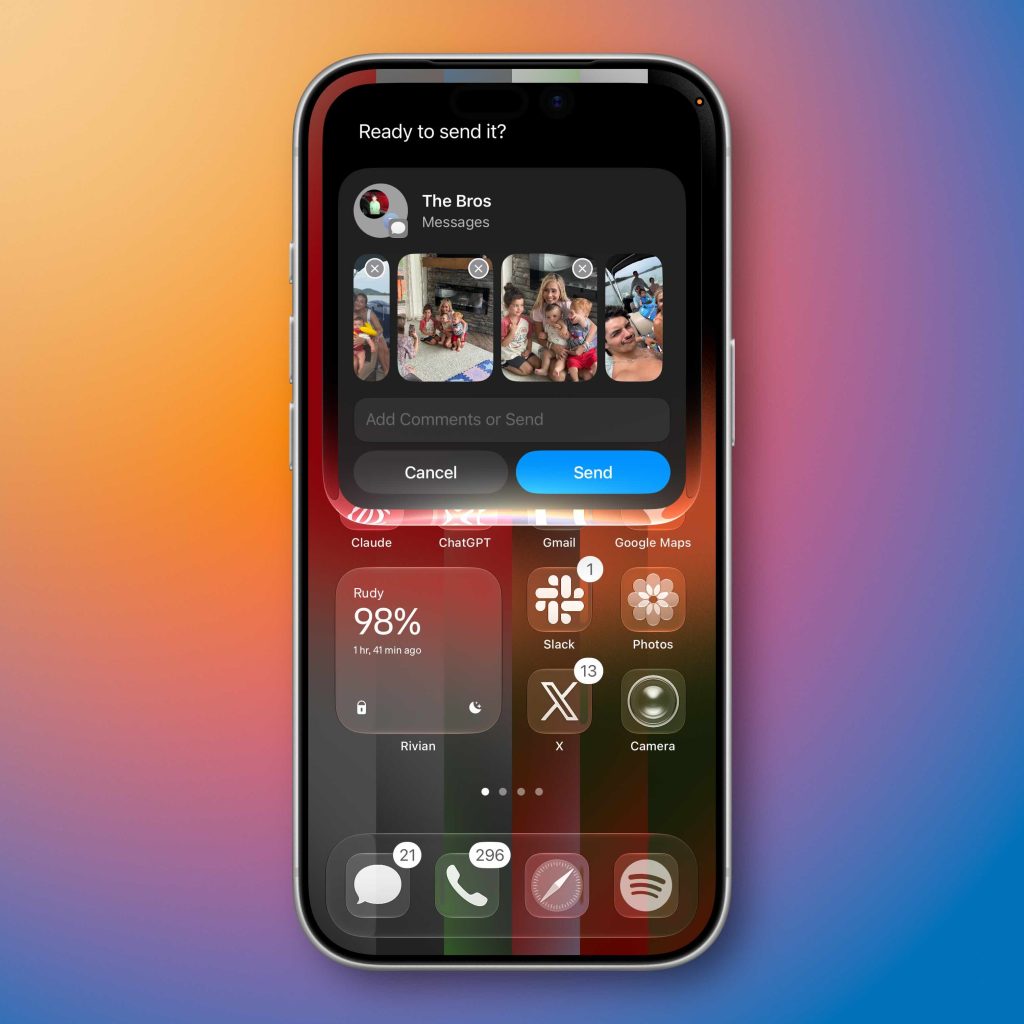
So as I said, your mileage may vary depending on what you need from Siri. The best way to see what it can do is to test it yourself and find any limits. I am excited for the public beta release so more people can experience this.
Final thoughts
As I mentioned, iOS 27 does not visually change the Messages app much, but the number of features and functionality added is basically infinite. If you can prompt Siri to do it, then it will be able to. The update to iOS 27 adds a few nice new, more traditional features, but the superpower here is the amount of friction Siri removes for certain Messages-related tasks.
There are plenty of other upgrades too, like better RCS messaging, faster syncing across devices, improved Genmoji creation, automatic message retries, and significantly better performance throughout the app. So when you add up all these new features and combine them with Apple Intelligence, SiriAI, and iMessage, that ecosystem lock-in just got stronger.
What do you think? Are you on the developer beta? Are you waiting for the public beta? What are you most excited for?
Best Apple deals
FTC: We use income earning auto affiliate links. More.