What's the difference between Thunderbolt 4 and 5?
Thunderbolt 5 offers extremely fast data transfer and lots of power, but most devices can't take advantage of it
What's the difference between Thunderbolt 4 and 5?
Thunderbolt 5 offers extremely fast data transfer and lots of power, but most devices can't take advantage of it.
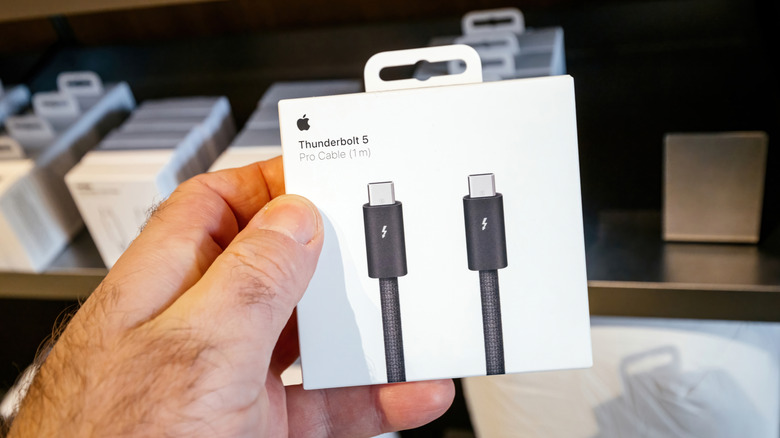
To the casual observer, the difference between Thunderbolt 4 and Thunderbolt 5 boils down to another USB-C in a market saturated with them. For creators, serious gamers and IT teams, however, Thunderbolt 5 is an impressive and timely upgrade. Both standards use USB-C connectors, and both carry data, video and power. Both work with docks, external storage, displays and other compatible accessories. But Thunderbolt 5 doubles Thunderbolt 4's bidirectional data transfer and is capable of allocating 120Gbps in one direction and 40Gbps in the other. Thunderbolt 5 also brings 240 watts of power delivery to the table.
That's a significant leap for folks running several 4K displays or multiple high-resolution displays, including certain 8K configurations. Thunderbolt 5 is also backwards compatible with Thunderbolt 4, 3 and USB4 devices. Sure, a connection only works at the speed of its slowest component, but Thunderbolt 5 isn't meant for the casual gamer, light video editing, or older PC and Mac rigs.
For most people, Thunderbolt 4 remains more than enough for now. It can handle routine backups, a fast external SSD, charging, Ethernet and a typical single- or dual-monitor desk setup. On the flip side, those who move enormous files on the regular, use advanced docking stations or want to extend their creative workflows will find much to love with Thunderbolt 5.
Speed and display support
The greatest benefit of Thunderbolt 5 speed is that it provides data-heavy setups with some breathing room. A compatible Thunderbolt 5 external SSD, dock or PCIe expansion device can take full advantage of the new standard's 80Gbps baseline bandwidth, compared to Thunderbolt 4's 40Gbps. That doesn't necessarily mean every file transfer time will be cut in half, however. After all, several internal and external components play a role in speed.
Thunderbolt 5's extra bandwidth also improves Thunderbolt display support. For example, Thunderbolt 4 is built to support one 8K display or two 4K displays at 60Hz. Thunderbolt 5 can support a more demanding setup, like multiple 4K displays at higher refresh rates or certain 8K configurations. Again, the result depends on several factors (display-compression support, monitors involved, operating system, etc.), so buyers should always check their specs beforehand.
Charging, cables and value

Thunderbolt 5 is also a significant step up on the charging front. Apple's Thunderbolt 5 Pro cable supports up to 240W of power delivery, while Apple's Thunderbolt 4 Pro cable maxes out at 100W. High-end gaming laptops will benefit from Thunderbolt 5's added charging headroom, but only if their USB-C ports are designed for it. USB PD 3.1 raises USB-C's ceiling to 240W, with 140W, 180W and 240W versions more commonly available. For instance, high-end laptops like Lenovo's Legion 9i Gen 10 and Razer Blade 18 top out at 140W and 100W respectively.
From a purely Apple standpoint, cable length is another interesting difference for prospective buyers. Apple's Thunderbolt 4 Pro cables come in 1.8 and 3.0 meters for $129 and $159, respectively. The Thunderbolt 5 is only 1 meter and costs $69. The cable length is important in terms of signal integrity, and both of Apple's Thunderbolt 4 lengths feature active circuitry to reduce interference, driving up the price. Thunderbolt 5 Pro is shorter, but passive. Apple does manufacture a one-meter, passive Thunderbolt 4, but only as a packaged accessory with the Apple Studio Display, or through other vendors.
Most buyers should still go with the Thunderbolt 4 if you're looking for a mainstream laptop, a single-monitor desktop setup or a dock for your everyday, standard peripherals. It's still a high-end connection standard and is compatible with a huge range of existing accessories. If you're rocking a very fast external drive or multiple high-res, high-refresh rate displays, Thunderbolt 5 is a more than sensible upgrade. Ultimately, it's less about the connector shape and more about your workflow and whether or not you can use the bandwidth.
Originally published on Engadget