You can use your phone as a Roku remote (and it's free)
If you've lost your Roku remote but would still like to watch something on TV, the Roku mobile app is the answer.
You can use your phone as a Roku remote (and it's free)
Did you lose the remote again?
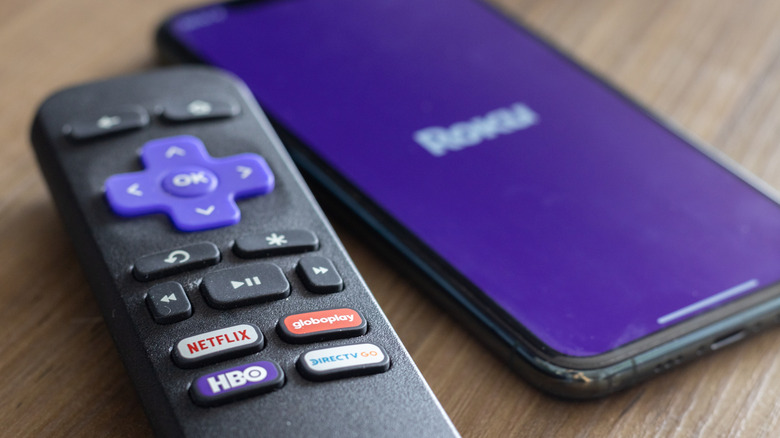
Losing a TV remote is one of those small frustrations that somehow feel extremely big in the moment. You check the couch cushions, scan the coffee table or bother your dog to check underneath, and there's nothing. Or maybe your Roku remote is right there, but the battery is done, and you don't feel like getting up and looking for replacements or the charging cable. Whatever the situation, there's a good chance the fix is already in your hand — your phone.
The free Roku mobile app turns your smartphone into a fully functional Roku remote. You don't have to make a purchase, get a subscription or go through a complicated setup. It works on both iOS and Android, connects over your home Wi-Fi and brings features that actually improve on the physical remote — like the ability to use your phone's keyboard for typing. If you've never tried it, you might be surprised by how capable the Roku remote app is.
How to get started with the Roku mobile app
Getting started with the Roku mobile app is as easy as it is with virtually any other app out there.
-
Download the app from the App Store or Google Play.
-
Connect to your home Wi-Fi. Make sure both your phone and your Roku device are on the same Wi-Fi network. This step is essential; without it, the app won't detect your device.
-
Open the app, and it will automatically scan for nearby Roku devices. Tap yours when it shows up, then head to the Remote tab.
That's it. The interface mirrors the physical remote's layout, with a D-pad in the center and playback controls. Now you can enjoy many of the best streaming services out there even without a physical remote!
The Roku mobile app can do so much more than just replace your misplaced remote. It actually doubles as a portable streaming platform. Through the Roku Channel tab, you can watch hit movies, live channels, TV shows and Roku originals directly on your phone. So, if you start watching at home, you can pick up exactly where you left off while you're on the bus, for instance.
Why using the app is a good idea
Roku hardware may have gotten more expensive, but replacing a lost or broken remote isn't going to cost you a fortune. Still, the regular model is $10, the one with voice control is $20, and the fancy Pro model with USB-C charging is $30. If you can use the mobile app for $0, why not do it? Beyond the savings, the app genuinely improves your experience, giving you access to voice commands (which you may be missing out on if you have an older Roku model). Plus, typing on a phone keyboard beats hunting through an on-screen alphabet one click at a time. You can also use the same app to connect your Roku streaming stick or TV to Wi-Fi without the remote, which is mighty helpful.
So stop wasting time (and money) and download that Roku app on your phone so you can replace your remote anytime you misplace it or when you're just too lazy to get up and grab it from the table.
Originally published on Engadget