The Camera app in iOS 27 is chock-full of small but meaningful improvements. The UI was given a major simplification last year; this year, that design is iterated and refined upon to make it the best yet.
This is one of the changes I’ve really grown to appreciate since installing the developer betas. Check it out below.
5 tweaks in the Camera coming in iOS 27
The camera is one of the iPhone’s most fundamental features. The camera was an afterthought at first — during the iPhone’s introduction, Steve Jobs described it as “a phone, a widescreen iPod with touch controls, and a breakthrough internet communicator.”
But today, I think most people would put “a powerful digital camera” as one of the three core features. Getting a better camera is one of the top reasons people cite for upgrading to a new model.
That means that any change to the Camera app is pretty seismic — and there a few big changes to unpack this year.
Table of Contents: Camera features in iOS 27
- Rearranged controls
- A new Siri mode with Visual Intelligence
- Smoother transitions between camera lenses
- More accurate portrait / landscape orientation
- Better performance in Low Power Mode
- More new features in iOS 27
Rearranged controls
Screenshot: D. Griffin Jones/Cult of Mac
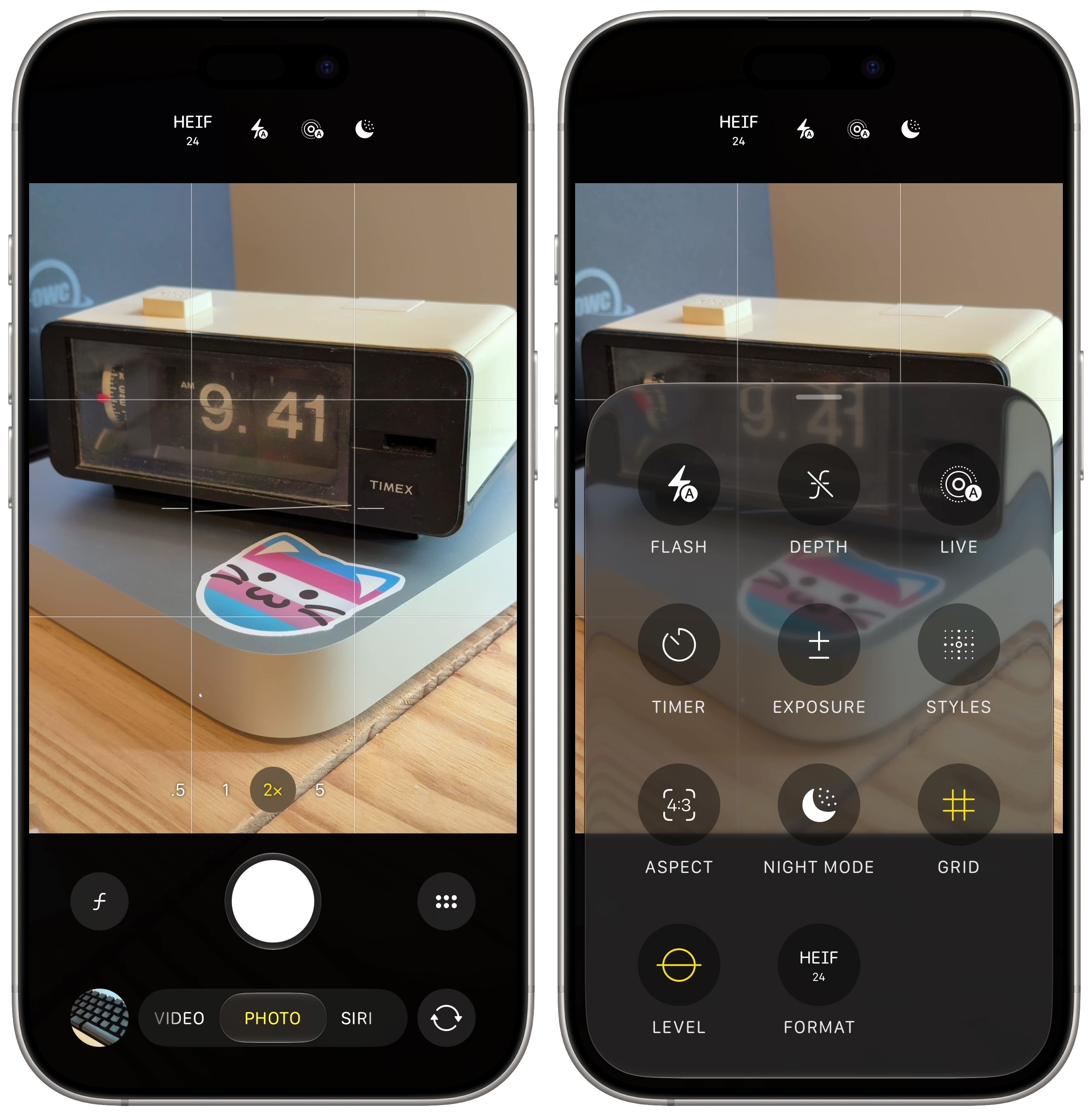
The Camera app largely sticks with the same visual design from last year, with a few controls moved around.
- The Macro / Portrait button (the flower / the italic 𝑓 icon) now sits in the black area next to the shutter button, rather than on top of the camera preview. It’s much more prominent.
- The Camera Controls button (the little grid icon) was moved from the top, down to the opposite side on the right. You can also bring up this menu by tapping on the current mode at the bottom (like Photo) but this menu is now much easier to find.
- The settings at the top for choosing the format, toggling flash and Live Photo are now clustered together in the center.
The Camera Controls menu also now adds toggles for Portrait mode depth, Night Mode, grid, level and format. Some of these options, like the grid and level, could only be enabled by digging through Settings > Camera. Rumors indicate that later this year, you’ll be able to customize which controls show up in the menu and which controls stay at the top of the screen.
A new Siri mode with Visual Intelligence
Screenshot: D. Griffin Jones/Cult of Mac
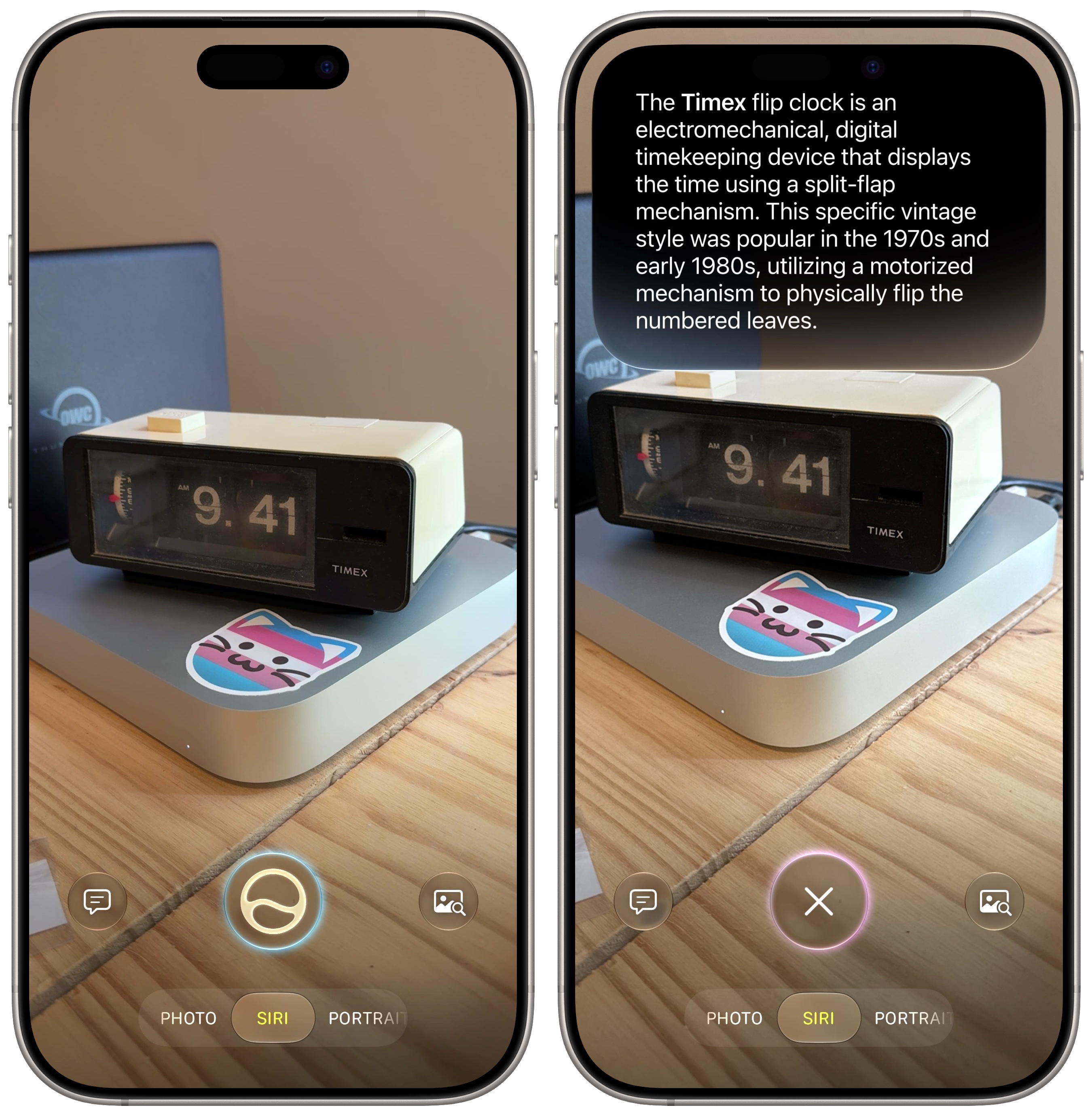
Apple merged Visual Intelligence with the Camera app. Before, these were two separate systems that most people either didn’t know about or found confusing.
Now, on models that support Apple Intelligence (iPhone 15 Pro, iPhone 16 and later) there’s a new Siri mode alongside Photo and Video. The Ask button on the left lets you ask questions based on what you see, though it now uses Siri AI instead of ChatGPT. The Search button lets you visually look up what’s on screen using Google, eBay and Amazon.
The Siri button in the middle will try to intelligently help based on what you take a picture of.
- If you point it at an object, it’ll look up what it is and tell you about it.
- If you take a picture of some text, you can use Live Text to copy it, summarize it, translate it or open links.
- Point it at a concert or event poster and it can instantly add details to your calendar.
- Take a picture of a receipt, and it’ll let you split the bill and request funds from friends using Apple Cash.
- Take a picture of an animal or plant and it can try to identify the breed or species.
Smoother transitions between camera lenses
While the pro phones have three separate lenses on the back with different optical properties, Apple wants you to treat it as one fluid camera system. You can freely zoom in and out and the phone will crop in on the sensor until it can switch to another lens. Those transitions can be a bit sudden and jarring, though.
Apple says that in iOS 27, you can expect smoother jumps between camera lenses. I haven’t noticed an improvement in my personal testing, but maybe this will continue to be tweaked as betas progress.
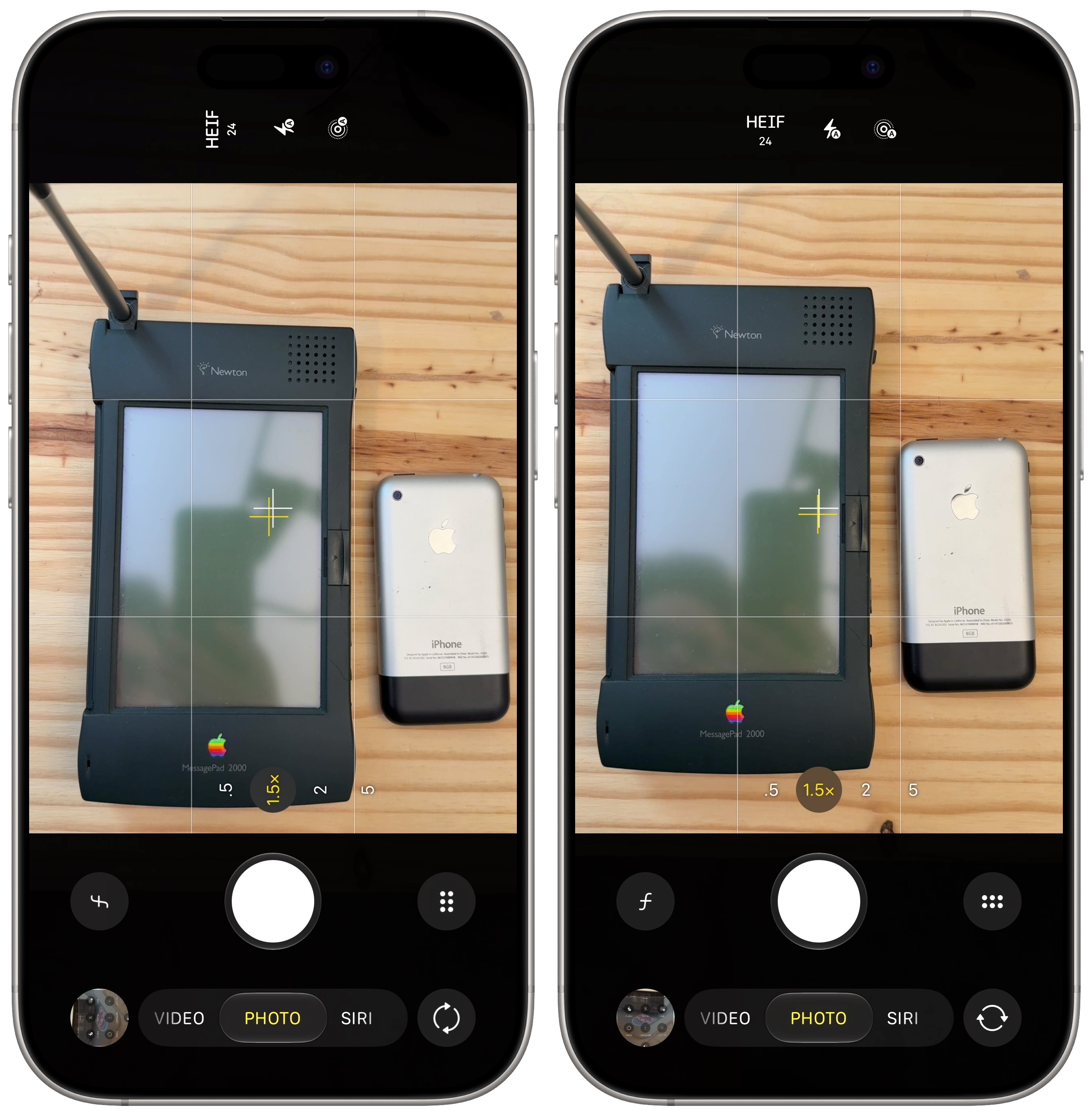
More accurate portrait / landscape orientation
Screenshot: D. Griffin Jones/Cult of Mac
If you point the camera straight down at something to take a picture, your phone often doesn’t know if the photo is supposed to be portrait or landscape. It’ll go with what it was last. If you catch it before you take the photo, you’ll have to turn your phone up and back down before you take the shot. And if you miss it, that means editing the picture and rotating it later. It’s easy, but still annoying.
In iOS 27, Apple says it has improved the orientation detection to be more accurate. Hopefully, you’ll encounter this problem less.
Better performance in Low Power Mode
The Camera is one of the most battery draining apps on your phone. Processing each photo is a computationally intense task. If you’re concerned about your battery life, you should use Low Power Mode — and now in iOS 27, you’ll find much better camera performance when it’s enabled.
Apple says that in iOS 27, the Camera launches faster and uses less power. That’s a win-win!