As a Mac user, Apple Mail seems like the obvious email client. It comes installed on every Mac, costs nothing and works with practically every email provider. Yet I prefer using Mimestream’s native macOS app to manage my email.
That’s not because Apple Mail is a bad app. The problem is that Apple Mail treats Gmail like any other email service. Mimestream doesn’t, and that makes all the difference.
Apple Mail never feels like Gmail, but Mimestream does
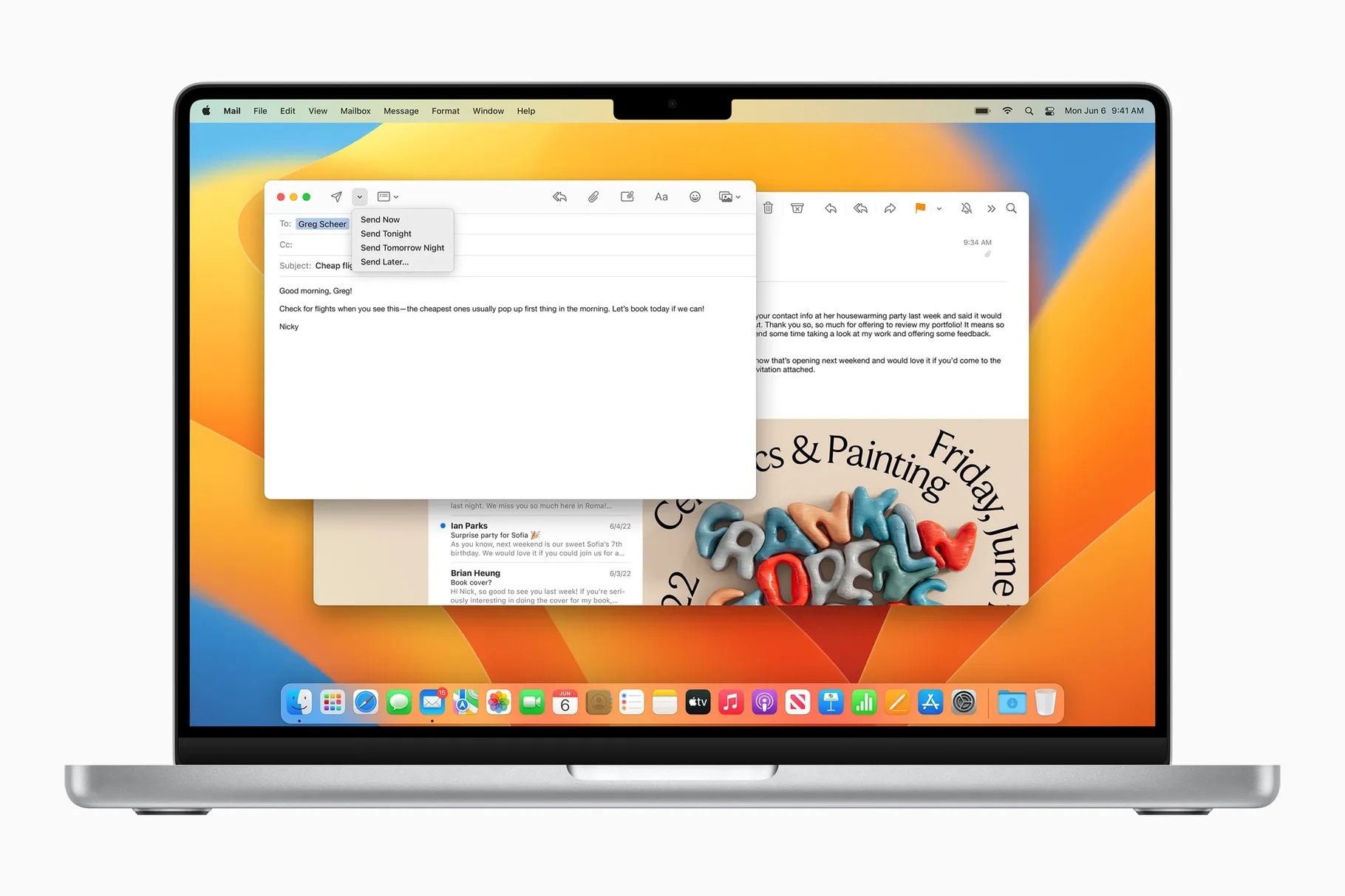
Photo: Apple
Apple Mail works with iCloud, Gmail, Outlook, Yahoo and conventional IMAP accounts. This versatility is one of its biggest strengths. However, it also means that the app cannot build its entire experience around Gmail.
As a heavy Gmail and Google Workspace user, I’m used to the way Gmail works. Rather than traditional folders, it relies on labels. It also automatically sorts messages into categories such as Primary, Promotions, Social, Updates and Forums.
I receive hundreds of emails every day. After using Gmail for years, I have grown accustomed to its organizational system, features and keyboard shortcuts.
While Apple Mail can sync messages and Gmail labels, it forces me to use its own organization system. It does not expose Gmail labels with the same color coding and visibility controls available in Gmail. Its rules are also separate from Gmail’s server-side filters.
This might seem like a minor difference, but it matters when I move between Gmail on the web and email on my Mac. A filter created in Apple Mail is not the same as a Gmail filter that continues to work on Google’s servers and across every device.
Apple Mail can categorize emails into Primary, Transactions, Updates and Promotions. But they are not linked to the categories in Gmail. So, if I switch devices or access Gmail on the web, I don’t see the same categories.
As someone who heavily relies on Gmail’s organization system, this is a big stumbling block. Apple Mail adds an extra friction point to my workflow.
Mimestream speaks Gmail’s language
Mimestream is fundamentally different from Apple Mail and other Mac email clients. It does not support every email provider. Instead, it only works with Gmail and Google Workspace accounts.
Its familiar Mac-like design is no coincidence. Mimestream founder Neil Jhaveri spent 7.5 years at Apple as a software engineer and engineering manager, leading teams that worked on Mail and Notes, before founding Mimestream in 2019.
The app connects directly to Gmail through the Gmail API rather than relying on the conventional IMAP protocol. That’s the standard almost every other email client uses. Even if you don’t care about the technical differences, Mimestream’s approach provides some notable real-world benefits.
The Gmail API gives Mimestream direct access to Gmail-specific features and metadata. The app does not need to translate everything into the more limited folder model that IMAP uses. This allows Gmail labels, categories, filters and search to behave as they do in Gmail’s web interface.
Mimestream’s approach also offers a notable privacy benefit. It stores account data and authentication tokens locally on the Mac. The app connects directly to Gmail without routing email through an intermediary synchronization service. I am more comfortable with this approach than giving an email client’s cloud service access to my inbox.
For me, the most noticeable benefit of Mimestream is speed. It instantly loads conversations and its search is lightning-fast. Plus, switching between labels and categories is a breeze, and Gmail categories keep my inbox manageable
Gmail’s Inbox categories are one of the main reasons I prefer Mimestream over Apple Mail
Rather than placing every new message into one overwhelming list, Gmail separates less-important email from the primary inbox. Promotions, automated updates, social notifications and forum messages remain available without cluttering my main inbox.
That way, I know which messages I need to pay attention to and which ones I can check later in the day.
Mimestream uses Gmail’s existing categorization instead of forcing me to use another sorting system. If Gmail classifies a message under Promotions or Updates, I see the same categorization inside Mimestream.
If you rely heavily on Gmail’s categorization system, you will know why this is such a big deal.
Labels work like labels
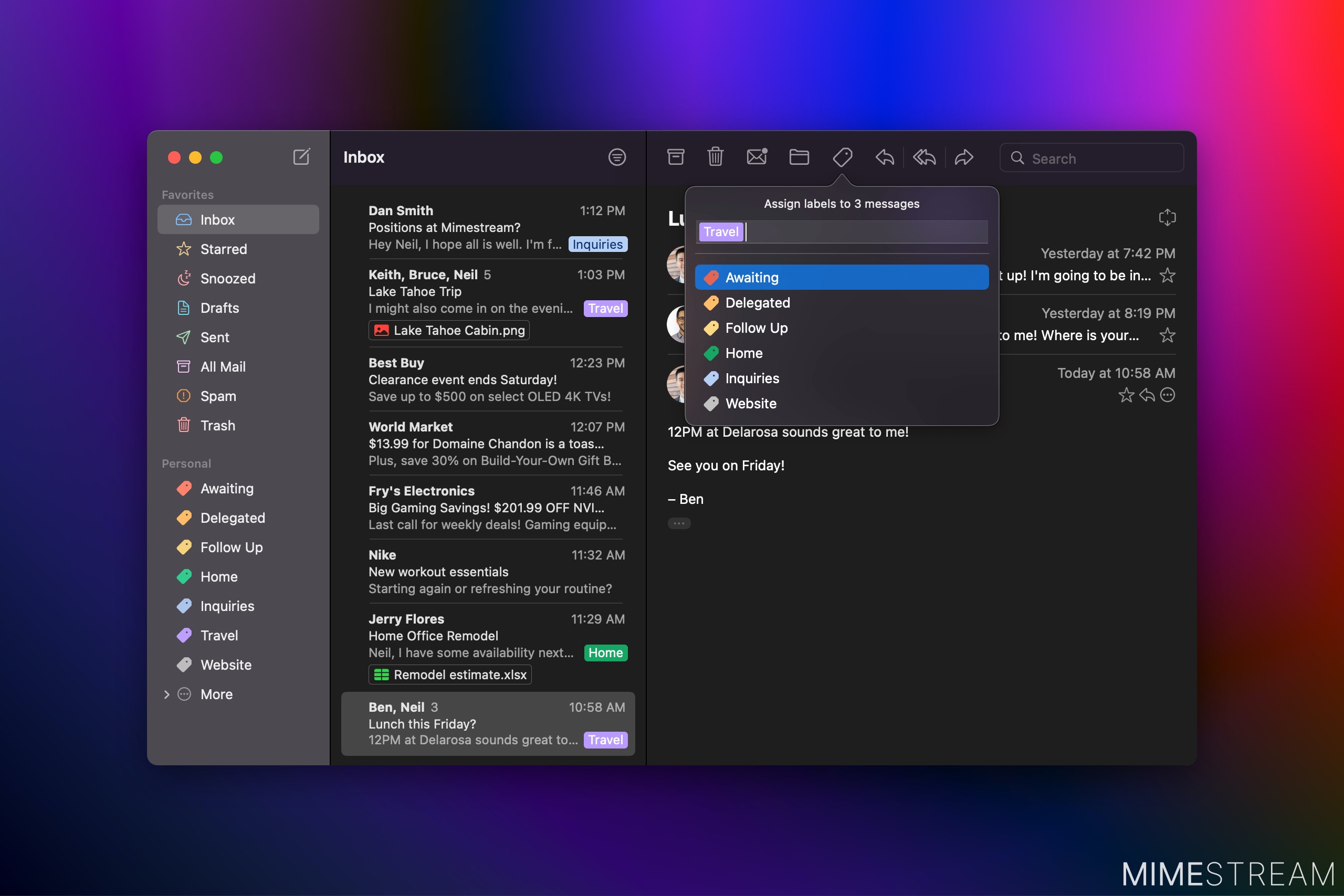
Mimestream also offers full support for Gmail labels, including their colors and visibility settings. I use labels to organize conversations without forcing every message into a single folder. One conversation can have several relevant labels, just as it does in Gmail.
Mimestream also lets me create and manage server-side Gmail filters. These filters will work even when the app is closed because Gmail applies them before the email reaches my inbox.
Apple Mail offers rules and Smart Mailboxes, too. But they belong to Apple Mail’s organizational system and do not replace Gmail’s server-side filters.
Gmail search is difficult to give up
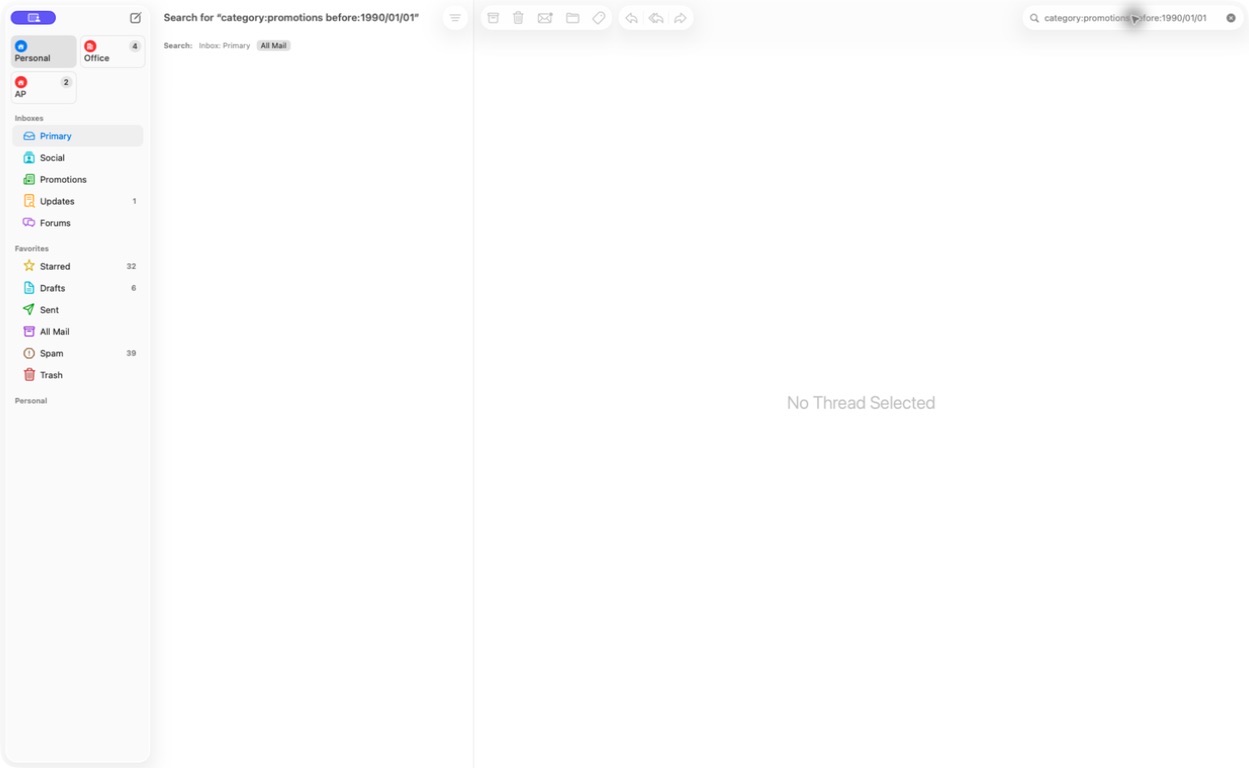
Photo: Rajesh Pandey/Cult of Mac
Gmail’s search is another reason why I prefer Mimestream over Apple Mail.
Apple Mail’s search is capable, with support for filters, Boolean operators and sender-based searches. However, it does not support Gmail’s complete server-backed search syntax.
Mimestream supports Gmail search operators directly. I can use queries such as “from:”, “label:”, “category:”, “older_than:” and “has:attachment” without using a different search format.
I can also search for messages containing Google Drive links, documents, spreadsheets and other Gmail-specific attributes. Because Gmail performs the search, Mimestream taps into the same index I use on the web.
My Gmail shortcuts work on the Mac
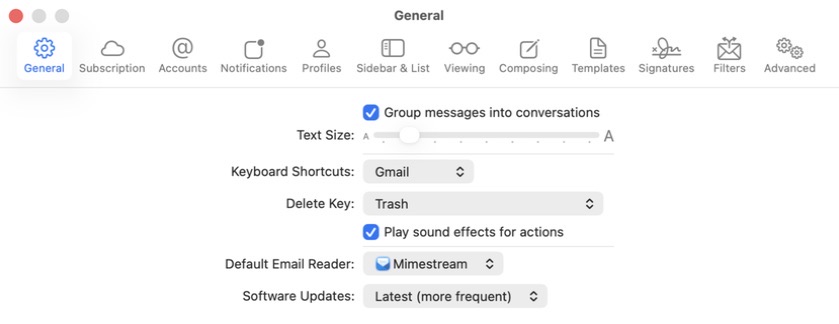
Photo: Rajesh Pandey/Cult of Mac
As a heavy Gmail user, I am used to its keyboard shortcuts. Mimestream offers the best of both worlds: It has its own shortcuts while also supporting Apple Mail and Gmail shortcut sets. So, I can quickly archive emails by pressing e, jump straight to the search bar by pressing / or begin composing a new email by pressing c.
I don’t need to relearn how to move through my inbox just because I switched from a browser to a Mac app.
Mimestream also supports swipe gestures and offers a Send and Archive command. Together, these features make working through my brimming inbox every morning much easier.
Another small but useful feature is Mimestream’s support for sender photos. It displays someone’s Google profile photo or their image from Apple Contacts, making conversations easier to identify while scanning a busy inbox.
Why Mimestream works better for me
Apple Mail still wins in several areas. First and foremost, it is free to use, whereas Mimestream costs $49.99 per year or $4.99 per month. Unfortunately, there is no lifetime purchase option.
Second, Apple Mail comes preinstalled on every Mac. That instantly makes it the default email client for most.
Perhaps Mimestream’s biggest drawback is that it only works with Gmail and Google Workspace accounts. That should work for many users. However, if you use iCloud, Outlook, Yahoo or a standard IMAP account, Apple Mail remains the better option.
Mimestream is currently only available for Mac. However, the developer is working on a version of the app for iPhone and iPad. That should go live around the time Apple releases iOS 27 this fall, although Mimestream has not confirmed a release date. (I tried Mimestream’s iPad beta, and the experience seems every bit as polished as the Mac app.)
Apple Mail remains the more practical choice if you manage accounts from several providers, want a free email client, or prefer using the same app across all your Apple devices. It handles the fundamentals well and offers enough features for most people.
But if Gmail is your primary email service, Mimestream makes a convincing case for replacing Apple Mail on your Mac. Mimestream combines the speed and simplicity of a native Mac application with the categories, labels, filters, shortcuts and search tools that make Gmail so useful.
For me, that familiarity makes managing email faster — and that’s why I would rather use Mimestream than Apple Mail on my Mac.
Download: Mimestream (14-day trial, $49.99 per year or $4.99 per month)

![Hands-on: The Meirro Pro 6K might be the best Apple Studio Display alternative yet [Video]](/_next/image?url=http%3A%2F%2Ftech4you.club%2Fmedia%2Farticles%2Fcovers%2Fcover_7BR8SQM.jpg&w=3840&q=75)