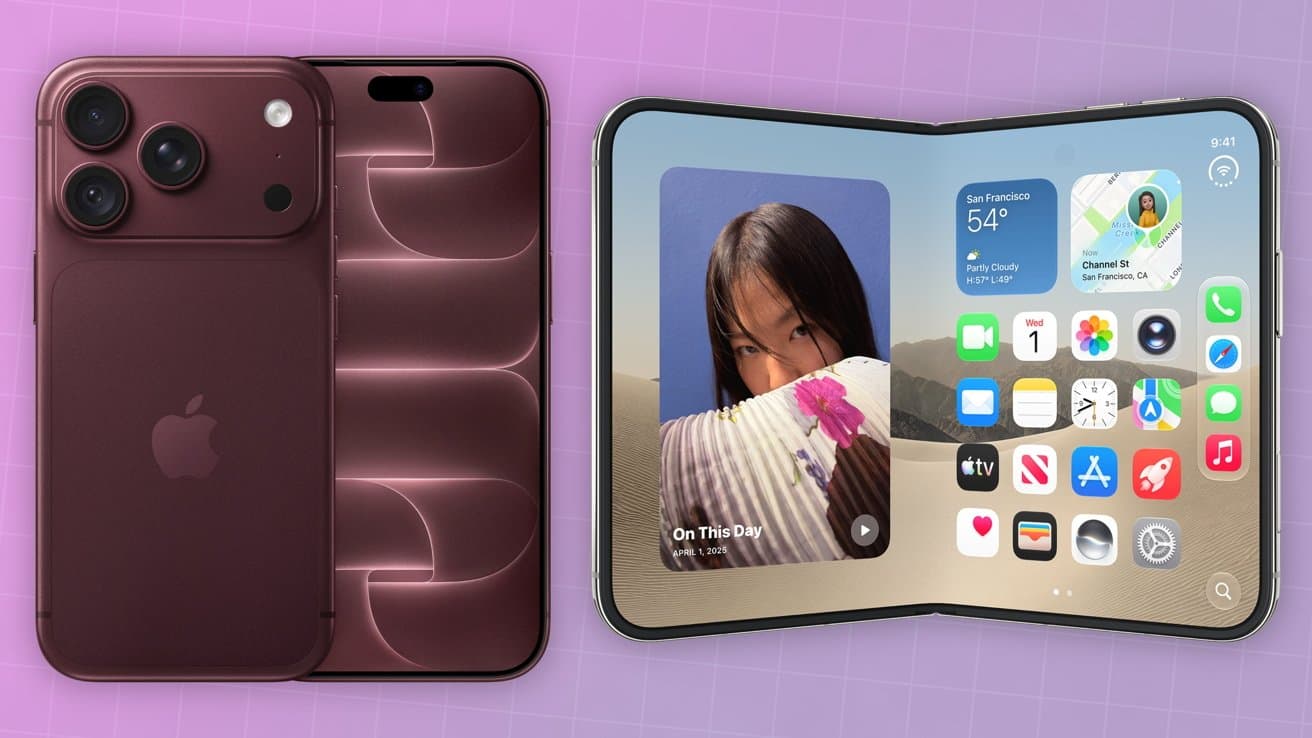
I had a lot of reservations about Apple making a foldable iPhone, but after playing around with iPhone Duo at the Apple Event, I think I'm sold.
A foldable device is cool, but comes with a lot of compromises. I knew, based on the rumors, I was going to be on the fence.
That was before I got the chance to try it out for myself. It wasn't long, but in my time with it, I can easily see it being my daily driver.
Solid, reliable hardware
There will surely be plenty of stress testing post-launch, but right now, it seems like Apple's hardware is solid.
Apple is using a polished titanium frame that will resist scratching while improving durability. It uses a custom hinge with over 100 individual components that help support the inner display when it is open.
It even sports IP68 water and dust resistance, something the latest Samsung Galaxy Z Fold 8 doesn't have. That gives me a lot of confidence in the strength of this device.

The iPhone Duo laying down with the matte interior screen and no crease
When you open the phone, there is an extremely slight dip on the inner display where the crease is, but it's basically imperceptible. The center of this display feels strong and doesn't flex if you push on it.
Plus, it supports MagSafe, even though early rumors claimed it wouldn't. That likely would have been a dealbreaker for me.
We have some concerns about MagSafe accessory fit, but more on that a bit later on September 10.
iPhone Duo camera tricks
One area that Apple tricked out on the iPhone Duo is the camera. Not necessarily the hardware — it has the same primary lens as the iPhone 17e — but the Camera app.
For example, one of the new features is called Smart Take. You prop up the phone by folding it in half, already a useful feature, and enable Smart Take to intelligently take photos.
Smart Take looks for poses. When it sees you strike a pose or freeze, it will take a picture for you.

Smart Take looks for you to freeze in a pose before taking a photo. It takes multiple photos and tries to avoid duplicates.
It doesn't just take one though, it continuously takes them until you turn it off. This is smart too, and attempts to avoid duplicate poses.

Holding iPhone Duo in one hand with the Kid Cue interface on the front display
There's also Kid Cue, which shows a colorful Snoopy animation on the exterior screen. It's perfect to draw a child's attention just long enough to snap your picture.
My son loves Snoopy and is notoriously terrible at posing for photos. This feature seems tailor-made for my family.

Using the iPhone Duo preview mode while taking a photo
Duo Preview puts a preview of the photo you're trying to take on both the inside screen and the front screen. That way, the person in the photo can see it too.
Thinking about the times my wife and I got photos but the person taking the photo framed it wrong, I need this feature. It would save so many retakes, or my partner being disappointed that the photo wasn't framed properly.
Unlike the iPhone Air, the iPhone Duo also manages to support Cinematic Mode. The under-screen FaceTime camera makes family video calls more personal too thanks to the dual displays.
All about the software
The camera tricks are just part of the amazing software work Apple has done. My worry was Apple was going to make a foldable that essentially ran iOS on the outside, and switched to a morphed version of iPadOS on the inside.

Holding iPhone Duo in one hand
If we look at any of the "max" iPhones, it's clear Apple has a history of not really taking advantage of the larger screen size. It basically just scales everything up to fit the larger display.
That's not the case for iPhone Duo. The device runs iOS but has a refreshed interface on the outside and inside that makes sense for this form factor.

When the iPhone Duo opens and closes, the screens animate in-between
For example, the dock has moved to the edge of the phone, where your thumb will naturally rest. When you open it, it has this gorgeous animation of the front screen dissolving away to reveal the screen on the inside.

Seated view can easily show you the time when off, or different interfaces when in apps
The phone also has different use cases and features based on how it is placed. If you sit it down seated, you can watch a video with easy controls below.
This half-folded position was super comfortable for using a keyboard too. The keyboard is slightly larger, because of the phone orientation, and my typing was super fast.
If you fold the phone slightly, it automatically goes into a split mode, which is going to come in very handy. Even at this event I found myself wanting the iPhone Duo for getting work done.
A split-screen app interface would allow me to upload video in real time to both TikTok and YouTube at the same time. If you tap between the apps, you can pin them together so I could multitask between those apps and everything else I was working on.

Vertical StandBy mode with three widgets on the left, and one large widget on the right
If you take that slightly folded version and place it on a table while turned off, it goes into a larger, vertical StandBy mode. This has a lot more screen real estate for your widgets and Apple even adjusts the color too to be comfortable on the eyes.

iPhone Duo in StandBy mode with a sleek, bespoke calendar view
Placed tented, there are a lot more StandBy mode options that look stunning. I want to know where these interfaces have been in the existing StandBy mode!
There is a calendar view that has a soft white background with all the dates displayed, but behind all the numbers is the current date in a crimson red. It feels like a vintage calendar.

Portrait photo with the time displayed in StandBy mode
I saw a portrait photo mode for StandBy that caught my eye. It's like the portrait face on Apple Watch, but as a small desktop display.
If you use the iPhone Duo in this StandBy mode at night, the inside of the phone will softly glow in the morning when you go to turn off your alarm. There are so many of these little touches that I encountered, even after just a short bit with the phone.
Another concern for me was around Touch ID. Like where it is on the iPad on the power button, it doesn't always work reliably for me, probably thanks to a scar on my index finger.
So having to rely on that every time was going to be a tough sell. Apple worked around it.
If you have an Apple Watch, it will authenticate your iPhone Duo for you, so you don't need to use Face ID or Touch ID to unlock your phone. This is brilliant, and a great example of Apple devices working together.
Such a tough call
I'm still on the fence about what I want my daily driver to be. I've been a big iPhone Air user, but I use the iPhone 17 Pro for a lot of the camera abilities.
The iPhone Duo has similar compromises, but is a bit better on the camera front. In that regards, it may do just enough that I feel comfortable with it as my main device.

Split screen multitasking for iPhone Duo
I know that at least right now, after having the device in my hand, it's much better than I anticipated. It feels polished, and intuitive. I love the idea of split screen apps on a device like this and it will be helpful for the kind of work I do.
It's a big jump up in price, and certainly not perfect, but it's a very impressive first-generation device. I think it's going hard to find out of the gate.
The iPhone Duo will go up for preorder starting on October 16 starting at $1,999. Shipments start on October 23.