Apple is doing it again, it is coming late to the party. But it will eventually dominate AI because of how it thinks about users and about use cases where rivals consider only technical issues.
Even when testing the betas of Siri AI on the same or similar devices, everyone at AppleInsider is having different experiences. For instance, I found that in the first developer beta on both the Mac and the iPhone, Siri AI could be staggeringly irritating and sometimes no better than the old Siri. With the third developer beta of macOS Golden Gate, Siri AI would sometimes just abandon any request I make of it, but was always fine for everyone else.
Across all of the betas, though, we are all finding that there are things Siri AI can do that are exceptional, and better than its rivals. Those irritations will surely be fixed before the public release, too.
Only, it almost doesn't matter. As long as Apple can at least cut down on the aggravations such as really anything you ask via CarPlay, Siri AI is certain to beat everything else. Apple will go from being behind on AI, to absolutely in front.
It's just that rather than this being because of the technical quality of Apple Intelligence, it's because of how Apple thinks about users, and because of how, yet again, Apple owns the whole stack. Apple designs and controls the hardware and the software, and in this case it means specifically that Siri AI is physically better positioned than any other AI app.
Over and over, Apple has come late to new technologies, yet then instantly taken over as the leading provider. It has so instantly demonstrated better ways of doing things that all its rivals with all of their benefit of coming first, have subsequently changed their plans to copy Apple.
You've seen that with Wi-Fi adoption, with the death of the floppy disk, the rise of USB, and the death of the headphone jack on phones. Apple's launching of Siri AI is exactly like this, with the one exception that this time, rivals cannot copy it. Or at least, they cannot copy it on the iPhone because no alternative can be as completely embedded in iOS.

Siri AI on CarPlay is not in beta, it's in Bane-of-My-Life.
It's true that the more you know and use AI chatbots, the faster you use them and the quick shortcuts you can find to enter prompts. But for most people, most of the time, if you want to use an AI service, you have to:
- Know it exists
- Know it can do what you want
- Find it
- Install it
- Launch it every time you want something
Compare that to the new Siri AI on iPhone:
- Swipe down the way you always have for Spotlight
There's still the issue that a user has to think to try something, but Siri AI is part of the familiar Spotlight. And Spotlight will prompt you by trying to auto-complete your searches, showing you a range of what can be done.
Although I wish I could remember what I was searching Spotlight for when it tried to autocomplete "Erase all content and settings" for me.

This is me trying to recreate something, but Siri AI/Spotlight really did offer "erase all content and settings" as a suggestion when I was searching for something else.
But the thing is that Siri AI is now going to be just a swipe away for every iPhone user, and moreover it's a swipe that every user already knows to do.
Siri AI is therefore close to omnipresent and it works because Apple has expressly thought about how users might use it. Compare that to Microsoft, which has also made AI a deep part of its OS, but instead of being convenient and useful, its pushing of Copilot antagonizes users.
Then Apple, too, has the advantage that not only can people speak to Siri AI, they will do it in precisely the same way they've already learned to with "Hey, Siri," starting with iOS 8 in 2014. Or then just "Siri," from iOS 17 in 2023.
So every iPhone user already knows how to use Siri AI, and the only learning curve is about discovering what it can and cannot do.

One improvement we've seen in the beta releases is that Spotlight now always prompts you with "Search or Ask," letting you know it's more than a searching tool.
It's the same for the iPad, but surprisingly it is now also the case that Siri AI is going to be used, and useful, on the Mac. Apple talks a good game about sharing the best features across all of its platforms, but that hasn't really been the case with Siri, until now.
Whether or not your Mac has a microphone, you've at least long been able to tap the Command key twice and call up "Type to Siri." But you'd always type your search, or your prompt, and then have to wait.
Then it might respond, or more recently it might offer to pass your request on to ChatGPT, and you'd wait again. It's not like this was slow and it's not even as if it is any faster on the iPhone, but it was slow enough and disruptive enough that it just felt far less useful on a Mac.

This was a real issue I had and Siri AI sorted it. Select a set of documents, right click and you get an Ask Siri box that you can pop a question into.
That's because while it changed over the years, in its most recent incarnation before Siri AI, when you called up Siri on a Mac, it overlaid a corner of the screen rather than filling it. That made you expect to be able to continue working. Not while you were typing the prompt, of course, but while Siri was acting on your search or query, or perhaps even as you spoke your command into it.
Instead, no. Take your hands off the keyboard, there was no way to continue working on anything while you were using Siri.
Plus speaking of the keyboard, surely the only way anyone ever found Type to Siri was if they accidentally drummed their fingers on the Command key. I've definitely activated it more times by accident than I ever did intentionally.
So the keyboard shortcut was little known, and Mac mini and Mac Studio owners don't necessarily have a microphone by which to invoke Siri vocally. Siri was on the Mac, but it wasn't for the Mac.
Or at least, that used to be the case.
Putting Siri AI into Spotlight was a genius move
It's great that swiping down on an iPhone to get Spotlight now gives you Siri AI. Spotlight used to need a certain swipe down the middle from somewhere near the top of the screen, but not actually at the top.
Then actually swiping down from the center at the top of the iPhone screen used to bring up Control Center. If that's how you were used to doing it, this is a change you'll take time to get used to.
But for whatever reason, I've always got Control Center by swiping down from the top right of the iPhone screen, so I'm fine. That makes me wonder how I ever found Siri AI in Spotlight, but it also makes me suspect that Apple has done this because most people swipe from the center.
The result, though, is the same, which is that you are presented with a familiar Spotlight search which also interprets what you type into there and sends it to Siri AI.
On the Mac, those three people who had found and liked pressing Command twice to call up Siri, can still do exactly that, although it now launches Spotlight instead of a separate glowing Siri dialog. For the rest of us, the familiar Spotlight keystroke of Command-Space brings up Spotlight, which now opens with a bar that says "Search or Ask."
I use Command-Space to launch Alfred 5, a Spotlight alternative, but I've come to like the new Spotlight/Siri AI so much that I've given it a keystroke of Option-Command-Space. To set a keystroke, go to Settings, Keyboard, click Keyboard Shortcuts, then go into the Spotlight section and change what's there to whatever you prefer.
If you listen to the AppleInsider podcast, you'll have heard me vacillate between how great and how terrible the new Siri AI is. Almost everything great it has done for me, it has done on the Mac, and it is transformative.
The benefits of Siri AI
I just signed a book contract and naturally part of it is that I will deliver one manuscript at the end. But because of back and forth discussing the topic, I've ended up with multiple sample chapters and needed to compile them into one Pages document.

If it's on your iPhone, Siri AI can find it. Usually. It's churlish to point out that it sometimes fails over what appear to be obvious elements, such as recognizing that it actually does have your home address, because overall it's spectacularly useful.
Only, no matter what I did, the word count for that one Pages document was something like 3,000 words short of the total of all the separate chapters. I can't tell you how often I started over, opening versions of chapters and copying and pasting, but eventually I did this:
- Selected all of the chapters in the Finder
- Right-clicked and chose "Ask Siri"
- Asked it to compare the selection to a document I named
- Asked it to tell me what was missing
And it did it. It actually did it stunningly quickly, coming back in a flash with the fact that I'd somehow missed out two whole sections from certain of the chapters. I pasted those sections into the new document and am now somehow 1,000 words over, but I'm okay with that.
Or on a totally different book project, I had to report to the publisher that a grant we'd applied for hadn't worked out. I wanted to offer an alternative we could do, but it meant my mentioning two particular people who'd been sources on the book and I totally blanked.
Give me a break, it was five in the morning and I really liked both of these people, I just could not remember my own name, let alone theirs. Siri AI told me the answer.
It took a couple of goes, asking about books and sources, but it told me their names and I got to say aloud, oh, yes, of course.
All of this was done at my Mac, where I would never have used Siri before. Using my iPhone, and specifically swiping down so I could type a prompt, I've had very good results with map directions.
Shortly I'm going to be driving some people to a thing and it's a long enough trip that they say they want to stop for lunch partway. They gave me three suggestions and right away Siri AI said, well, that first one is permanently closed so you can forget going there.

You can go back to previous searches through the new Siri app on Mac, iPhone and iPad.
I asked it which was the better of the other two and it successfully summarized the two venues based on price and types of food offered. Then I picked one and asked how much time it would add to the drive if we went off the route to reach this place.
All quick, all exactly the kind of natural conversation that Apple promises we can have with Siri AI, and all of it working well.
Except all of it was also done by typing. For some reason, it's when I speak to Siri AI that it goes so wrong as to be appallingly bad.
Siri AI frustrations
Back in the day, I could be listening to some music as I drive and just ask Siri to add the current track to a certain playlist. Or ask it to play a certain playlist.
They were good times.
Then Apple broke Siri and left it broken for two years. During that time, if you asked anything to do with a playlist, it said it couldn't find it. Unless you asked again, immediately, in which case very often it would find it and do what you wanted.
With Siri AI, forget anything to do with Apple Music via CarPlay. If I ask for a playlist I've called Discoveries, it will play the Apple Music Discovery Station instead, which is not unreasonable.
But if I ask it to play the Heavy Rotation playlist, another one that Apple itself curates, it will almost always play a song called "Heavy Rotation" by a band called Upgrade.
Curiously, if I do this on the Mac, if I type Apple Music commands into Spotlight/Siri AI, it works. It takes a surprisingly long time, but it works.
As I've said, mapping things work when I type them too. But I have done rash things like saying aloud, "Siri, take me home via Tim's house," and it's said no.
Or rather, it's said it doesn't know where my home is. Ask it why it doesn't know this and it says the detail is not on my Contact card, even though it is.
Once I asked for directions somewhere and it was so confident that it actually started the Apple Maps route. When I stopped it, pointing out that it had got the wrong place, it apologized, and showed me on screen a one-paragraph biography of a band.
Explain that to me. Because Siri AI couldn't: it actually then denied having shown me whoever this was.
I wish now that I hadn't swiped up so quickly and, frankly, angrily, that I didn't stop to read that bio. I wonder if it were for the band Upgrade. I am single-handedly responsible for their streaming earnings going up.
I'm not kidding about it making me angry. That Apple broke something Siri could do was poor of them, and that they left it broken for years is inexcusable.
But to then launch its improvement and have it still fail at the same things all the time, yes, it warrants the odd off-color response. "I don't know what to say to that," Siri has replied to me.
I have some suggestions.
Siri AI still wins
It took me a while to connect the dots and see that, wildly, my Mac is now the best Siri tool. Or rather, that typing to Siri is now exceptionally useful.
Perhaps it's my British accent, since the betas are set for US English. Certainly, or at least surely, or maybe only probably, all of the problems will be resolved before Siri AI is released publicly.

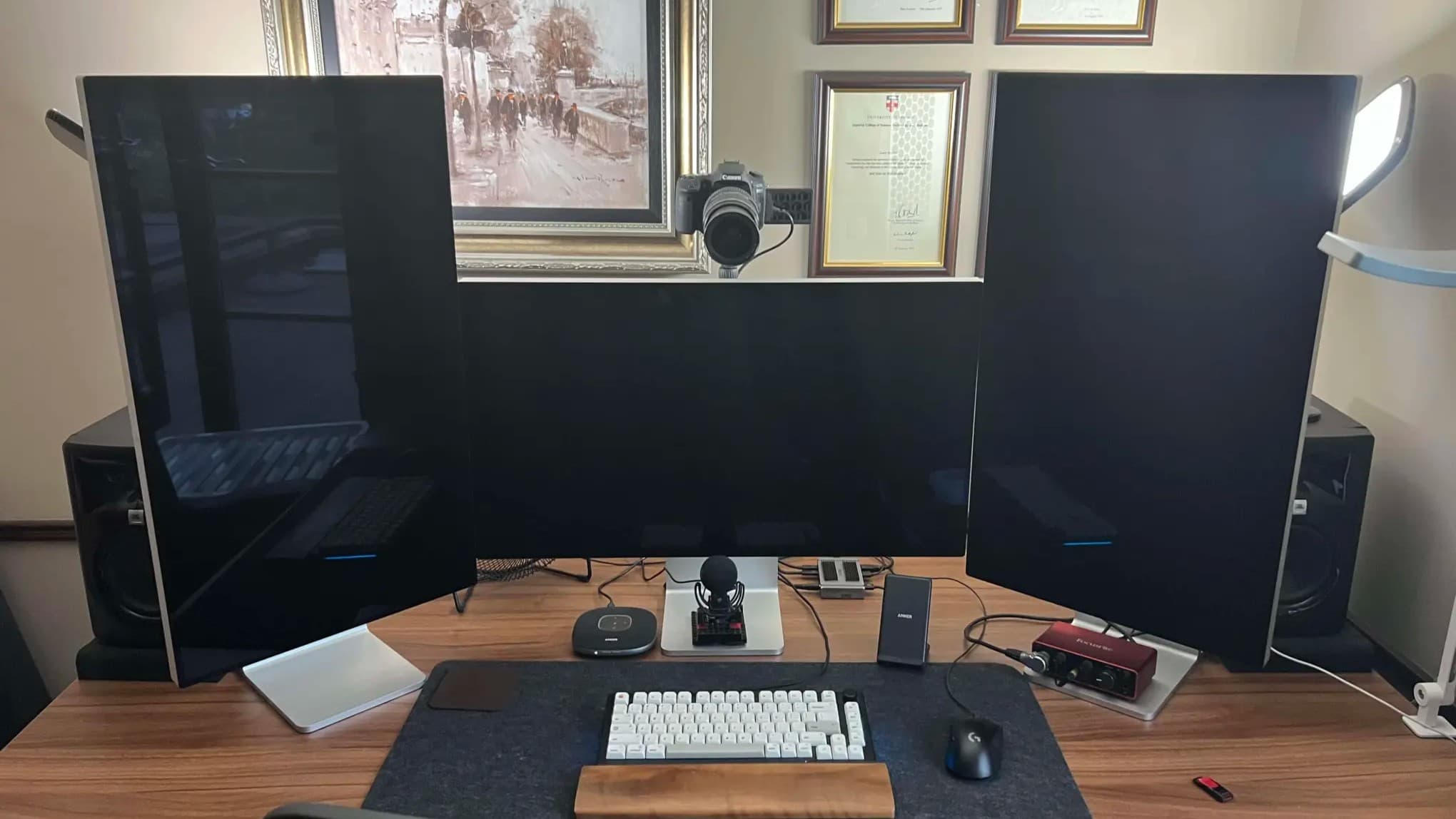
I use the new Siri app so much that I've given it a button on my Stream Deck. It's on the bottom row, second from the left.
But if I'm not kidding or exaggerating about the frustrations, I'm also not putting you on about how Apple is going to win with Siri AI because of where it has put it, and how it has thought about users.
Because despite my blood pressure being driven up at times, I keep coming back to Siri AI. In the car, that's just stupid and I put it down to the years of habit before Siri was broken.
But for everything else, especially at the Mac, I keep coming back because it's at least good enough, and it is right there. It's a "Siri" command away, it's a Spotlight command away, and when you invoke it, you can go straight back to working instead of folding your arms and waiting.
I do also find that anything that involves Siri searching its World Knowledge was initially a bust. It's no good at searching AppleInsider for articles I've written about specific topics. For that, since Google is also now a bit poor, I use Claude and it finds everything.
Otherwise, though, World Knowledge does somehow seem to have improved, or perhaps I've learned not to bother asking it about particular buildings I'm looking at.
Although I do still keep using Visual Intelligence. I am finding that having it now be part of the camera app means that I sometimes wish it would please stop trying to help me, I'm just taking a photo.
But here's a measure of Siri AI's effectiveness. For a year or more now, I have added buttons on my Stream Deck for various AI apps, and eventually settled on just having Claude there.
I've not replaced that button yet, but it has come close, and I have added a new button just to open the Siri AI app. If I've asked Siri AI something and then closed its response but want to recheck anything, I'll push that button and be back in the app, back in the conversation.
Mind you, the reason I have a spare Stream Deck button to use for this is that it was previously set to open iPhone Mirroring. That has never once worked for me again since the macOS Golden Gate betas launched.
You know it will, though, you know that issues like this will be fixed by the time macOS Golden Gate comes out of beta testing.
Yet even now, even with frustrations, I am reaching for Spotlight and Siri AI on the Mac, I am pushing a Stream Deck button, and I am talking to Siri on my iPhone. And I am using it far more than any other AI app I've got, chiefly because it's right there where I need it to be.
Rivals try to sell their AI services using terms like agentic or boasting about tokenmaxing, and wonder why people aren't rushing to buy. What Apple has done, even in this bumpy beta, is provide useful tools and put them where they are needed.
That's all. But when Apple is firing on all cylinders, that's what they do. Siri AI is doing just that.
Between Siri finally being good, and Apple earning from other AIs on the App Store, in the long run, Apple is going to be the winner of the AI revolution, or bubble, depending on what you believe.